Best for Included accessories
Dell P1425 Monitor
5.0 attribute score
Highest scored product for this attribute based on supporting review evidence.

Highest scored product for this attribute based on supporting review evidence.
Balances the attribute score, supporting reviews, and overall product strength.
Has the broadest review evidence for this attribute.
Strongest overall product among items with scored evidence for this attribute.

The supplied angled cable and protective sleeve add practical value for travel and tidy placement.
Pros: brightness, portability and weight
Cons: value for money, port selection

The included high-quality Thunderbolt 5 Pro cable is appreciated, especially given its separate retail cost.
Pros: Monitor daisy-chaining, overall picture quality
Cons: value for money, refresh rate

Bundled cables and useful setup pieces mean fewer extra purchases and a simpler first-day installation.
Pros: port selection, color accuracy
Cons: built-in speakers, speaker quality

The cable bundle and calibration report are welcome, helping buyers get started quickly. Some regional or loaner packages differ, so a missing cable on a loaned unit is not definitive.
Pros: USB-C power delivery, port selection
Cons: HDR performance, refresh rate

The package includes the cables and mounting adapter needed to get started, plus a protective cloth and other useful extras.
Pros: black levels, sharpness
Cons: value for money, brightness

The bundled DisplayPort, Mini DisplayPort and USB cables feel useful and higher quality than expected.
Pros: competitive gaming suitability, stand adjustability
Cons: color gamut, contrast

Included video, USB and power cabling makes the monitor easier to set up without extra purchases.
Pros: overall satisfaction, refresh rate
Cons: HDR performance, HDMI 2.1 support

The included display cables and basic assembly tools help make initial setup simple.
Pros: value for money, panel type
Cons: brightness, port selection

The useful selection of supplied video, power, and Thunderbolt cables makes it easy to get a workstation connected immediately.
Pros: overall picture quality, color accuracy
Cons: value for money, built-in speakers
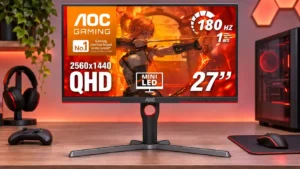
The box includes useful display cables and power connections, avoiding an immediate extra cable purchase for common setups.
Pros: value for money, HDR performance
Cons: on-screen display usability, port selection

The package supplies useful connection cables and mounting hardware, with some praise for the zippered accessory pouch.
Pros: overall satisfaction, response time
Cons: reflection handling, VRR flicker

The cable bundle is unusually generous, including a practical full-bandwidth DisplayPort lead and useful mounting accessories.
Pros: overall satisfaction, black levels
Cons: value for money, stand adjustability

A broad selection of display, data and power cables makes it easier to connect different computers out of the box. The short USB-C lead may limit placement in some setups.
Pros: overall satisfaction, Text fringing
Cons: brightness, Edge dimming behavior

HDMI, DisplayPort, USB and power cables give buyers what they need to connect the monitor immediately.
Pros: overall satisfaction, value for money
Cons: reflection handling, screen uniformity

The package includes useful HDMI, DisplayPort, and USB cables, reducing the need for extra setup purchases.
Pros: refresh rate, competitive gaming suitability
Cons: value for money, brightness

The package is generous, with multiple video and USB cables, cleaning supplies and a mounting adapter that make first setup easier.
Pros: color gamut, overall satisfaction
Cons: reflection handling, VRR flicker

The box includes HDMI, DisplayPort and USB-C cables alongside the power supply and stand, reducing the need for immediate extra purchases.
Pros: Resolution, Dual-mode versatility
Cons: value for money, GPU demands

The bundled Stand+ and USB-C cable are welcome additions, with basic cleaning materials included in the package.
Pros: overall satisfaction, stand adjustability
Cons: value for money, reflection handling

The wired S Switch is a highlight because it makes changing display settings fast. Side shields and supplied cables further support dedicated esports setups.
Pros: competitive gaming suitability, motion clarity
Cons: contrast, overall picture quality

Included signal cables and mounting hardware help avoid separate accessory purchases for the documented connection and mounting arrangements.
Pros: refresh rate, color accuracy
Cons: console gaming compatibility, DisplayPort connectivity

High-bandwidth HDMI and DisplayPort cables arrive in the box, making initial connectivity easier even if the supplied DP cable is relatively short.
Pros: Resolution, sharpness
Cons: value for money, HDR performance

The supplied cables, mounting hardware and power accessories support a fairly straightforward initial setup.
Pros: brightness, contrast
Cons: Text fringing, speaker quality

Supplied video and connection cables make it easier to set up without buying separate leads.
Pros: HDR performance, overall satisfaction
Cons: HDR highlight detail, color accuracy

A sleeve, USB-C cable, angled connector, and pen make travel setup convenient. One detailed compatibility review warns that the bundled passive pen is not a fully featured active stylus.
Pros: overall picture quality, Stylus usability
Cons: port selection, refresh rate

Useful video, USB and power cables come in the box, reducing the extras needed for a first-time setup.
Pros: brightness, HDR performance
Cons: speaker quality, built-in speakers

Useful cables, the stand and a cleaning cloth are included, helping buyers set up without immediately shopping for extras.
Pros: value for money, Resolution
Cons: HDR performance, refresh rate

The included USB-C cable is praised for its useful length. One reviewer wishes the cables matched the monitor’s light-colored finish.
Pros: USB hub functionality, USB-C power delivery
Cons: speaker quality

The bundled high-speed HDMI cable and basic cables are useful; extras are limited, which reviewers generally accept for the price.
Pros: value for money, Resolution
Cons: port selection, HDR performance

Useful display cables and setup accessories are included, though a short DisplayPort cable may limit positioning.
Pros: refresh rate, Text fringing
Cons: Resolution, GPU demands

The included USB-C cable is a welcome convenience during setup.
Pros: overall satisfaction, screen size
Cons: stand adjustability, Photo editing

The included HDMI and DisplayPort cables can simplify initial setup, though package listings differ by retailer.
Pros: adaptive sync performance, response time
Cons: HDR performance, console gaming compatibility

The matching white cables make the package visually cohesive with the white monitor.
Pros: Dual-mode versatility, refresh rate
Cons: black levels, contrast

A DisplayPort cable and USB-C cable are useful inclusions, though an HDMI 2.1 cable is absent from one tested package.
Pros: PC gaming compatibility, reflection handling
Cons: color accuracy, VRR flicker

Most essentials are present, but one tester found the missing DisplayPort cable disappointing on an expensive gaming screen.
Pros: brightness, color gamut
Cons: AI scene optimization, value for money

A useful starter set of cables and small extras is provided, though some regional packages lack a USB lead or shading hood.
Pros: color accuracy, overall picture quality
Cons: HDR performance, refresh rate

The supplied stand, signal cables and accessories make setup convenient, although the missing HDMI cable in some kits is criticized.
Pros: competitive gaming suitability, color gamut
Cons: brightness, HDMI 2.1 support

Included HDMI, USB and high-bandwidth DP cables help setup, but the DP lead is repeatedly criticized for being unusually short.
Pros: overall satisfaction, DisplayPort connectivity
Cons: value for money, reliability over time

Useful video, USB and power cables come in the box, making a standard desktop setup straightforward without extra accessory hunting.
Pros: overall satisfaction, brightness
Cons: Dolby Vision support, VRR flicker

The Thunderbolt cable and available stand are welcome, but the supplied cable can be too short for spread-out desks.
Pros: refresh rate, HDR performance
Cons: value for money, Device compatibility

Mounting standoffs are welcome, but the bundled power plug has not suited every owner's wall outlets.
Pros: HDR performance, overall satisfaction
Cons: local dimming performance, Blooming control

A DisplayPort cable is appreciated, but another owner struggled because VESA mounting screws were not supplied for an arm installation.
Pros: refresh rate, value for money
Cons: HDR performance, contrast

The box contains the essentials, including a DisplayPort cable and mounting hardware, without much extra.
Pros: HDR performance, black levels
Cons: viewing angles, response time

A certified high-bandwidth DisplayPort cable is included, but its roughly one-meter length can be restrictive for separated PC and monitor positions.
Pros: sharpness, overall satisfaction
Cons: value for money, VRR flicker

Tool-free stand parts and basic cables cover initial setup, but the cable selection is sparse and useful DisplayPort adapters are not bundled.
Pros: overall picture quality, overall satisfaction
Cons: port selection, brightness

One assessment calls the power lead too short, which can limit convenient monitor placement.
Pros: stand adjustability, competitive gaming suitability
Cons: value for money, port selection

Useful video and USB cables are supplied, but the short Thunderbolt and upstream cables frequently complicate desk layout.
Pros: port selection, USB hub functionality
Cons: competitive gaming suitability, motion clarity

The usual cables and ROG extras are provided, but one purchaser felt the box's minimal cable selection fell short of a premium unboxing.
Pros: Pixel density, Resolution
Cons: GPU demands, HDR performance

A DisplayPort cable is supplied, but one test unit lacked the micro-USB cable needed for firmware updates, adding an unexpected extra step.
Pros: motion clarity, Backlight strobing
Cons: contrast, HDR performance

The package is relatively bare, with little beyond the stand and basic cables to get started.
Pros: value for money, Resolution
Cons: HDR performance, port selection

A supplied USB-C cable helps get started, but one account criticizes its very short length and the absence of bundled HDMI leads.
Pros: value for money, Resolution
Cons: port selection, competitive gaming suitability