If you want better sleep and wake behavior
Choose Dell UltraSharp 52 Thunderbolt Hub Monitor, U5226KW. It scores 5.0 vs 2.0 for sleep and wake behavior, with a 4.3 overall score.

Choose it for a single, expansive Mac-friendly workspace with excellent color, sharp 5K2K detail, and one-cable docking. Skip it if you need strong HDR, competitive-gaming response, powerful speakers, or a stand that never wobbles.
Mac and PC power users who work across timelines, spreadsheets, code, documents, or several apps at once and want one clean USB-C-connected workspace.
Competitive gamers, buyers seeking impactful HDR or strong built-in audio, and print professionals who need Retina-like density or full wide-gamut confidence without calibration.
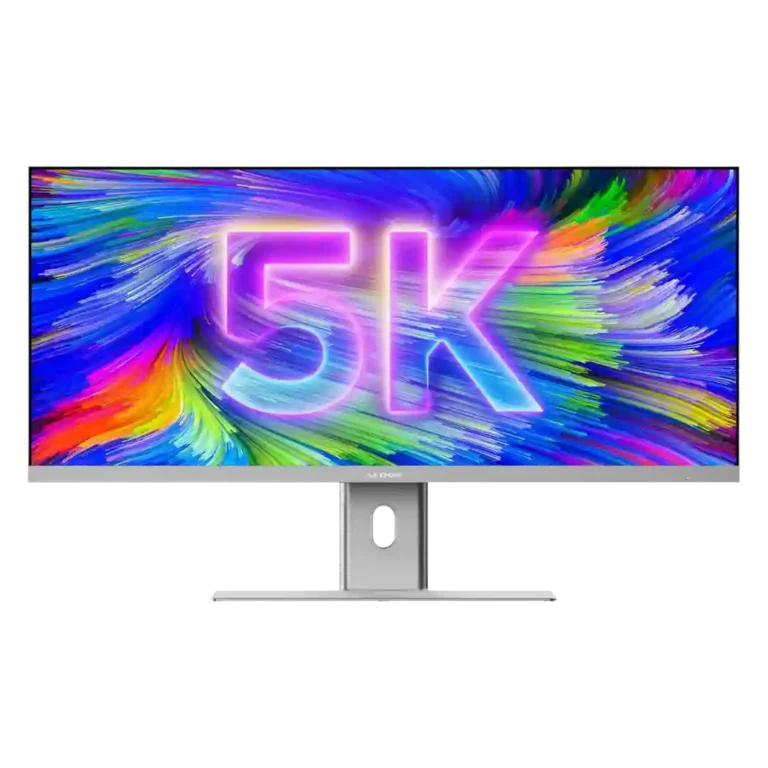
The Alogic Edge 40-inch 5K2K is built around one compelling idea: replace a cluttered multi-monitor desk with a single, polished workspace. Reviewers consistently praised its enormous 21:9 canvas, crisp detail, smooth 100Hz motion, strong SDR brightness, wide color coverage, and USB-C docking with 90W charging. It is especially effective for timelines, spreadsheets, coding, writing, and keeping several applications visible at once. The tradeoffs matter, however. Color-critical users may need calibration, the 139ppi density is not Retina-sharp, HDR performance is weak, and the speakers are poor. Stand quality also varied, with some reviewers reporting wobble despite broad adjustment. For productivity-focused Mac and PC users with a large, stable desk, it is an unusually capable all-in-one display; gamers, print specialists, and buyers expecting flawless premium hardware should look more carefully.
Compared with other Monitors, this product is above average in cable management, port selection, productivity versatility, near average in screen size, value for money, below average in HDMI 2.1 support, HDR performance, competitive gaming suitability.
| Attribute | This product | Category average | Difference |
|---|---|---|---|
| HDMI 2.1 support | 2.0 | 3.9 | -1.9 |
| HDR performance | 1.5 | 3.3 | -1.8 |
| competitive gaming suitability | 2.3 | 3.6 | -1.3 |
| cable management | 4.9 | 3.8 | +1.1 |
| PC gaming compatibility | 3.3 | 4.4 | -1.1 |
| port selection | 4.6 | 3.6 | +1.0 |
| response time | 3.0 | 4.1 | -1.1 |
| productivity versatility | 5.0 | 4.1 | +0.9 |
Choose Dell UltraSharp 52 Thunderbolt Hub Monitor, U5226KW. It scores 5.0 vs 2.0 for sleep and wake behavior, with a 4.3 overall score.
Choose KYY X90E. It scores 5.0 vs 4.5 for sharpness, with a 4.2 overall score.
Choose BenQ RD280UG. It scores 5.0 vs 3.7 for VESA mount compatibility, with a 4.4 overall score.
Choose Samsung Odyssey OLED G6 G60SF. It scores 5.0 vs 3.0 for response time, with a 4.3 overall score.
Compared with Alogic Edge 40-inch 5K ultrawide
Yes. Reviewers repeatedly found the 40-inch 21:9 canvas spacious enough for three applications, long timelines, or large spreadsheets without a center bezel.
It is very strong for sRGB and DCI-P3 work, with excellent accuracy after calibration. Print-focused Adobe RGB work may still need a dedicated wide-gamut reference display.
No. Its 139ppi density looks crisp for a 40-inch ultrawide, but reviewers accustomed to Apple’s 218ppi displays could see the difference and often preferred a scaled resolution.
Casual PC gaming is workable and 100Hz feels smooth, but the response time and refresh ceiling are not suited to competitive shooters or esports.
A single USB-C cable can carry video, data, Ethernet access, and up to 90W charging. The downstream USB-C ports are limited to USB 2.0 speeds.
Weak speakers, poor HDR brightness, slow accessory ports, and possible stand wobble are the most important compromises. HDMI also limits full-resolution refresh compared with USB-C or DisplayPort.
These are a few of the reviews included in our analysis.
The Alogic Edge 40-inch 5K Ultrawide boasts excellent color coverage and accuracy, and features plenty of ports for Mac users. But it has...
Keep your workspace clear with this huge 21:9 40-inch 5K monitor. It’s an excellent pick for studios and creative offices.
Keep your workspace clear with this huge 21:9 40-inch 5K monitor. It’s an excellent pick for studios and creative offices.
Accessory company Alogic has been releasing an increasing number of displays, and the latest model arrives as a 40-inch 5K2K ultrawide model...
With greatly increased pixels, this 5K ultra widescreen 40-inch display removes the need for a two-monitor setup.

This 360Hz QD-OLED ultrawide delivers exceptional gaming motion, vibrant HDR and dramatically cleaner text. Its high price, less-than-perfect bright-room blacks and occasional HDR dimming are the main reasons to hesitate.
Pros: color gamut, contrast
Cons: value for money, Resolution

The 360Hz QD-OLED panel delivers exceptional HDR gaming, responsive motion, and cleaner text than earlier ultrawides. Its 3440×1440 resolution is less sharp than 4K, and premium pricing remains a hurdle.
Pros: refresh rate, Text fringing
Cons: Resolution, GPU demands

A huge, sharp ultrawide workspace and unusually capable Thunderbolt dock make the U4025QW outstanding for demanding productivity and editing. Its high price, modest HDR, and imperfect motion handling keep it...
Pros: overall picture quality, color accuracy
Cons: value for money, built-in speakers

Lightning-fast 360Hz OLED gaming, rich color and an unusually flexible USB-C/KVM setup are the big draws. Strong room lighting, limited full-screen HDR brightness and static-content burn-in concerns keep it from...
Pros: color gamut, overall satisfaction
Cons: reflection handling, VRR flicker