
Factory calibration is a major highlight, with very low measured color error across professional presets and brightness settings.
Pros: refresh rate, HDR performance
Cons: value for money, Device compatibility

Factory calibration is a major highlight, with very low measured color error across professional presets and brightness settings.
Pros: refresh rate, HDR performance
Cons: value for money, Device compatibility

Out-of-box sRGB accuracy and vivid, controlled color are among the most consistently praised visual qualities.
Pros: Monitor daisy-chaining, overall picture quality
Cons: value for money, refresh rate

MacBook-like color matching and generally strong accuracy make the screen appealing for editing. One comparative test still favored Apple on accuracy.
Pros: port selection, color accuracy
Cons: built-in speakers, speaker quality

Accurate factory settings and strong calibrated results make SDR and HDR colors look convincing without extensive adjustments. Certain presets can be locked down or overly saturated, so the right color...
Pros: overall satisfaction, black levels
Cons: value for money, stand adjustability

Factory color calibration wins especially high praise, with natural-looking hues and unusually strong out-of-box results.
Pros: black levels, overall picture quality
Cons: brightness, Gaming feature selection

Color accuracy is a major strength, with professional modes and factory calibration earning frequent praise. Default or wide-gamut settings may need adjustment for strict sRGB work, but calibrated modes perform...
Pros: productivity versatility, overall satisfaction
Cons: value for money, response time

Factory sRGB calibration can be exceptionally accurate, particularly in Creator mode. The default wide-gamut setting may oversaturate standard SDR material.
Pros: brightness, value for money
Cons: port selection, built-in speakers

Factory calibration is excellent in the accurate color modes, with several reviewers measuring near-professional results. The default wide-gamut presentation can look oversaturated for unmanaged SDR content, and a slight warm...
Pros: brightness, reflection handling
Cons: cable management

Accurate factory color and a well-regarded sRGB mode are strengths for visual work. Early previews also emphasize the panel’s improved color reproduction.
Pros: refresh rate, color accuracy
Cons: console gaming compatibility, DisplayPort connectivity

Most tests find strong factory accuracy, particularly after selecting the appropriate sRGB profile. Calibration can improve demanding color-sensitive work.
Pros: refresh rate, Text fringing
Cons: Resolution, GPU demands

sRGB and calibrated modes can look exceptionally accurate, but the default wide-gamut SDR setting may oversaturate colors and the boosted HDR setting can distort tracking.
Pros: black levels, sharpness
Cons: value for money, brightness

Factory accuracy and the calibrated sRGB mode receive strong marks for natural tones. Native wide-gamut SDR can oversaturate colors unless the appropriate settings are used.
Pros: overall satisfaction, Text fringing
Cons: brightness, Edge dimming behavior

Factory grayscale and the adjustable sRGB mode perform well, with outstanding accuracy achievable after fine-tuning. Not every measurement or reviewer found it exceptional out of the box.
Pros: motion clarity, Backlight strobing
Cons: contrast, HDR performance

Dedicated sRGB and wide-gamut modes can be exceptionally accurate, and calibration results are excellent. Default oversaturation and inconsistent gamma in some modes call for attention.
Pros: color gamut, contrast
Cons: value for money, Resolution

There are usable sRGB presets and some very good calibrated results. Default SDR saturation or white balance can be inaccurate without color management.
Pros: Resolution, Dual-mode versatility
Cons: value for money, GPU demands
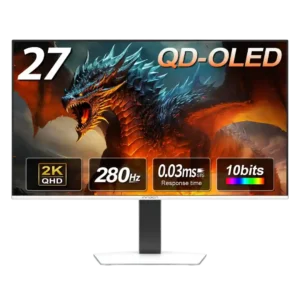
Color accuracy is strong enough for photo editing and less demanding creative work, though one reviewer found the default balance slightly cool and preferred a warmer adjustment.
Pros: color gamut, overall picture quality
Cons: brightness, HDR performance

The sRGB and calibrated modes can be accurate, but default wide-gamut settings may oversaturate SDR colors and some presets require tuning.
Pros: Resolution, overall satisfaction
Cons: value for money, Image scaling

Factory calibration impressions range from excellent to merely adequate, but the display can become very accurate after adjustment.
Pros: Resolution, sharpness
Cons: value for money, HDR performance
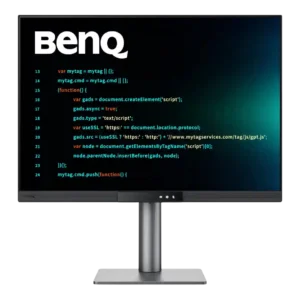
Color accuracy ranges from respectable to merely average depending on mode and measurement. It looks natural enough for everyday design and light creative work, but demanding color professionals should choose...
Pros: productivity versatility, aspect ratio
Cons: value for money, competitive gaming suitability

The sRGB mode improves on older LG models, but standard gaming modes can appear oversaturated; calibration may be worthwhile.
Pros: competitive gaming suitability, refresh rate
Cons: Dual-mode versatility, GPU demands

Color looks attractive and often fairly accurate out of the box, but some tests find oversaturation and imperfect factory calibration. Careful adjustment improves accuracy.
Pros: PC gaming compatibility, reflection handling
Cons: color accuracy, VRR flicker

Colors can be excellent after calibration, while factory settings and some brightness-boosting modes can sacrifice fidelity.
Pros: brightness, color gamut
Cons: AI scene optimization, value for money

Factory color handling draws mixed reactions: some praise it, while others find oversaturated SDR colors and the missing sRGB clamp frustrating.
Pros: value for money, panel type
Cons: brightness, port selection

Colors are more lively than older TN displays might suggest, but accuracy still trails good OLED panels. This is a tuned gaming image, not a dependable professional reference.
Pros: competitive gaming suitability, motion clarity
Cons: contrast, overall picture quality