If you want better competitive gaming suitability
Choose Acer Nitro XF243Y Pbmiiprx. It scores 5.0 vs 1.5 for competitive gaming suitability, with a 3.7 overall score.

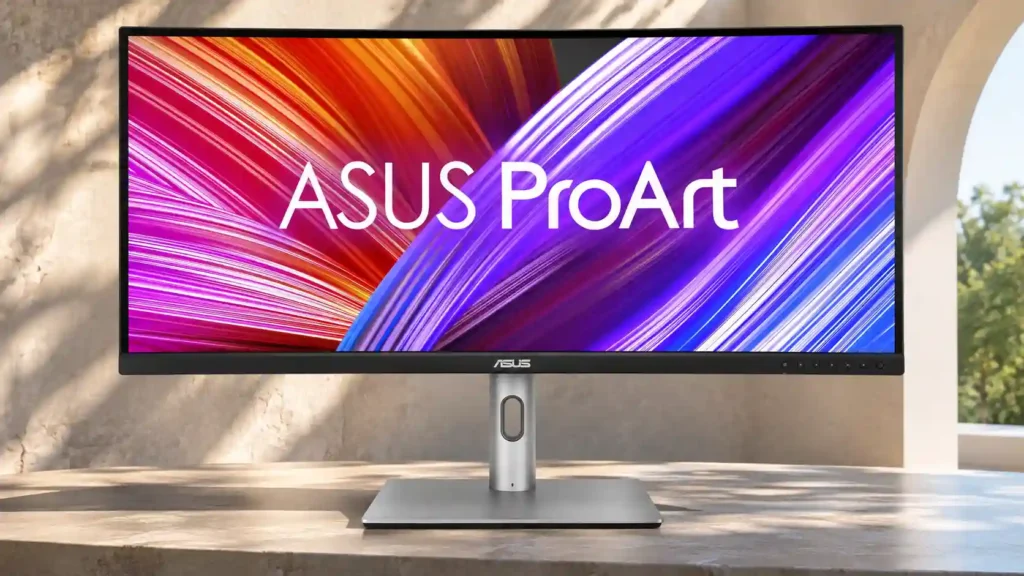
Excellent out-of-box SDR accuracy, a spacious ultrawide canvas and one-cable laptop docking make this a practical creator display. Modest HDR, 60Hz refresh and shallow blacks limit its appeal beyond that role.
SDR photo and video editors, content creators and laptop-based desk workers who want accurate color, generous horizontal space and built-in docking.
Competitive gamers, HDR-focused creators and buyers who need deep blacks or the finest 4K/5K2K text and image detail.
The PA34VCNV makes a persuasive case for creators who want a wide, dependable SDR workspace without paying for a flagship panel. Its factory-calibrated sRGB and Rec.709 performance is a clear strength, and the 34-inch ultrawide format gives photo and video editors more space for tools, timelines and side-by-side windows. USB-C laptop charging, Ethernet, a peripheral hub and DisplayPort daisy-chaining make it particularly practical as a desk centerpiece. The compromises are mostly in image depth and speed: contrast and HDR impact are modest, fine detail is less crisp than on denser 4K or 5K2K monitors, and 60Hz motion is not aimed at competitive games. Speakers are weak, and the wide, heavy cabinet needs room. For color-accurate SDR editing and productive laptop docking, though, it delivers a thoughtfully balanced value.
Compared with other Monitors, this product is above average in port selection, USB hub functionality, USB-C power delivery, near average in screen uniformity, single-player cinematic gaming suitability, below average in refresh rate, Pixel density, contrast.
| Attribute | This product | Category average | Difference |
|---|---|---|---|
| refresh rate | 2.0 | 4.3 | -2.3 |
| Pixel density | 2.0 | 4.3 | -2.3 |
| contrast | 2.0 | 4.2 | -2.2 |
| competitive gaming suitability | 1.5 | 3.7 | -2.2 |
| motion clarity | 2.0 | 4.1 | -2.1 |
| response time | 2.0 | 4.1 | -2.1 |
| portability and weight | 2.0 | 4.0 | -2.0 |
| black levels | 2.0 | 3.9 | -1.9 |
Choose Acer Nitro XF243Y Pbmiiprx. It scores 5.0 vs 1.5 for competitive gaming suitability, with a 3.7 overall score.
Choose Dell Alienware AW3425DWM. It scores 5.0 vs 2.0 for HDMI 2.1 support, with a 3.7 overall score.
Choose Dell S2725QS. It scores 4.9 vs 2.0 for refresh rate, with a 3.8 overall score.
Choose Dell U4025QW. It scores 4.9 vs 2.0 for contrast, with a 4.4 overall score.
Products reviewers directly compared with this model, grouped into quick takeaways.
Yes, particularly for sRGB photography. Factory accuracy is excellent and the ultrawide surface offers room for tools, though higher-density monitors are preferable for very fine inspection.
Yes. USB-C provides a display connection, peripheral data and high-wattage laptop charging, with Ethernet also part of the docking setup.
Its Rec.709 color coverage and broad timeline space make it a strong match for standard SDR video projects. The limited HDR image quality is a drawback for HDR-focused work.
It can handle slower, immersive games, and adaptive sync works over DisplayPort. The 60Hz refresh and modest response times make it poorly suited to serious competitive gaming.
It is reasonably visible under typical overhead lights, but sunny rooms or strong nearby lamps can cause problems. HDR highlights also lack much impact.
Yes. A DisplayPort output supports daisy-chaining another screen, which can simplify a two-monitor desk.
These are a few of the reviews included in our analysis.



The ASUS ProArt Display PA34VCNV is a 34-inch ultrawide monitor that's geared towards content creators. It uses an IPS panel with a 3440x1440...
Compare the best ultrawide monitors for photographers and creators, including 5K2K, color-accurate, USB-C, and Thunderbolt picks.
BEST Gaming Monitors, 4K MONITORS, AND 144HZ MONITORSWatch Shows
As an Amazon Associate and Newegg Affiliate I earn from qualifying purchases made using the “Buy” button at the bottom of this post. Where...

This 360Hz QD-OLED ultrawide delivers exceptional gaming motion, vibrant HDR and dramatically cleaner text. Its high price, less-than-perfect bright-room blacks and occasional HDR dimming are the main reasons to hesitate.
Pros: color gamut, contrast
Cons: value for money, Resolution

A huge, sharp ultrawide workspace and unusually capable Thunderbolt dock make the U4025QW outstanding for demanding productivity and editing. Its high price, modest HDR, and imperfect motion handling keep it...
Pros: overall picture quality, color accuracy
Cons: value for money, built-in speakers

Lightning-fast 360Hz OLED gaming, rich color and an unusually flexible USB-C/KVM setup are the big draws. Strong room lighting, limited full-screen HDR brightness and static-content burn-in concerns keep it from...
Pros: color gamut, overall satisfaction
Cons: reflection handling, VRR flicker

The 27-inch 4K OLED picture is exceptionally crisp and responsive, with useful USB-C and KVM extras. Its high price, oversized stand, and bright-room compromises limit its appeal.
Pros: sharpness, overall satisfaction
Cons: value for money, VRR flicker