
SDR calibration impresses testers and can become very accurate with simple tweaks. HDR color and tone mapping are less consistent.
Pros: overall satisfaction, value for money
Cons: reflection handling, screen uniformity

SDR calibration impresses testers and can become very accurate with simple tweaks. HDR color and tone mapping are less consistent.
Pros: overall satisfaction, value for money
Cons: reflection handling, screen uniformity

Most testers liked the factory sRGB presentation and measured low color error, although some owners encountered a green cast or needed adjustments.
Pros: value for money, Resolution
Cons: port selection, HDR performance
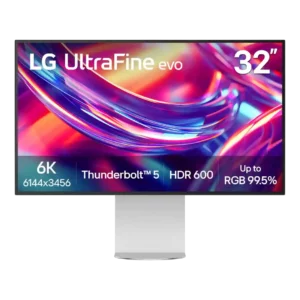
Color accuracy is a major strength, with several reviews reporting highly accurate out-of-box results and realistic-looking color. A few reviewers noted calibration or white-balance quirks, but the overall creative performance...
Pros: port selection, overall satisfaction
Cons: value for money, cable management

Factory calibration is a strong point, with several reviewers observing accurate colors without adjustment; some note minor gamma or temperature deviations.
Pros: Pixel density, Resolution
Cons: GPU demands, HDR performance

Factory color is impressively accurate, particularly in the dedicated sRGB mode. Some HDR modes and the default wider gamut require more care for precision.
Pros: sharpness, overall satisfaction
Cons: value for money, VRR flicker
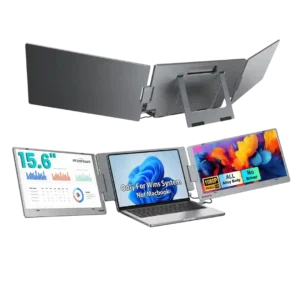
Color reproduction is generally liked, with reviewers describing rich, vibrant colors and one expert calling the included colors very accurate. That strength does not fully offset the narrower overall gamut.
Pros: overall satisfaction, portability and weight
Cons: reliability over time

Excellent sRGB behavior and positive real-world assessments make the monitor dependable for typical tasks. Professional color-critical work still demands more.
Pros: overall satisfaction, screen size
Cons: stand adjustability, Photo editing

Accurate, well-calibrated color is a major attraction for web, photo and video work. Some test samples show modest errors or benefit from further calibration for exacting jobs.
Pros: value for money, Resolution
Cons: HDR performance, refresh rate
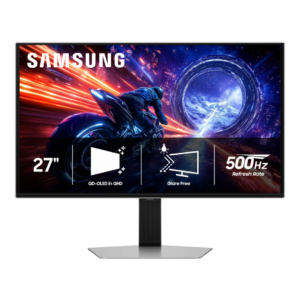
Color accuracy is generally excellent, with strong measured results and good factory calibration. One outlet found the SDR defaults too warm and oversaturated, while other tests found only minor tuning...
Pros: overall satisfaction, competitive gaming suitability
Cons: value for money, screen size

Color is generally strong after selecting the right preset or calibrating, sometimes reaching impressive measured accuracy. Warm whites, variable out-of-box calibration and uneven edges temper the professional promise.
Pros: port selection, USB hub functionality
Cons: competitive gaming suitability, motion clarity

The sRGB mode offers solid accuracy for routine tasks, sometimes impressively so, though white balance, gamma and the warm default tone can benefit from calibration.
Pros: value for money, Resolution
Cons: port selection, competitive gaming suitability

Colors are pleasing and unusually accurate for a budget gaming monitor, with strong factory settings and excellent results after calibration.
Pros: value for money, overall satisfaction
Cons: HDR performance, Headphone output quality

Most tests find strong out-of-box accuracy and excellent creator modes, although some report a warm white point that demands calibration for precision work.
Pros: overall picture quality, overall satisfaction
Cons: port selection, brightness

Color accuracy was generally strong out of the box, but calibration and mode-specific caveats appeared in more technical reviews.
Pros: value for money, sharpness
Cons: brightness, USB hub functionality

sRGB and calibrated modes can deliver excellent accuracy, but some tests find default or wide-gamut presets oversaturated and less trustworthy.
Pros: overall satisfaction, response time
Cons: reflection handling, VRR flicker

Colors generally track sRGB accurately, with several tests praising faithful rendering; some users nevertheless noticed subtle tint or saturation issues.
Pros: brightness, portability and weight
Cons: value for money, port selection
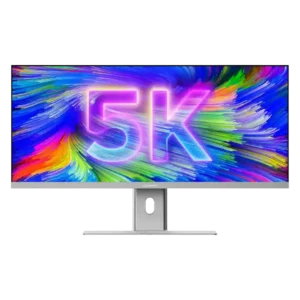
Color accuracy can be excellent after calibration, including outstanding lab results. Several reviewers warned that the warm or slightly off factory presentation should be corrected before color-critical work.
Pros: productivity versatility, aspect ratio
Cons: built-in speakers, competitive gaming suitability

Colors can look highly accurate in calibrated or sRGB modes, but default wide-gamut SDR settings can oversaturate. Fine tuning helps with serious color work.
Pros: black levels, motion clarity
Cons: value for money, Dual-mode versatility

Several owners love the color presentation, but factory white-balance concerns and recommended ICC calibration make precision accuracy less certain.
Pros: overall satisfaction, refresh rate
Cons: HDR performance, HDMI 2.1 support

Factory color is not universally neutral: the SDR default can look blue and HDR can be warm. Careful calibration produces much better results.
Pros: brightness, HDR performance
Cons: speaker quality, built-in speakers

Factory grayscale and the dedicated sRGB mode are generally respectable, although white balance, gamma and uniformity are not rigorous enough for every professional task.
Pros: ultrawide gaming experience, black levels
Cons: HDR performance, viewing angles

Factory color accuracy ranges from good to merely fair depending on preset and sample. Grayscale tint, dark gamma and calibration effort are the main reservations.
Pros: brightness, contrast
Cons: Text fringing, speaker quality

Opinions vary: some see convincing color beside a MacBook, while others notice red and sRGB deviations. Critical projects may still need calibration or a reference screen.
Pros: overall satisfaction, stand adjustability
Cons: value for money, reflection handling

Colors look balanced in general use, but 4K siblings with an sRGB mode offer better accuracy before calibration. Precision work is not its specialty.
Pros: USB hub functionality, USB-C power delivery
Cons: speaker quality

SDR presets can be good and improve through calibration, but some tests report warm whites, locked controls and blue-tinted HDR grays.
Pros: Dual-mode versatility, refresh rate
Cons: black levels, contrast

Impressions vary: several reviewers praise lively, natural-looking IPS colors, while comparative testing finds more accurate alternatives out of the box. Professional work may require calibration or another monitor.
Pros: refresh rate, value for money
Cons: HDR performance, contrast
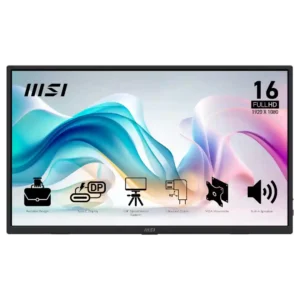
Color quality is good enough for everyday use to some owners, but measured accuracy and muted hues make it unsuitable for color-critical work.
Pros: value for money, portability and weight
Cons: built-in speakers, color gamut

Color accuracy is best with the appropriate User or calibrated gamut modes. Default saturation, warmer sRGB settings on some units and unstable colors with local dimming make precision more complicated.
Pros: HDR performance, black levels
Cons: viewing angles, response time

SDR sRGB accuracy earns praise from some testers, while others report substantial white-balance and gamma errors. HDR accuracy is especially contentious without careful adjustments.
Pros: reflection handling, HDR performance
Cons: screen uniformity, Screen coating clarity

sRGB targeting is promising, yet imperfect white balance, gamma and factory tuning may need a full calibration.
Pros: HDR performance, overall satisfaction
Cons: local dimming performance, Blooming control

Well-configured gamut modes and profiling can look excellent; native colors may be oversaturated and HDR tones sometimes shift red.
Pros: HDR performance, overall satisfaction
Cons: HDR highlight detail, color accuracy

Factory settings and several color modes can look too cool, warm, or saturated depending on configuration. Manual calibration improves results, but critical color work needs care.
Pros: overall satisfaction, PC gaming compatibility
Cons: color accuracy, local dimming performance
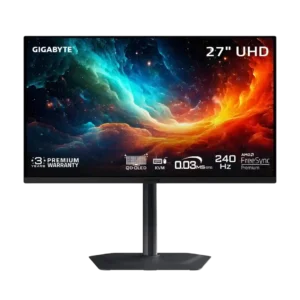
Factory accuracy is a consistent weakness, with red tinting, white-balance errors, and problematic HDR modes. Calibration can help, but it is not ideal for critical color work.
Pros: motion clarity, PC gaming compatibility
Cons: color accuracy, software support