If you want better Stand stability
Choose Dell P1425 Monitor. It scores 5.0 vs 2.6 for Stand stability, with a 3.9 overall score.

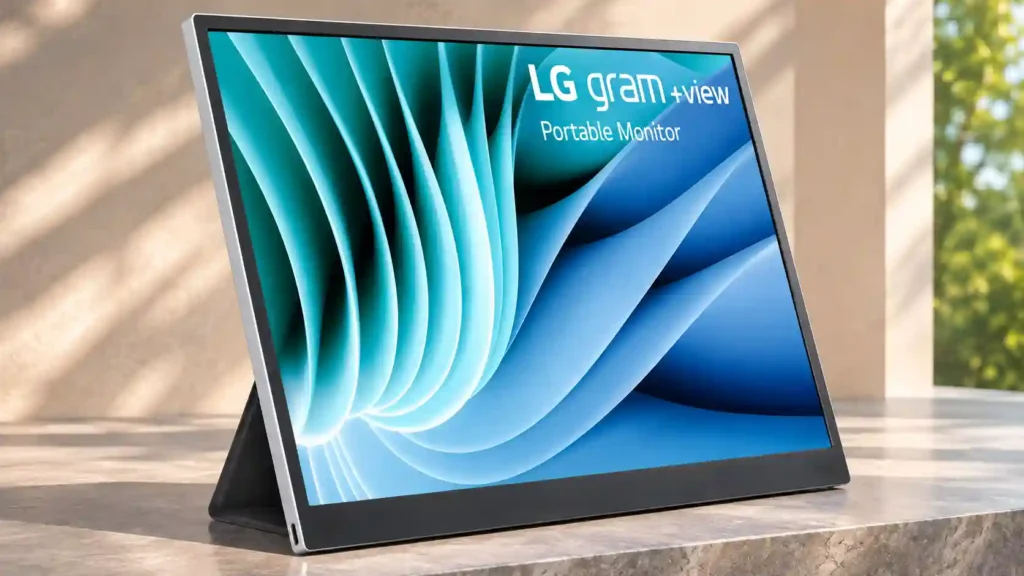
A remarkably sharp, color-rich 16:10 panel makes this an excellent travel-friendly laptop companion, but its basic folio stand and USB-C-only inputs can frustrate.
People with compatible USB-C laptops who need a lightweight, sharp second screen for documents, coding, spreadsheets and mobile work.
Users needing a sturdy adjustable stand, HDMI inputs, console compatibility, touchscreen controls or guaranteed professional color calibration.
The LG gram +view 16 is most appealing as a genuinely portable second screen for a modern USB-C laptop. Its 2560 × 1600 resolution and taller 16:10 proportions make documents, spreadsheets and code unusually comfortable to read, while strong color coverage and good indoor brightness put its panel ahead of many basic portable monitors. The thin, light construction is easy to travel with, and connecting to a compatible laptop is typically simple. The biggest tradeoff is the folding magnetic folio: some reviewers find it usable, but others report limited adjustment, shaky support and insufficient protection for the back. USB-C-only input limits HDMI devices and game consoles, and power draw affects laptop battery life. Software rotation and power-passthrough reports also vary between the model generations reviewed. It is an attractive choice for mobile productivity, less so for demanding stand ergonomics or versatile connections.
Compared with other Monitors, this product is above average in Power-on readiness, documentation quality, Mac integration, near average in setup ease, color accuracy, below average in stand adjustability, Color calibration controls, Stand stability.
| Attribute | This product | Category average | Difference |
|---|---|---|---|
| stand adjustability | 2.7 | 4.5 | -1.8 |
| Color calibration controls | 2.0 | 3.8 | -1.8 |
| Stand stability | 2.6 | 4.3 | -1.7 |
| console gaming compatibility | 2.0 | 3.8 | -1.8 |
| Device compatibility | 2.6 | 4.2 | -1.6 |
| Automatic orientation switching | 3.2 | 4.8 | -1.6 |
| built-in speakers | 1.0 | 2.5 | -1.5 |
| Software and driver support | 2.0 | 3.5 | -1.5 |
Choose Dell P1425 Monitor. It scores 5.0 vs 2.6 for Stand stability, with a 3.9 overall score.
Choose espresso Pro 15. It scores 5.0 vs 2.7 for stand adjustability, with a 4.3 overall score.
Choose Lenovo ThinkVision M14t Gen2. It scores 5.0 vs 3.2 for Automatic orientation switching, with a 3.9 overall score.
Choose Dell S3425DW. It scores 4.6 vs 1.0 for built-in speakers, with a 4.2 overall score.
Products reviewers directly compared with this model, grouped into quick takeaways.
Yes. Its sharp 2560 × 1600 panel and tall 16:10 format make documents, web pages, spreadsheets and code easier to manage beside a laptop.
No. The host must support video output through USB-C DisplayPort Alt Mode and supply enough power; a data-only USB-C socket will not work.
The models discussed rely on USB-C video inputs and do not offer touch. If HDMI or touch is essential, consider a different portable display.
It supports basic landscape and portrait arrangements, but cannot adjust height and receives repeated criticism for limited rigidity and stability.
The panel has wide color coverage and is good for casual photo work, though some reviewers recommend a professionally calibrated display for demanding color-sensitive tasks.
Yes, when powered by the laptop. Higher brightness can increase drain, and reports about USB-C charging passthrough differ across model revisions.
Some reviewers found software-assisted rotation useful, while another could not get it working on two PCs. Manual rotation remains possible.
These are a few of the reviews included in our analysis.
Review unit on loan from LG Singapore The LG Gram +View 16-inch portable display was released in mid 2022 together with the new LG Gram...
LG’s 16-inch Gram +view 16MQ70 pairs a 2560×1600 16:10 IPS panel with USB-C portability. Check compatibility, weight, stand limits and...
LG’s Gram +view 16 offers a 16-inch 2560×1600 16:10 IPS panel, but it requires USB-C DP Alt Mode and more than 7.5 W power. Check...
The LG gram +view 16 is an entry-level 16-inch portable monitor. It has a 16:10 aspect ratio with a 2560x1600 resolution, offering high pixel...
For document and code work the gram +view's tall, sharp panel is the most productive screen here, and the colour is good enough for photos...

This 360Hz QD-OLED ultrawide delivers exceptional gaming motion, vibrant HDR and dramatically cleaner text. Its high price, less-than-perfect bright-room blacks and occasional HDR dimming are the main reasons to hesitate.
Pros: color gamut, contrast
Cons: value for money, Resolution

A huge, sharp ultrawide workspace and unusually capable Thunderbolt dock make the U4025QW outstanding for demanding productivity and editing. Its high price, modest HDR, and imperfect motion handling keep it...
Pros: overall picture quality, color accuracy
Cons: value for money, built-in speakers

Lightning-fast 360Hz OLED gaming, rich color and an unusually flexible USB-C/KVM setup are the big draws. Strong room lighting, limited full-screen HDR brightness and static-content burn-in concerns keep it from...
Pros: color gamut, overall satisfaction
Cons: reflection handling, VRR flicker

The 27-inch 4K OLED picture is exceptionally crisp and responsive, with useful USB-C and KVM extras. Its high price, oversized stand, and bright-room compromises limit its appeal.
Pros: sharpness, overall satisfaction
Cons: value for money, VRR flicker