#41

Outstanding 4K/240Hz OLED motion, HDR contrast and flexible USB-C connections make this a compelling gaming display. Its matte coating reduces reflections but adds haze, and blacks can look purple in...
Pros: PC gaming compatibility, reflection handling
Cons: color accuracy, VRR flicker
#42

The expansive 5K2K OLED makes games exceptionally immersive, with a 330Hz fallback for faster play. Its aggressive 800R curve, steep price and softer high-speed mode are substantial compromises.
Pros: Resolution, overall satisfaction
Cons: value for money, GPU demands
#43

Exceptional 5K sharpness and a genuinely useful 1440p/330Hz mode make this a compelling work-and-play monitor. Weak edge-lit HDR and demanding GPU requirements are the major tradeoffs.
Pros: Pixel density, Resolution
Cons: GPU demands, HDR performance
#44

The LG 27GX704A-B delivers standout glossy OLED clarity, inky blacks and effortless 240Hz gaming at attractive sale prices. Mirror-like glare, fuzzy text and reported PS5 HDMI handshake problems limit its...
Pros: overall satisfaction, value for money
Cons: reflection handling, screen uniformity
#45

Best for razor-sharp 4K 240Hz OLED motion, excellent contrast, and a superb compact stand. Skip it at full price if you need accurate HDR, strong bright-room performance, or polished software.
Pros: motion clarity, PC gaming compatibility
Cons: color accuracy, software support
#46

A roomy curved screen, bright SDR picture and smooth 180Hz gaming make this a strong value. Its weak HDR system, visible motion smearing and modest 32-inch pixel density are the...
Pros: value for money, overall satisfaction
Cons: HDR performance, Headphone output quality
#47

A crisp 5K panel, reliable SDR color and excellent glare control make this a strong-value creative monitor. The 60Hz refresh rate, edge-lit HDR and weak speakers are meaningful compromises.
Pros: color accuracy, overall picture quality
Cons: HDR performance, refresh rate
#48

Easy one-cable laptop docking, smooth 144Hz scrolling and a flexible stand make this a practical, affordable office monitor. It is less convincing for fast gaming, HDR viewing or color-critical editing.
Pros: USB hub functionality, USB-C power delivery
Cons: speaker quality
#49
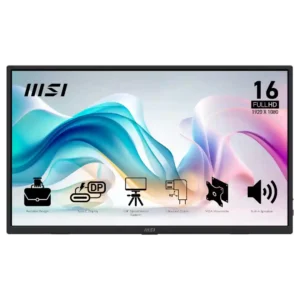
Best for an inexpensive, lightweight second screen with easy USB-C/HDMI setup and flexible mounting. Skip it for color-critical work, competitive gaming, or if speaker quality matters.
Pros: value for money, portability and weight
Cons: built-in speakers, color gamut
#50

A superb 540Hz OLED for serious competitive gaming, with remarkably clear motion and vivid HDR. The 720Hz mode blurs the image at 720p, while matte-screen quirks and high hardware demands...
Pros: competitive gaming suitability, refresh rate
Cons: Dual-mode versatility, GPU demands
#51

The PA32QCV brings exceptionally roomy, Mac-friendly 6K detail and capable color tools at a comparatively accessible price. Its matte coating, inconsistent panel uniformity and weak HDR are the clearest compromises.
Pros: value for money, Resolution
Cons: HDR performance, refresh rate
#52
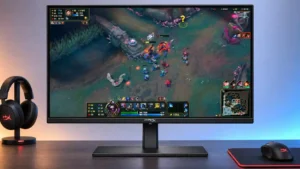
Fluid 240Hz OLED gaming, deep blacks and accurate colors make this an appealing lower-cost QD-OLED. Bright rooms, demanding HDR users and anyone needing a USB hub should look elsewhere.
Pros: black levels, overall picture quality
Cons: brightness, Gaming feature selection
#53

Best for a polished single-monitor workspace with excellent multitasking, KVM, USB hub, and laptop connectivity. Skip it if competitive gaming, strong HDR, maximum pixel density, or the safest value at...
Pros: overall satisfaction, productivity versatility
Cons: value for money, reliability over time
#54

Brilliant OLED motion, high brightness and aggressive value make the MO27Q28G a compelling QHD gaming monitor. Dark-gray banding, occasional color tint and HDR tuning quirks keep it from being a...
Pros: brightness, contrast
Cons: Text fringing, speaker quality
#55

A stunning 32-inch 4K OLED for high-refresh gaming and multi-device desks, with exceptional contrast and USB-C flexibility. The price premium over its predecessor, bright-room glare and owner-reported DisplayPort failures warrant...
Pros: overall satisfaction, DisplayPort connectivity
Cons: value for money, reliability over time
#56

The AG276QZD2 makes fast 1440p gaming look wonderfully smooth, with excellent OLED blacks and persuasive value. Its unusually muted HDR colors and HDMI limitations mean it is not the safest...
Pros: value for money, overall satisfaction
Cons: HDR performance, HDMI 2.1 support
#57

A remarkably fast 480Hz OLED with crisp motion, deep blacks and vivid gaming color. Its price, VRR flicker, softer desktop text and need for a powerful PC make it a...
Pros: refresh rate, competitive gaming suitability
Cons: value for money, brightness
#58

Brilliant 5K text clarity and a genuinely useful 330Hz gaming mode make this monitor unusually flexible. Its high price, inconsistent HDR tone mapping and early firmware headaches prevent an easy...
Pros: Resolution, Dual-mode versatility
Cons: value for money, GPU demands
#59

Bright Mini-LED HDR, razor-sharp 4K and a 320Hz speed mode make this a compelling single monitor for work and gaming. IPS black depth, uneven local dimming and overdrive quirks prevent...
Pros: Dual-mode versatility, refresh rate
Cons: black levels, contrast
#60

The AW2725DM offers a sharp, smooth 1440p gaming experience with excellent ergonomics at discount prices. Its weakest spots are HDR contrast and dimming, plus limited HDMI bandwidth and no USB-C...
Pros: overall satisfaction, refresh rate
Cons: HDR performance, HDMI 2.1 support
#61
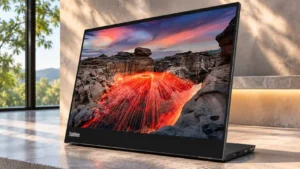
A crisp, touch-enabled 14-inch screen makes portable second-monitor work genuinely convenient. Its highly reflective surface and USB-C-only connectivity limit where and how you can use it.
Pros: overall picture quality, Stylus usability
Cons: port selection, refresh rate
#62
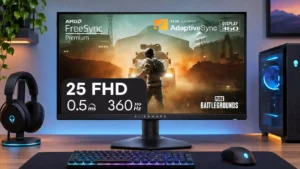
This 360Hz Alienware is compelling for high-frame-rate competitive PC gaming, with fast response, minimal lag and excellent ergonomics. Its 1080p detail, weak HDR and limited dark-scene contrast make it a...
Pros: competitive gaming suitability, stand adjustability
Cons: color gamut, contrast
#63
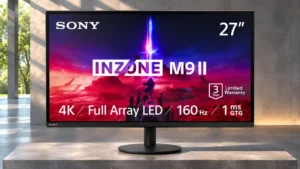
Vivid 4K HDR, PS5-friendly features and an unusually compact rotating stand make this a compelling gaming display. Coarse local dimming, inconsistent image clarity and weak audio make it less convincing...
Pros: color gamut, stand adjustability
Cons: value for money, Bass reproduction
#64
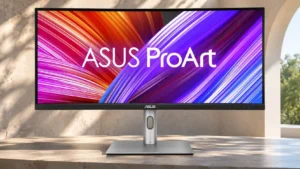
Excellent out-of-box SDR accuracy, a spacious ultrawide canvas and one-cable laptop docking make this a practical creator display. Modest HDR, 60Hz refresh and shallow blacks limit its appeal beyond that...
Pros: color accuracy, value for money
Cons: color gamut, black levels
#65

A bright, lightweight 16:10 display and sturdy folding stand make the P1425 an appealing travel companion for USB-C laptops. Limited inputs, no speakers or touch, and variable pricing make it...
Pros: brightness, portability and weight
Cons: value for money, port selection
#66

Sharp 4K detail and responsive 1080p/360Hz gaming make this a versatile IPS choice for players who use both modes. Low HDR contrast and no USB-C video input are its main...
Pros: Resolution, refresh rate
Cons: HDR performance, contrast
#67

A stunning 4K/240Hz OLED that can jump to 480Hz for competitive gaming, with sharp motion and flexible connectivity. The Full HD mode looks softer, and brightness behavior, price and OLED...
Pros: brightness, color gamut
Cons: AI scene optimization, value for money
#68

For NVIDIA-powered competitive gaming, the 360Hz IPS panel and Pulsar strobing deliver remarkably sharp motion. The tradeoff is weak HDR and contrast, limited connectivity, and a premium price.
Pros: motion clarity, Backlight strobing
Cons: contrast, HDR performance
#69
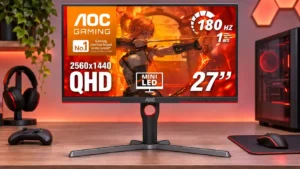
Its unusually bright Mini LED HDR and deep VA blacks make 1440p gaming exceptional for the money. Be prepared for VRR flicker, some dark smearing and bare-bones connectivity.
Pros: value for money, HDR performance
Cons: on-screen display usability, port selection
#70
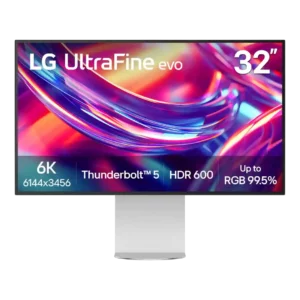
Best for razor-sharp 6K creative work, expansive desktop space, accurate color, and Thunderbolt-heavy setups. Skip it for serious gaming, strong HDR, glossy-screen preferences, or if premium metal construction and lower...
Pros: port selection, overall satisfaction
Cons: value for money, cable management
#71

Deep blacks, vivid HDR and 300Hz refresh make this a strong gaming option, especially at a discount. Dark-scene smearing, variable-refresh flicker and no USB hub are the main compromises.
Pros: HDR performance, black levels
Cons: viewing angles, response time
#72

The AW2726DM makes QD-OLED motion and contrast accessible at a remarkable price, especially for fast-paced games. Low HDR brightness, fuzzy small text and limited connectivity are the compromises.
Pros: value for money, panel type
Cons: brightness, port selection
#73
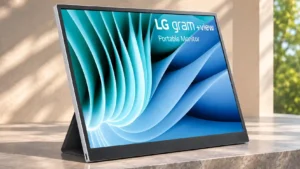
A remarkably sharp, color-rich 16:10 panel makes this an excellent travel-friendly laptop companion, but its basic folio stand and USB-C-only inputs can frustrate.
Pros: portability and weight, overall satisfaction
Cons: port selection, Device compatibility
#74
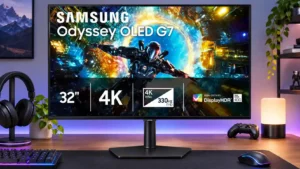
Spectacular 4K OLED contrast and ultra-clear motion make this a superb gaming screen. The 330Hz mode looks soft at 32 inches, and limited ports and pricing weaken the deal.
Pros: overall satisfaction, contrast
Cons: value for money, port selection
#75

Exceptional IPS motion tuning and precise factory color make this a strong 1440p gaming buy, especially on sale. Gray blacks, limited HDR, and weak USB-C laptop charging are the tradeoffs.
Pros: value for money, Resolution
Cons: HDR performance, port selection
#76
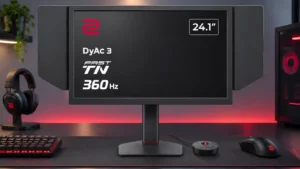
The XQ2566X pairs rare 24-inch QHD sharpness with exceptional esports motion clarity and helpful battle royale visibility controls. Its high price, weak viewing angles and missing HDR make it difficult...
Pros: competitive gaming suitability, motion clarity
Cons: contrast, overall picture quality
#77

A crisp 4K panel and fluid 120Hz desktop experience make this a compelling affordable work monitor. Missing USB-C docking, weak HDR, and slow pixel transitions limit its appeal for laptop-only...
Pros: value for money, Resolution
Cons: port selection, HDR performance
#78
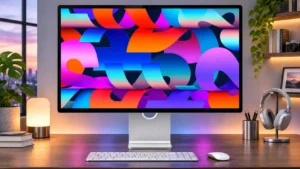
A beautifully integrated 5K Mac display with great speakers, a much better webcam, and convenient Thunderbolt docking. Its 60Hz SDR panel, limited inputs, and steep price make it hard to...
Pros: Monitor daisy-chaining, overall picture quality
Cons: value for money, refresh rate
#79

A spacious, sharp 4K screen with smooth 120Hz desktop use and punchy VA contrast makes the S3225QS a strong budget productivity choice. Slow pixel response, weak HDR, and no USB-C...
Pros: value for money, Resolution
Cons: stand adjustability, viewing angles
#80

The 49-inch QD-OLED screen makes supported games and multitasking feel expansive, with excellent blacks and quick response. Its limited brightness, awkward laptop connectivity and enormous footprint are the tradeoffs.
Pros: value for money, black levels
Cons: refresh rate, portability and weight
