Best for Image scaling
BenQ MA270S
5.0 attribute score
Highest scored product for this attribute based on supporting review evidence.

Highest scored product for this attribute based on supporting review evidence.
Balances the attribute score, supporting reviews, and overall product strength.
Has the broadest review evidence for this attribute.
Strongest overall product among items with scored evidence for this attribute.

The native 5K resolution makes macOS text and interface elements look properly sized without the compromises some reviewers noticed on 27-inch 4K screens.
Pros: port selection, color accuracy
Cons: built-in speakers, speaker quality

At the Mac-friendly 5K density, interface text can stay crisp at convenient sizes, avoiding many of the compromises associated with 27-inch 4K scaling.
Pros: color accuracy, overall picture quality
Cons: HDR performance, refresh rate

The native 6K resolution maps neatly to macOS's 2× scaling, retaining sharp UI elements. Windows scaling also works well with suitable hardware.
Pros: value for money, Resolution
Cons: HDR performance, refresh rate
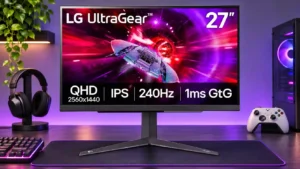
Accepting a 4K/120Hz console signal and scaling it to QHD is an appreciated compatibility convenience.
Pros: refresh rate, overall satisfaction
Cons: HDR performance, contrast

Console Mode accepts 4K input and downscales it to the 1440p panel, helping compatibility with current consoles.
Pros: HDR performance, black levels
Cons: viewing angles, response time

Support for downscaling a 4K input gives it a modest compatibility advantage for consoles versus some rival esports monitors.
Pros: competitive gaming suitability, stand adjustability
Cons: color gamut, contrast

It can accept a 4K/60Hz console feed and display it on the native QHD panel, which adds flexibility but not true 4K resolution.
Pros: overall satisfaction, refresh rate
Cons: HDR performance, HDMI 2.1 support

Console 4K signals can be downscaled for more detail at 60Hz, but the panel does not provide native ultrawide console output.
Pros: ultrawide gaming experience, black levels
Cons: HDR performance, viewing angles

Lower-than-native resolutions remain usable and can be sharpened, although QHD monitor-side scaling is limited to 60Hz and looks softer than 4K.
Pros: value for money, Resolution
Cons: port selection, HDR performance

AI upscaling clearly improves 720p and 1080p sources, while 1440p gains are smaller. It needs the display to receive a truly sub-4K signal and can look sharpened.
Pros: PC gaming compatibility, reflection handling
Cons: color accuracy, VRR flicker

Non-native content generally upscales cleanly, but the 1440p high-speed mode can look softer or more pixelated than true native QHD to some eyes.
Pros: Pixel density, Resolution
Cons: GPU demands, HDR performance

The on-monitor AI scaling noticeably cleans up the 1080p/480Hz mode at low strength. High strength can over-sharpen, and noisy low-quality sources may create artifacts.
Pros: brightness, color gamut
Cons: AI scene optimization, value for money

On-display AI upscaling can sharpen a lower-resolution console or video feed. Gains on PCs are smaller and sometimes hard to activate, where native game upscalers tend to be better.
Pros: Resolution, Dual-mode versatility
Cons: value for money, GPU demands

The 3K mode looks surprisingly good for a halved-resolution display, while desktop text and older games can expose softness or tiny interfaces.
Pros: Resolution, sharpness
Cons: value for money, HDR performance

Mac users can find 4K scaling slightly less crisp than native 5K. Third-party scaling controls help tailor interface sizes, but do not eliminate the underlying tradeoff.
Pros: port selection, USB hub functionality
Cons: competitive gaming suitability, motion clarity

An option to disable display-stream compression gives enthusiasts flexibility for specialized custom-resolution workflows, at the cost of lower refresh limits.
Pros: brightness, HDR performance
Cons: speaker quality, built-in speakers

Downscaling to 1080p is comparatively smooth for a dual-mode 4K screen, but smaller emulated windows and operating-system scaling reduce sharpness or complicate text sizing.
Pros: black levels, sharpness
Cons: value for money, brightness

The 1080p/320Hz image is playable rather than perfectly pixel-mapped; gradient and fine-detail artifacts appear more noticeable in slower games.
Pros: HDR performance, overall satisfaction
Cons: HDR highlight detail, color accuracy

One assessment praises crisp macOS fonts and flexible scaling, while others find 27-inch 4K awkward on Macs without third-party software. Windows scaling receives a more consistent endorsement.
Pros: USB-C power delivery, port selection
Cons: HDR performance, refresh rate

The larger workspace may make interface elements appear small, so some users will need to experiment with display scaling.
Pros: color accuracy, value for money
Cons: color gamut, black levels

Screen-size emulation is flexible, but a tested 27-inch mode looked softer than expected pending a proposed firmware correction.
Pros: color gamut, contrast
Cons: value for money, Resolution

4K at 27 inches benefits from careful Windows or application scaling; small text and inconsistent software rendering can complicate otherwise crisp desktop use.
Pros: sharpness, overall satisfaction
Cons: value for money, VRR flicker

Operating-system scaling can make 4K text comfortable at 125%, but some apps show inconsistent sizing and require adjustment.
Pros: overall satisfaction, brightness
Cons: Dolby Vision support, VRR flicker
Native 4K looks excellent, but stretching 1080p across 32 inches can make small text and distant objects blocky or soft.
Pros: overall satisfaction, black levels
Cons: reflection handling, Color brightness

1080p remains usable for fast games and sometimes compares well with other dual-mode screens, but it cannot match crisp native 4K.
Pros: Dual-mode versatility, refresh rate
Cons: black levels, contrast

The pixel-doubled 1080p mode remains playable and often looks better than on 32-inch dual-mode screens. Fine foliage, text and some game details can look noticeably rough or soft.
Pros: Resolution, refresh rate
Cons: HDR performance, contrast

AI upscaling can sharpen certain low-resolution console signals, but PC use is inconsistent or impractical and cannot replace modern GPU upscaling.
Pros: Resolution, overall satisfaction
Cons: value for money, Image scaling
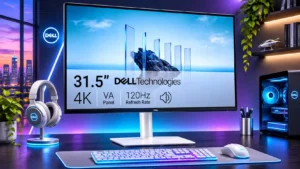
Windows scaling can make small 4K text comfortable; one dissatisfied user found some scaled resolutions noticeably blurry.
Pros: value for money, Resolution
Cons: stand adjustability, viewing angles
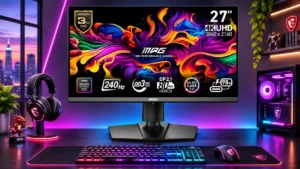
Some non-native modes look reasonable with gentle sharpness, but aggressive image-enhancement settings create ugly oversharpening.
Pros: HDR performance, DisplayPort connectivity
Cons: value for money, brightness

Running at Full HD or adjusting Windows scaling brings visible softness and usability annoyances despite the faster gameplay.
Pros: overall satisfaction, contrast
Cons: value for money, port selection

The 720p boosted mode looks soft, while some pixel-mapping choices behave inconsistently with Windows timing.
Pros: black levels, motion clarity
Cons: value for money, Dual-mode versatility

Full resolution yields exceptional clarity, while the 1080p speed mode looks visibly softer.
Pros: HDR performance, overall satisfaction
Cons: local dimming performance, Blooming control
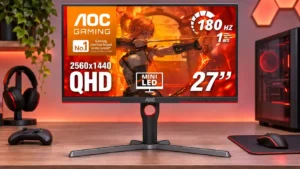
Non-native resolutions appear softer than desired, and the limited sharpness controls make it hard to fine-tune older or lower-resolution sources.
Pros: value for money, HDR performance
Cons: on-screen display usability, port selection

Downscaled virtual-4K modes can help some HDMI devices, but the resulting 1440p image and restricted output modes limit their usefulness.
Pros: competitive gaming suitability, color gamut
Cons: brightness, HDMI 2.1 support

Scaling lower-resolution signals is serviceable but not always sharp; the strongest enhancement settings can look artificially processed.
Pros: brightness, contrast
Cons: Text fringing, speaker quality

Unusual console resolutions or aspect ratios can require compromises; not every requested source mode is accepted.
Pros: refresh rate, Text fringing
Cons: Resolution, GPU demands

Sending it 4K for desktop use produces softer text than native QHD, so the higher accepted input resolution is not a substitute for a native 4K panel.
Pros: color gamut, overall satisfaction
Cons: reflection handling, VRR flicker

Custom scaled resolutions above 60Hz reportedly trigger frame skipping, limiting flexibility for unusual display modes.
Pros: value for money, overall satisfaction
Cons: HDR performance, Headphone output quality

Nonstandard retro-console signals and certain scaled resolutions can produce incorrect proportions or soft images.
Pros: value for money, panel type
Cons: brightness, port selection

The 24-inch emulation mode can look blurry or incorrectly mapped, making native full-screen 1440p the more reliable choice.
Pros: refresh rate, competitive gaming suitability
Cons: value for money, brightness