
The native 6K resolution maps neatly to macOS's 2× scaling, retaining sharp UI elements. Windows scaling also works well with suitable hardware.
Pros: value for money, Resolution
Cons: HDR performance, refresh rate

The native 6K resolution maps neatly to macOS's 2× scaling, retaining sharp UI elements. Windows scaling also works well with suitable hardware.
Pros: value for money, Resolution
Cons: HDR performance, refresh rate

Console Mode accepts 4K input and downscales it to the 1440p panel, helping compatibility with current consoles.
Pros: HDR performance, black levels
Cons: viewing angles, response time

It can accept a 4K/60Hz console feed and display it on the native QHD panel, which adds flexibility but not true 4K resolution.
Pros: overall satisfaction, refresh rate
Cons: HDR performance, HDMI 2.1 support

Console 4K signals can be downscaled for more detail at 60Hz, but the panel does not provide native ultrawide console output.
Pros: ultrawide gaming experience, black levels
Cons: HDR performance, viewing angles

Lower-than-native resolutions remain usable and can be sharpened, although QHD monitor-side scaling is limited to 60Hz and looks softer than 4K.
Pros: value for money, Resolution
Cons: port selection, HDR performance

Non-native content generally upscales cleanly, but the 1440p high-speed mode can look softer or more pixelated than true native QHD to some eyes.
Pros: Pixel density, Resolution
Cons: GPU demands, HDR performance

Mac users can find 4K scaling slightly less crisp than native 5K. Third-party scaling controls help tailor interface sizes, but do not eliminate the underlying tradeoff.
Pros: port selection, USB hub functionality
Cons: competitive gaming suitability, motion clarity

An option to disable display-stream compression gives enthusiasts flexibility for specialized custom-resolution workflows, at the cost of lower refresh limits.
Pros: brightness, HDR performance
Cons: speaker quality, built-in speakers

The 1080p/320Hz image is playable rather than perfectly pixel-mapped; gradient and fine-detail artifacts appear more noticeable in slower games.
Pros: HDR performance, overall satisfaction
Cons: HDR highlight detail, color accuracy

4K at 27 inches benefits from careful Windows or application scaling; small text and inconsistent software rendering can complicate otherwise crisp desktop use.
Pros: sharpness, overall satisfaction
Cons: value for money, VRR flicker
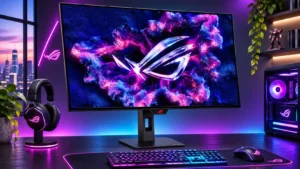
Native 4K looks excellent, but stretching 1080p across 32 inches can make small text and distant objects blocky or soft.
Pros: overall satisfaction, black levels
Cons: reflection handling, Color brightness

1080p remains usable for fast games and sometimes compares well with other dual-mode screens, but it cannot match crisp native 4K.
Pros: Dual-mode versatility, refresh rate
Cons: black levels, contrast
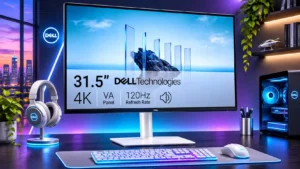
Windows scaling can make small 4K text comfortable; one dissatisfied user found some scaled resolutions noticeably blurry.
Pros: value for money, Resolution
Cons: stand adjustability, viewing angles
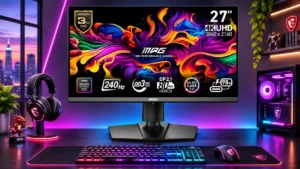
Some non-native modes look reasonable with gentle sharpness, but aggressive image-enhancement settings create ugly oversharpening.
Pros: HDR performance, DisplayPort connectivity
Cons: value for money, brightness

The 720p boosted mode looks soft, while some pixel-mapping choices behave inconsistently with Windows timing.
Pros: black levels, motion clarity
Cons: value for money, Dual-mode versatility

Full resolution yields exceptional clarity, while the 1080p speed mode looks visibly softer.
Pros: HDR performance, overall satisfaction
Cons: local dimming performance, Blooming control

Scaling lower-resolution signals is serviceable but not always sharp; the strongest enhancement settings can look artificially processed.
Pros: brightness, contrast
Cons: Text fringing, speaker quality

Custom scaled resolutions above 60Hz reportedly trigger frame skipping, limiting flexibility for unusual display modes.
Pros: value for money, overall satisfaction
Cons: HDR performance, Headphone output quality