
Overall: 4.4/5
Responsive joystick controls, organized menus and software settings make everyday adjustments straightforward.
Pros: overall satisfaction, response time
Cons: reflection handling, VRR flicker

Overall: 4.4/5
Responsive joystick controls, organized menus and software settings make everyday adjustments straightforward.
Pros: overall satisfaction, response time
Cons: reflection handling, VRR flicker

Overall: 3.9/5
The straightforward controls and plug-and-play approach make it easy to use for routine office work.
Pros: brightness, portability and weight
Cons: value for money, port selection

Overall: 4.2/5
The toolless stand, accessible pop-out USB ports and clearly labeled connections simplify everyday setup. Software configuration is less reliably polished.
Pros: port selection, USB hub functionality
Cons: competitive gaming suitability, motion clarity
Overall: 3.3/5
Fire TV and Alexa can make finding something to watch easy, especially for viewers familiar with Amazon's interface.
Pros: picture quality, motion handling
Cons: HDR performance, HDR brightness

Overall: 4.1/5
Simple initial settings, intuitive controls and one-cable hookups make this an easy display to live with.
Pros: USB hub functionality, USB-C power delivery
Cons: speaker quality

Overall: 4.2/5
The joystick menus and shortcuts are generally approachable, although advanced gaming and HDR configurations take experimentation.
Pros: overall satisfaction, black levels
Cons: reflection handling, Color brightness

Overall: 4.2/5
Basic navigation and setup feel straightforward, especially for users focused on gaming rather than elaborate features.
Pros: refresh rate, HDR performance
Cons: reflection handling, Text fringing

Overall: 4.2/5
Assembly, software installation and basic controls are repeatedly described as approachable, even for a first-time monitor owner.
Pros: overall picture quality, overall satisfaction
Cons: port selection, brightness

Overall: 3.8/5
Tizen's shortcuts and familiar layout are generally intuitive, notwithstanding occasional slow startup behavior.
Pros: picture quality, 4K at 144 Hz support
Cons: sound quality, value for money

Overall: 4.4/5
The control joystick and logical menus make frequent adjustments quick and intuitive instead of cumbersome.
Pros: sharpness, overall satisfaction
Cons: value for money, VRR flicker
Overall: 3.9/5
The basic interface layout is straightforward to navigate, although slow loading can undermine otherwise simple menus.
Pros: picture quality, contrast ratio
Cons: HDR performance, motion handling
Overall: 4.2/5
Ease of use draws favorable reactions, with clear strengths noted in the G5’s real-world performance.
Pros: overall satisfaction, picture quality
Cons: banding control, remote control quality

Overall: 3.9/5
webOS menus are generally approachable and customizable, even if the growing collection of AI tools adds complexity.
Pros: gaming performance, overall satisfaction
Cons: sound quality, value for money

Overall: 4.1/5
Common settings are easy to find, and customizable OSD shortcuts help make routine changes painless.
Pros: value for money, overall satisfaction
Cons: HDR performance, Headphone output quality

Overall: 4.2/5
The interface and setup are generally easy to use once configured, although deeper picture settings can take practice.
Pros: high-refresh-rate gaming, gaming performance
Cons: value for money, bass performance

Overall: 3.7/5
The simple interface and quick-access controls make shifting between gaming and desk work straightforward.
Pros: ultrawide gaming experience, black levels
Cons: HDR performance, viewing angles

Overall: 4.0/5
Rear joystick controls and practical shortcuts make everyday operation fairly straightforward.
Pros: brightness, contrast
Cons: Text fringing, speaker quality

Overall: 4.0/5
The interface and basic picture controls are accessible even with many optional settings.
Pros: color accuracy, picture quality
Cons: HDR brightness, peak brightness
Overall: 3.0/5
webOS is generally straightforward to navigate, with abundant apps and accessible everyday functions.
Pros: viewing angles, smart TV platform
Cons: overall satisfaction, refresh rate
Overall: 3.9/5
Most owners find Google TV straightforward to navigate and setup simple, although one Wi-Fi connection failure made everyday use frustrating.
Pros: overall satisfaction, picture quality
Cons: Weight and handling, black levels

Overall: 3.8/5
The platform and quick menus are generally approachable, though advanced settings can take extra searching.
Pros: overall satisfaction, picture quality
Cons: value for money, local dimming performance

Overall: 3.9/5
Google TV's straightforward content organization helps day-to-day use, even if initial account setup can take longer than desired.
Pros: peak brightness, overall satisfaction
Cons: value for money, shadow detail

Overall: 4.0/5
The interface is usable for routine tasks but some menu paths, AI options and startup choices demand extra patience.
Pros: reflection handling, overall satisfaction
Cons: Dolby Vision support, bass performance

Overall: 3.6/5
Backlit controls, sensible remote buttons, and an approachable smart-TV interface make daily operation straightforward.
Pros: black levels, picture quality
Cons: HDR performance, blooming control

Overall: 3.9/5
The Google TV interface and settings menus are approachable, despite some account setup and deep options.
Pros: peak brightness, value for money
Cons: reflection handling, glare resistance

Overall: 3.6/5
Basic use is intuitive, while getting the most out of the programmable features requires configuration.
Pros: productivity performance, click noise
Cons: Upgrade value, gaming suitability

Overall: 3.9/5
Newer settings menus are easier to navigate, though initial setup and layered options may take some learning.
Pros: value for money, overall satisfaction
Cons: Dolby Vision support, sound quality
Overall: 3.0/5
Basic controls are approachable thanks to the uncomplicated remote and integrated streaming interface.
Pros: color accuracy, Picture detail
Cons: HDR performance, motion clarity

Overall: 3.3/5
The basic menus are approachable and common adjustments are accessible, despite some delays during navigation.
Pros: color accuracy, upscaling quality
Cons: picture quality, sound quality

Overall: 3.8/5
Changes between some image-scaling modes are unusually quick and convenient.
Pros: value for money, Resolution
Cons: port selection, HDR performance

Overall: 3.6/5
The monitor provides plenty of options for customizing the image and gaming experience without requiring complicated setup for basic adjustments.
Pros: refresh rate, value for money
Cons: HDR performance, contrast

Overall: 3.0/5
Despite occasional sluggishness, finding shows and moving through Tizen content remains straightforward.
Pros: picture quality, smart TV platform
Cons: value for money, refresh rate

Overall: 4.2/5
Clearly labeled ports and well-organized controls simplify setup, although optimal HDR and game modes may require individual adjustment.
Pros: brightness, HDR performance
Cons: speaker quality, built-in speakers

Overall: 4.0/5
The direct dual-mode shortcut is convenient, although one review finds the joystick cheap and frustrating.
Pros: Dual-mode versatility, refresh rate
Cons: black levels, contrast
Overall: 4.0/5
Most find webOS straightforward after setup, while a few dislike the menu depth, slower navigation or learning curve.
Pros: value for money, overall satisfaction
Cons: Remote control usability, sound quality

Overall: 4.0/5
Fire TV runs smoothly, though its busy organization divides opinions about how enjoyable it is to navigate.
Pros: overall satisfaction, picture quality
Cons: size options, value for money
Overall: 4.3/5
Basic Fire TV navigation can be straightforward, although added settings layers and app-management steps hurt convenience.
Pros: picture quality, color accuracy
Cons: bass performance, HDMI 2.1 port count
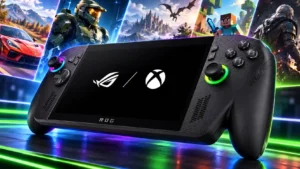
Overall: 3.7/5
The gaming shell removes a substantial amount of Windows friction, and familiarity makes daily navigation easier. It still requires more learning, maintenance and occasional touch or mouse intervention than a...
Pros: performance, frame rate performance
Cons: ease of use, user interface

Overall: 3.6/5
The simple remote and familiar apps please many households, but account setup, menu navigation and occasional faults can overwhelm less technical users.
Pros: picture quality, overall satisfaction
Cons: sound quality, reliability

Overall: 4.2/5
Core everyday viewing is manageable, but the deep settings hierarchy and sparse remote can make less common tasks laborious.
Pros: picture quality, glare resistance
Cons: value for money, bass performance

Overall: 3.5/5
Software settings are convenient, but the awkward button layout increases friction for routine adjustment.
Pros: HDR performance, overall satisfaction
Cons: local dimming performance, Blooming control

Overall: 3.6/5
Most menus are familiar, but console users may need a less-than-obvious HDMI input-mode adjustment to unlock 120Hz.
Pros: reflection handling, HDR performance
Cons: screen uniformity, Screen coating clarity

Overall: 3.9/5
Basic streaming and settings shortcuts are straightforward, although more advanced picture adjustments can be buried in submenus.
Pros: color volume, black levels
Cons: Inconsistent panel and coating by size, sound quality

Overall: 3.8/5
Tizen can respond quickly, but some find its layers of suggestions and settings unnecessarily complicated. Comfort with smart-TV menus makes a difference.
Pros: glare resistance, overall satisfaction
Cons: input lag, value for money

Overall: 4.0/5
Quick settings and controller shortcuts help, but ordinary Windows tasks can still mean tiny touch targets and awkward trips to the desktop. Experiences range from near-console convenience to substantial frustration.
Pros: display quality, controller ergonomics
Cons: value for money, ease of use

Overall: 3.4/5
Basic riding can feel awkward enough that even small turns become work. A controller and repeated practice make the experience easier for some players.
Pros: overall quality, graphics quality
Cons: physics quality, controls responsiveness

Overall: 3.9/5
Assembly and basic joystick access are approachable, but the sluggish on-screen menu and awkward adjustments make frequent tweaking tedious.
Pros: HDR performance, black levels
Cons: viewing angles, response time

Overall: 3.7/5
Everyday operation is straightforward with a responsive joystick, but manually switching dimming modes and managing color calibration can feel tedious.
Pros: overall satisfaction, PC gaming compatibility
Cons: color accuracy, local dimming performance

Overall: 3.0/5
Basic viewing tasks are manageable, but slow on-screen keyboards and menus can make account entry and navigation tiresome.
Pros: color gamut, smart TV platform
Cons: value for money, overall satisfaction

Overall: 3.8/5
Brightness options and layered menus can turn supposedly simple changes into a frustrating search.
Pros: Wireless One Connect compatibility, art display mode
Cons: value for money, input lag