
Overall: 3.3/5
The feet slot into position quickly and securely, making assembly easier than screw-fastened stands.
Pros: color accuracy, upscaling quality
Cons: picture quality, sound quality

Overall: 3.3/5
The feet slot into position quickly and securely, making assembly easier than screw-fastened stands.
Pros: color accuracy, upscaling quality
Cons: picture quality, sound quality

Overall: 3.0/5
Snap-on feet were consistently praised for quick assembly, with no screws needed for normal tabletop setup.
Pros: color gamut, smart TV platform
Cons: value for money, overall satisfaction

Overall: 3.8/5
The pedestal snaps together without tools, making initial installation straightforward.
Pros: picture quality, 4K at 144 Hz support
Cons: sound quality, value for money

Overall: 4.2/5
The stand components go together quickly and simply, with some feet snapping into place without tools.
Pros: high-refresh-rate gaming, gaming performance
Cons: value for money, bass performance
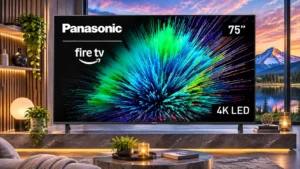
Overall: 3.3/5
Attaching the feet takes little effort and contributes to an easy first-time setup.
Pros: picture quality, motion handling
Cons: HDR performance, HDR brightness

Overall: 4.0/5
The heavy center stand is surprisingly straightforward to attach.
Pros: overall satisfaction, picture quality
Cons: size options, value for money

Overall: 3.0/5
The feet align and snap into position easily with no elaborate construction process.
Pros: picture quality, smart TV platform
Cons: value for money, refresh rate

Overall: 3.6/5
Attaching the feet or placing the TV on a stand is straightforward for owners who handle setup themselves.
Pros: picture quality, overall satisfaction
Cons: sound quality, reliability
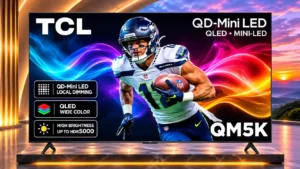
Overall: 3.6/5
Two feet attach easily with basic screws and an ordinary screwdriver.
Pros: black levels, picture quality
Cons: HDR performance, blooming control

Overall: 4.0/5
Click-in feet and installation-friendly packaging make assembly straightforward for the smaller and very large sizes alike.
Pros: picture quality, black levels
Cons: HDR brightness, value for money

Overall: 4.2/5
The mounting hardware and compact stand can be assembled with little fuss, though large-screen handling is easier with help.
Pros: picture quality, glare resistance
Cons: value for money, bass performance

Overall: 3.9/5
Stand installation is straightforward, although a screwdriver and sometimes a second person are helpful.
Pros: gaming performance, overall satisfaction
Cons: sound quality, value for money

Overall: 3.9/5
Snap-in feet or a pedestal make assembly unusually quick, with little need for tools.
Pros: value for money, overall satisfaction
Cons: Dolby Vision support, sound quality

Overall: 3.8/5
The legs can be attached without complicated hardware, although handling a big screen safely takes another person.
Pros: Wireless One Connect compatibility, art display mode
Cons: value for money, input lag

Overall: 4.2/5
The feet secure to the panel with a straightforward slide-and-screw arrangement.
Pros: value for money, color accuracy
Cons: HDR brightness, reflection handling

Overall: 3.8/5
The large model's feet are simple to attach, although lifting the television into position is a major undertaking.
Pros: overall satisfaction, picture quality
Cons: value for money, local dimming performance

Overall: 3.9/5
Attaching the stand is usually straightforward, although the larger models require careful handling and help.
Pros: peak brightness, value for money
Cons: reflection handling, glare resistance

Overall: 4.1/5
The central pedestal is secure once fitted but can require extra assembly work; the very large version benefits from careful two-person handling.
Pros: peak brightness, HDR brightness
Cons: sound quality, viewing angles

Overall: 3.8/5
Opinions on installation differ: some find the stand straightforward to attach while others liken the process to assembling a puzzle.
Pros: glare resistance, overall satisfaction
Cons: input lag, value for money

Overall: 3.9/5
The pedestal can be assembled without unusual difficulty, although its interlocking pieces take some care.
Pros: peak brightness, overall satisfaction
Cons: value for money, shadow detail

Overall: 4.0/5
Assembly is easy on some units, but at least one installer found the feet hard to seat before screwing them in.
Pros: color accuracy, picture quality
Cons: HDR brightness, peak brightness

Overall: 3.7/5
Installing the stand involves fiddly screws and poorly aligned holes, making the first setup unnecessarily frustrating.
Pros: picture quality, maximum volume
Cons: sound quality, bass performance
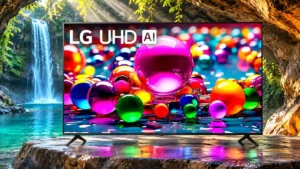
Overall: 3.0/5
Aligning the two plastic feet can be frustrating and may take several attempts.
Pros: viewing angles, smart TV platform
Cons: overall satisfaction, refresh rate