
Overall: 4.3/5
Device compatibility works especially well in supported gaming or desktop scenarios, helping the monitor feel polished and capable.
Pros: black levels, motion clarity
Cons: value for money, Dual-mode versatility

Overall: 4.3/5
Device compatibility works especially well in supported gaming or desktop scenarios, helping the monitor feel polished and capable.
Pros: black levels, motion clarity
Cons: value for money, Dual-mode versatility

Overall: 4.1/5
MacBooks, iPads, iPhones, Windows laptops and desktops were connected successfully in hands-on testing.
Pros: USB hub functionality, USB-C power delivery
Cons: speaker quality

Overall: 4.2/5
USB-C worked successfully with a Dell XPS laptop lacking HDMI, demonstrating a convenient connection path for modern USB-C computers.
Pros: value for money, Resolution
Cons: port selection, competitive gaming suitability

Overall: 3.9/5
A Mac mini successfully recognized the display and applied a color profile, complementing its broader PC and console support.
Pros: HDR performance, black levels
Cons: viewing angles, response time

Overall: 4.0/5
The monitor works with modern gaming PCs and several other source types, but particular ports and modes impose bandwidth limitations.
Pros: brightness, contrast
Cons: Text fringing, speaker quality

Overall: 4.1/5
Reviewers report useful operation with Macs and Windows PCs through Thunderbolt, HDMI and DisplayPort. Older machines may not support the full 6K signal.
Pros: value for money, Resolution
Cons: HDR performance, refresh rate
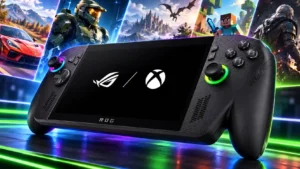
Overall: 3.7/5
Dual USB-C ports make an external-glasses display especially convenient while charging. Full Windows connectivity also supports niche tasks such as loading music onto a compatible digital audio player.
Pros: performance, frame rate performance
Cons: ease of use, user interface

Overall: 4.2/5
It accommodates a wide range of desktops and laptops, with particularly positive Mac connectivity experiences. Practical issues are more about software and peripherals than basic video detection.
Pros: port selection, USB hub functionality
Cons: competitive gaming suitability, motion clarity

Overall: 4.1/5
The side USB-C video connection makes connecting compatible phones or laptops easy without reaching behind the television.
Pros: peak brightness, HDR brightness
Cons: sound quality, viewing angles

Overall: 4.5/5
Modest hardware demands make the game accessible on older equipment. It offers a visually strong experience without requiring an expensive setup.
Pros: overall quality, combat system
Cons: pacing, grind level
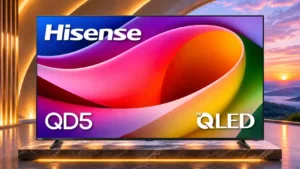
Overall: 3.9/5
A Bluetooth Android game controller worked with downloaded TV games without notable hassle.
Pros: overall satisfaction, picture quality
Cons: Weight and handling, black levels

Overall: 3.9/5
The ThinQ companion app provides dependable controls from iOS and Android devices.
Pros: gaming performance, overall satisfaction
Cons: sound quality, value for money
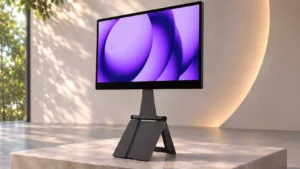
Overall: 4.3/5
Macs, Windows laptops, tablets, and some phones work well over USB-C, though iPad touch control and the power needs of smaller devices impose limits.
Pros: overall satisfaction, stand adjustability
Cons: value for money, reflection handling
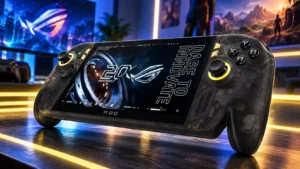
Overall: 4.0/5
Ports and external-device flexibility are generally appreciated, with several successful TV, monitor and peripheral setups. One account reports serious monitor and controller handoff issues, so the experience is not uniformly...
Pros: display quality, controller ergonomics
Cons: value for money, ease of use

Overall: 3.9/5
Modern video-capable USB-C laptops and some tablets work well, but HDMI-only devices are excluded.
Pros: brightness, portability and weight
Cons: value for money, port selection

Overall: 3.7/5
A connected Roku was recognized and labeled automatically, simplifying the first-time hookup.
Pros: picture quality, maximum volume
Cons: sound quality, bass performance

Overall: 3.7/5
A streaming box or media player can connect through the HDMI inputs, while DisplayPort leaves another connection for a laptop or desktop.
Pros: value for money, Resolution
Cons: stand adjustability, viewing angles

Overall: 4.2/5
Phone setup works on both iOS and Android, though the connection feels most seamless with Samsung devices.
Pros: high-refresh-rate gaming, gaming performance
Cons: value for money, bass performance

Overall: 3.8/5
Desktop HDMI and DisplayPort connections are straightforward. Thin laptops and certain docks can introduce bandwidth or adapter complications.
Pros: value for money, Resolution
Cons: port selection, HDR performance

Overall: 3.5/5
Switching between a work laptop and gaming PC is possible, although the connection arrangement may require a separate dock.
Pros: HDR performance, overall satisfaction
Cons: local dimming performance, Blooming control

Overall: 3.6/5
Supported HDMI, apps and mobile controls provide useful connections, but some cable-service and router combinations have proved unexpectedly troublesome.
Pros: picture quality, overall satisfaction
Cons: sound quality, reliability