Asus ROG Xbox Ally X20 Review

Brand: ASUS
Released: October 15, 2025
Updated: 17 hours ago
4.0
Overall review score
666
Review insights
42
Scored features
56
Expert reviews

Bottom Line

The vivid OLED screen and superb grip comfort make this a compelling premium Windows handheld. Its high price buys refinement rather than a major performance leap, and Windows still needs patience.

Enthusiasts buying a first premium handheld, players with libraries across PC stores, and people who value comfortable extended sessions and a vivid screen.

Budget-conscious buyers, existing Xbox Ally X owners seeking a major performance upgrade, and players expecting demanding games to run at high settings without adjustment.

Verdict

The Xbox Ally X20 makes its strongest case through the parts you touch and see: a bright OLED display, comfortable controller-style grips and refined inputs. Its broad Windows game access also appeals to players with libraries spread across stores. Performance remains close to the previous Xbox Ally X, though, and demanding games often need lower settings, upscaling or modest frame-rate targets. Cooling generally earns praise, while battery gains vary by workload and test. Windows is the other compromise: some find the interface much improved, while others encounter awkward setup, input failures and unreliable sleep. For a first premium handheld, the combined refinements can justify the cost. Existing Xbox Ally X owners have less reason to replace their device, and the expensive collector bundle makes sense chiefly for people who specifically want its accessories.

Feature Scorecards

Summary

42 reviewed features
  • Very positive 4.5-5.0
    13 (31%)
  • Positive 3.5-4.4
    20 (48%)
  • Neutral 2.5-3.4
    6 (14%)
  • Negative 1.5-2.4
    3 (7%)

Pros highlights

  • 4.9
    54 reviews strong consensus
    display quality: 4.9, 54 reviews, strong consensus
    The OLED screen is the standout attraction, with deep blacks, vivid color, bright HDR and smooth variable refresh. A few find the improvement less dramatic than expected or dislike aspects of HDR, reflections or color balance.
  • 4.7
    47 reviews strong consensus
    controller ergonomics: 4.7, 47 reviews, strong consensus
    Controller-style grips, balanced weight and added texture make this exceptionally comfortable for many players. The rubberized surface divides a few opinions, including complaints about sweat or an unpleasant texture.
  • 4.6
    46 reviews strong consensus
    controller quality: 4.6, 46 reviews, strong consensus
    Sticks, buttons and bumpers usually earn praise for precision, tension and satisfying response. Not everyone prefers the revised feel, and one account reports squeaky triggers.
  • 4.8
    41 reviews moderate consensus
    design and aesthetics: 4.8, 41 reviews, moderate consensus
    The smoky translucent shell and gold details are widely admired as a distinctive anniversary design. A few find it too busy, dislike gold or object to bright lighting that cannot fully match the theme.
  • 4.0
    41 reviews low consensus
    performance: 4.0, 41 reviews, low consensus
    The hardware remains capable across a broad range of games, especially with sensible settings. Its unchanged processor makes the performance story less compelling beside newer Intel handhelds or for owners of the previous Xbox Ally X.
  • 4.0
    39 reviews low consensus
    controller features: 4.0, 39 reviews, low consensus
    Programmable controls, impulse triggers and the transforming D-pad add flexibility. The D-pad’s practical value is disputed: some love its versatility, while others find little difference between modes or report looseness and unintended movement.

Cons highlights

  • 2.5
    43 reviews low consensus
    value for money: 2.5, 43 reviews, low consensus
    The high price is the most persistent reservation because core gaming performance stays close to the previous model. Some consider the screen and control refinements worth the premium, especially against pricier rivals.
  • 2.6
    29 reviews low consensus
    ease of use: 2.6, 29 reviews, low consensus
    Quick settings and controller shortcuts help, but ordinary Windows tasks can still mean tiny touch targets and awkward trips to the desktop. Experiences range from near-console convenience to substantial frustration.
  • 2.7
    16 reviews low consensus
    reliability: 2.7, 16 reviews, low consensus
    Reports vary sharply: some describe dependable controls and software, while others repeatedly need reboots or workarounds. Sleep, resume, unresponsive inputs and games failing to launch are the main trouble spots.
  • 2.6
    14 reviews low consensus
    graphical performance: 2.6, 14 reviews, low consensus
    Upscaling can preserve useful detail and improve playability, but it also draws complaints about softness, noise or doubled images. Several encounter black foliage or missing materials in a specific game, highlighting the importance of drivers.
  • 2.0
    8 reviews low consensus
    ease of setup: 2.0, 8 reviews, low consensus
    Scattered Windows, firmware and app updates commonly make first setup tedious. A minority find the improved Xbox interface handles most initial tasks conveniently.
  • 2.7
    3 reviews low consensus
    Software and driver support: 2.7, 3 reviews, low consensus
    Support attracts opposing judgments, with praise for ASUS’s relative effort alongside complaints about slow releases. Delayed fixes for visible game-rendering faults are a particular frustration.

Use Cases

Best for

  • 4.7
    21 reviews moderate consensus
    Extended handheld sessions: 4.7, 21 reviews, moderate consensus
    Comfortable grips, weight distribution and cool touchpoints make longer sessions appealing to many players. Heavy unsupported holding and sweaty palms remain potential limits.
  • 4.9
    10 reviews strong consensus
    Indie and lighter games: 4.9, 10 reviews, strong consensus
    Lighter titles are a particularly strong match, often combining smooth or high frame rates with long battery life. Low-power modes can preserve a pleasing experience without the compromises required by heavier releases.
  • 4.9
    8 reviews strong consensus
    Multi-store PC libraries: 4.9, 8 reviews, strong consensus
    This is a particularly good fit for collections spread across PC stores. The combined launcher and Windows flexibility keep a varied library accessible on one handheld.

Not ideal for

  • Upgrading from Xbox Ally X
    2.3
    19 reviews strong consensus
    Upgrading from Xbox Ally X: 2.3, 19 reviews, strong consensus
    Most recommendations favor keeping an existing Xbox Ally X because the newer model delivers similar gaming performance. Replacement becomes more attractive only when OLED, comfort and control refinements matter enough to justify the cost.
  • Budget-conscious buyers
    1.8
    4 reviews strong consensus
    Budget-conscious buyers: 1.8, 4 reviews, strong consensus
    This is difficult to recommend when price or maximum performance per dollar is the priority. Several point cost-conscious shoppers toward older or lower-tier handhelds.

Compared With Category Average

Compared with other Video Game Console, this product is above average in storage expandability, controller ergonomics, noise level, near average in performance, design and aesthetics, below average in ease of setup, graphical performance, subscription service value.

Comparison summary

32 compared features
  • Above average 0.4+ pts higher
    16 (50%)
  • Same as average within 0.3 pts
    10 (31%)
  • Below average 0.4+ pts lower
    6 (19%)

Largest category differences

Attribute This product Category average Difference
ease of setup 2.0 3.9 -1.9
graphical performance 2.6 4.0 -1.4
storage expandability 4.4 3.4 +0.9
subscription service value 2.7 3.9 -1.3
value for money 2.5 3.3 -0.8
controller ergonomics 4.7 4.0 +0.8
noise level 4.3 3.4 +0.9
heat management 4.7 4.0 +0.7

Consider This Instead

If you want better graphical performance

Choose Asus ROG Xbox Ally X. It scores 4.2 vs 2.6 for graphical performance, with a 3.7 overall score.

Compare

If you want better ease of setup

Choose Lenovo Legion Go S. It scores 4.3 vs 2.0 for ease of setup, with a 3.9 overall score.

Compare

If you want better frame rate performance

Choose Nintendo Switch 2. It scores 4.6 vs 3.5 for frame rate performance, with a 3.7 overall score.

Compare

If you want better reliability

Choose Analogue 3D. It scores 4.3 vs 2.7 for reliability, with a 4.4 overall score.

Compare

Compared in Reviews

Products reviewers directly compared with this model, grouped into quick takeaways.

  • Worse: fan sound The X20’s fans sound less noisy and more pleasant.
  • Compared: weight The X20 is heavier than the named Legion Go S.
  • Worse: lighter-game endurance In the cited lighter-game mode, the X20 lasts longer than Switch 2.
  • Worse: integrated grip comfort Integrated controller-style grips are valued over flatter handhelds such as Switch 2.

ROG Xbox Ally X (2025)

  • Similar: gaming experience The upgraded screen does not fundamentally change gaming capability.
  • Similar: specifications The X20 keeps the previous generation’s processor, RAM, storage and battery capacity.
  • Compared: button preference The reviewer slightly prefers the previous model’s face buttons.

FAQ

What is the biggest upgrade?

The 7.4-inch OLED screen brings deeper blacks, brighter HDR and richer color. Refined controls and rubberized grips are the other widely praised changes.

Is it much faster than the Xbox Ally X?

Most tests find similar performance because the core hardware is unchanged. Some report small gains, but the upgrade primarily improves the screen and physical experience.

How long does the battery last?

Demanding-game results commonly range from about 1.5 to 3 hours, depending on settings and power mode. Lighter games can last much longer, with several reports around 6 to 10 hours.

Does it feel like an Xbox console?

Xbox Mode brings games into a controller-friendly library, but the device remains a Windows PC. Setup, updates, driver issues and sleep behavior can still require attention.

Should existing Xbox Ally X owners upgrade?

Many sources advise keeping the older device unless OLED and the control refinements matter enough to justify replacement. Expect similar gaming capability.

Is the collector bundle worth it?

The AR glasses and protective cases appeal to enthusiasts who want that full setup. Several sources prefer the standalone handheld because the bundle is expensive and the Pelican case is bulky.

Is docked play dependable?

Experiences differ: some find TV connection effortless, while another reports persistent display and controller problems. Treat docked use as a conditional strength rather than a guaranteed console-style experience.

Sample Expert Reviews We Analyzed

These are a few of the reviews included in our analysis.

Video Reviews

Article Reviews

Top Video Game Console to Consider

#1 Analogue 3D
4.4

Choose it if you own N64 cartridges and want the most polished, low-lag way to play them on a 4K TV. Skip it if you want cheap emulation, broad flash-cart/controller...

Pros: display quality, performance

Cons: availability

#2 Nex Playground
4.3

Best for easy, controller-free family play that gets kids moving. Skip it if you want deep games, cutting-edge graphics, or dislike paying for Play Pass.

Pros: game library quality, value for money

Cons: subscription service value, graphical performance
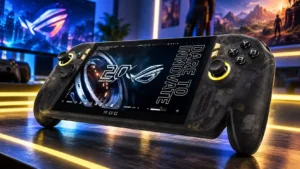
#3 This product Asus ROG Xbox Ally X20
Asus ROG Xbox Ally X20
4.0

The vivid OLED screen and superb grip comfort make this a compelling premium Windows handheld. Its high price buys refinement rather than a major performance leap, and Windows still needs...

Pros: display quality, controller ergonomics

Cons: value for money, ease of use
#4 Lenovo Legion Go S
3.9

Choose the SteamOS version for a comfortable, console-like handheld with a sharp 120Hz screen and strong performance. Skip it if you prioritize long battery life, quiet fans, or effortless access...

Pros: display quality, user interface

Cons: controller features, battery life