
Overall: 4.2/5
TrueBlack’s near-zero-haze gloss is a defining asset, making text, colors and fine detail look exceptionally crisp compared with matte OLED coatings.
Pros: overall satisfaction, black levels
Cons: reflection handling, Color brightness

Overall: 4.2/5
TrueBlack’s near-zero-haze gloss is a defining asset, making text, colors and fine detail look exceptionally crisp compared with matte OLED coatings.
Pros: overall satisfaction, black levels
Cons: reflection handling, Color brightness

Overall: 4.3/5
TrueBlack Glossy removes coating grain and gives games a crisp, vivid look. Its exceptional clarity is the main reason to prefer this screen finish over matte alternatives.
Pros: black levels, motion clarity
Cons: value for money, Dual-mode versatility

Overall: 4.1/5
The glossy coating is a standout: crisp, low-haze images look substantially cleaner than older matte WOLED finishes.
Pros: overall satisfaction, value for money
Cons: reflection handling, screen uniformity

Overall: 4.2/5
The glossy or semi-glossy finish preserves perceived sharpness and vibrant colors better than some matte finishes. The clarity comes with more visible specular reflections.
Pros: HDR performance, DisplayPort connectivity
Cons: value for money, brightness

Overall: 4.4/5
The semi-gloss finish preserves a notably clear and vivid image without the grain of some matte coatings. Bright reflections remain an unavoidable compromise.
Pros: sharpness, overall satisfaction
Cons: value for money, VRR flicker

Overall: 3.9/5
Screen coating clarity is often a welcome part of the QM7K experience.
Pros: peak brightness, value for money
Cons: reflection handling, glare resistance
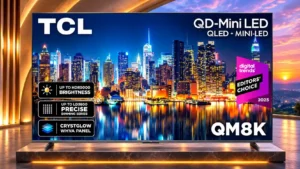
Overall: 4.0/5
The glossy screen keeps pictures crisp but contributes to pronounced mirror-like direct reflections.
Pros: peak brightness, picture quality
Cons: HDMI 2.1 port count, reflection handling

Overall: 4.4/5
TrueBlack Glossy avoids the grain and haze common on matte coatings, leaving images and text especially crisp.
Pros: overall satisfaction, response time
Cons: reflection handling, VRR flicker

Overall: 4.2/5
Glossy coating enhances apparent image clarity and depth, but mirror-like reflections are its obvious tradeoff.
Pros: refresh rate, HDR performance
Cons: reflection handling, Text fringing

Overall: 3.7/5
The glossy front can make color look rich and avoid a grainy anti-glare texture. Its optical layer may show a faint grid or other artifacts at close range.
Pros: glasses-free 3D quality, AI 2D-to-3D conversion
Cons: 3D compatible game library, value for money

Overall: 3.9/5
The clear glossy finish preserves image crispness and saturation, although it sacrifices some direct-glare control.
Pros: peak brightness, overall satisfaction
Cons: value for money, shadow detail

Overall: 3.8/5
Matte texture makes artwork appear impressively physical, though selected images can still seem unmistakably digital.
Pros: Wireless One Connect compatibility, art display mode
Cons: value for money, input lag

Overall: 4.2/5
The matte finish reduces glare without a major sharpness penalty for most users, although fine grain and slightly reduced saturation can be visible.
Pros: port selection, USB hub functionality
Cons: competitive gaming suitability, motion clarity

Overall: 4.1/5
The anti-glare surface controls reflections well, although a few glossy-screen fans wish the image had a more glass-like finish.
Pros: Pixel density, Resolution
Cons: GPU demands, HDR performance

Overall: 3.5/5
The matte coating helps manage glare during daylight work while retaining the panel's crisp text rendering.
Pros: HDR performance, overall satisfaction
Cons: local dimming performance, Blooming control

Overall: 4.2/5
The glossy-looking front treatment lends extra pop to images, even though its reflective nature needs consideration.
Pros: overall picture quality, overall satisfaction
Cons: port selection, brightness

Overall: 4.0/5
The glossy finish helps the colorful picture look vivid, though it comes at the expense of handling direct reflections.
Pros: overall satisfaction, picture quality
Cons: size options, value for money

Overall: 3.9/5
The matte surface keeps text clear and softens reflections, though it is less pristine than glossy glass and can show subtle off-axis tint.
Pros: HDR performance, black levels
Cons: viewing angles, response time
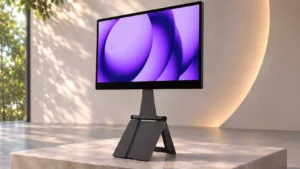
Overall: 4.3/5
The glossy glass keeps the picture clear and polished, but it also trades away the light-diffusing qualities of a matte finish.
Pros: overall satisfaction, stand adjustability
Cons: value for money, reflection handling

Overall: 4.0/5
The matte surface preserves fairly clean text and images, though it has some grain compared with glossy coatings.
Pros: Dual-mode versatility, refresh rate
Cons: black levels, contrast

Overall: 3.7/5
The matte surface maintains generally good clarity, but glossy premium OLED alternatives can look cleaner.
Pros: ultrawide gaming experience, black levels
Cons: HDR performance, viewing angles

Overall: 4.1/5
The anti-glare finish is polarizing: it mutes mirror reflections, but its visible grain or haze reduces perceived crispness. Fans of glossy OLED clarity may find this coating disappointing.
Pros: Resolution, overall satisfaction
Cons: value for money, GPU demands

Overall: 3.8/5
The mild matte finish controls glare without much visible grain, although sensitive users may see slight mistiness or diminished vibrancy.
Pros: value for money, Resolution
Cons: port selection, HDR performance

Overall: 3.7/5
The coating controls reflections, but its relatively aggressive texture can be noticeable up close and may affect off-angle clarity.
Pros: overall satisfaction, PC gaming compatibility
Cons: color accuracy, local dimming performance

Overall: 3.6/5
The matte coating is divisive: some see a surprisingly clean image with low glare, while others find its grain and softened highlights highly distracting.
Pros: reflection handling, HDR performance
Cons: screen uniformity, Screen coating clarity

Overall: 3.9/5
The screen coating clarity is adequate for routine use but comes with compromises depending on the connected device and task.
Pros: brightness, portability and weight
Cons: value for money, port selection

Overall: 4.2/5
The matte anti-glare treatment controls reflections but divides opinion over its visible grain or pearly sheen, especially up close.
Pros: brightness, HDR performance
Cons: speaker quality, built-in speakers

Overall: 4.2/5
The matte treatment dramatically reduces reflections, but close inspection may reveal a slight softness compared with glossy screens.
Pros: picture quality, glare resistance
Cons: value for money, bass performance

Overall: 4.0/5
The semi-gloss finish preserves a clear picture overall but costs a little perceived sharpness; BGR pixels can also affect desktop text.
Pros: picture quality, black levels
Cons: HDR brightness, value for money

Overall: 4.2/5
The anti-glare surface generally looks good but can produce a warmer-colored reflection than some conventional matte screens.
Pros: port selection, overall satisfaction
Cons: value for money, competitive gaming suitability

Overall: 3.8/5
The matte layer suppresses reflections remarkably well but can lend fine pixels a slightly hazy appearance.
Pros: glare resistance, overall satisfaction
Cons: input lag, value for money

Overall: 3.9/5
Screen coating clarity is serviceable with some important tradeoffs, rather than a standout strength.
Pros: color volume, black levels
Cons: Inconsistent panel and coating by size, sound quality

Overall: 3.4/5
The largest matte-screen variants reduce mirror-like reflections substantially compared with the glossy smaller sizes.
Pros: picture quality, value for money
Cons: viewing angles, HDR performance

Overall: 4.1/5
The matte coating is divisive: some see crisp, unobstructed detail while others notice haze, shimmer or grain that undermines 6K text clarity.
Pros: value for money, Resolution
Cons: HDR performance, refresh rate

Overall: 4.0/5
The matte layer suppresses distracting reflections but gives the image a different finish from glossy OLED, with some brightness-dependent black lift.
Pros: reflection handling, overall satisfaction
Cons: Dolby Vision support, bass performance

Overall: 4.0/5
Screen coating clarity earns qualified assessments: adequate in typical situations, with some noticeable limits under harder conditions.
Pros: color accuracy, picture quality
Cons: HDR brightness, peak brightness

Overall: 4.2/5
The coating divides opinion: reflections are greatly subdued, but light backgrounds can look grainy or slightly diffused. Glossy alternatives have a cleaner appearance in controlled lighting.
Pros: reflection handling, color gamut
Cons: value for money, brightness

Overall: 3.6/5
The matte surface limits glare effectively but adds a little grain. The tradeoff is usually mild compared with its reflection benefit.
Pros: refresh rate, Dual-mode versatility
Cons: motion clarity, black levels

Overall: 4.0/5
The matte coating can introduce grain and slight image softness; glossy alternatives appear clearer in a controlled dark room.
Pros: brightness, contrast
Cons: Text fringing, speaker quality

Overall: 4.2/5
The matte finish slightly softens pixel edges and can create a hazy appearance. That compromise is especially noticeable to those buying 8K for absolute clarity.
Pros: high-refresh-rate gaming, gaming performance
Cons: value for money, bass performance