
Overall: 3.6/5
Very high backlight-flicker frequencies make the picture effectively flicker-free under most normal settings.
Pros: picture quality, overall satisfaction
Cons: sound quality, reliability

Overall: 3.6/5
Very high backlight-flicker frequencies make the picture effectively flicker-free under most normal settings.
Pros: picture quality, overall satisfaction
Cons: sound quality, reliability

Overall: 4.0/5
Its high-frequency backlight PWM is effectively invisible in normal viewing.
Pros: color accuracy, picture quality
Cons: HDR brightness, peak brightness

Overall: 3.9/5
Very high-frequency backlight dimming makes ordinary flicker essentially invisible under normal use.
Pros: peak brightness, value for money
Cons: reflection handling, glare resistance

Overall: 4.1/5
Backlight modulation is very fast in ordinary modes, reducing visible flicker, though especially sensitive viewers may still need caution.
Pros: peak brightness, HDR brightness
Cons: sound quality, viewing angles

Overall: 3.9/5
Without typical PWM backlight dimming, flicker is generally subtle, but the screen is not completely flicker-free.
Pros: color volume, black levels
Cons: Inconsistent panel and coating by size, sound quality

Overall: 4.2/5
The screen avoids conventional PWM flicker but a slight brightness dip may still bother sensitive viewers.
Pros: value for money, color accuracy
Cons: HDR brightness, reflection handling
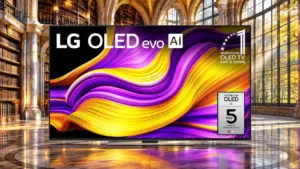
Overall: 4.2/5
Flicker is subtle for most viewers but not completely absent; highly sensitive viewers may notice it.
Pros: overall satisfaction, picture quality
Cons: banding control, remote control quality

Overall: 4.0/5
Most content looks free of distracting flicker, but sensitive viewers might notice slight fluctuations in darker areas.
Pros: overall satisfaction, picture quality
Cons: size options, value for money
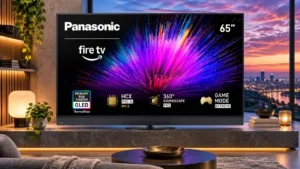
Overall: 4.3/5
Ordinary scenes are mostly free of distracting flicker, although very sensitive viewers may notice minor luminance fluctuations.
Pros: picture quality, color accuracy
Cons: bass performance, HDMI 2.1 port count

Overall: 4.0/5
High-frequency PWM is generally subtle, but sensitive viewers may still notice it; Standard mode has a lower flicker frequency.
Pros: picture quality, black levels
Cons: HDR brightness, value for money

Overall: 3.9/5
High-frequency backlight flicker should be unobtrusive for most people, although one low-quality video test exposed amplified content flickering.
Pros: peak brightness, overall satisfaction
Cons: value for money, shadow detail

Overall: 3.8/5
Backlight behavior sometimes produces flicker during difficult dimming transitions, even if some modes are steadier.
Pros: overall satisfaction, picture quality
Cons: value for money, local dimming performance

Overall: 3.7/5
The PWM backlight flickers in every picture mode, with its frequency dependent on local-dimming settings.
Pros: picture quality, maximum volume
Cons: sound quality, bass performance

Overall: 3.9/5
A test pattern produced a local-dimming flicker anomaly, although it was not reproducible in normal viewing. The high-frequency everyday flicker is unlikely to be noticed.
Pros: gaming performance, overall satisfaction
Cons: sound quality, value for money

Overall: 3.0/5
PWM backlight control can cause objectionable flicker, particularly at lower brightness levels and in Filmmaker Mode.
Pros: color gamut, smart TV platform
Cons: value for money, overall satisfaction

Overall: 3.8/5
Flicker varies by mode and can become distracting in settings running at a lower pulse rate.
Pros: picture quality, 4K at 144 Hz support
Cons: sound quality, value for money

Overall: 4.2/5
Backlight flicker may bother particularly sensitive viewers even when picture quality otherwise looks excellent.
Pros: high-refresh-rate gaming, gaming performance
Cons: value for money, bass performance

Overall: 4.2/5
Backlight flicker at common brightness levels could bother sensitive viewers, despite the panel’s otherwise strong image performance.
Pros: picture quality, glare resistance
Cons: value for money, bass performance

Overall: 3.8/5
The PWM backlight can bother flicker-sensitive viewers, with frequency varying by picture mode and brightness settings.
Pros: glare resistance, overall satisfaction
Cons: input lag, value for money

Overall: 3.8/5
Fast flicker in certain modes is less concerning, but slower flicker elsewhere may bother sensitive eyes.
Pros: Wireless One Connect compatibility, art display mode
Cons: value for money, input lag

Overall: 3.0/5
Backlight dimming introduces PWM flicker, which may bother viewers sensitive to modulation.
Pros: picture quality, smart TV platform
Cons: value for money, refresh rate

Overall: 3.3/5
Backlight flicker could trouble sensitive viewers, with behavior varying by mode and brightness setting.
Pros: color accuracy, upscaling quality
Cons: picture quality, sound quality
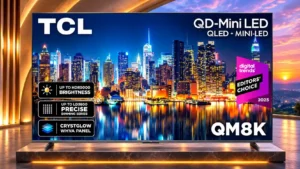
Overall: 4.0/5
Its unusual backlight drive pattern is not visually distracting to everyone, but flicker-sensitive users should be aware of it.
Pros: peak brightness, picture quality
Cons: HDMI 2.1 port count, reflection handling

Overall: 4.0/5
OLED dimming avoids ordinary PWM artifacts, yet subtle refresh flicker or VRR flicker may remain perceptible in edge cases.
Pros: reflection handling, overall satisfaction
Cons: Dolby Vision support, bass performance
Overall: 3.9/5
Brightness settings below maximum introduce 240Hz flicker that may bother flicker-sensitive viewers.
Pros: overall satisfaction, picture quality
Cons: Weight and handling, black levels

Overall: 3.4/5
Low-brightness settings use low-frequency backlight modulation that may bother sensitive viewers and cause visible image duplication.
Pros: picture quality, value for money
Cons: viewing angles, HDR performance
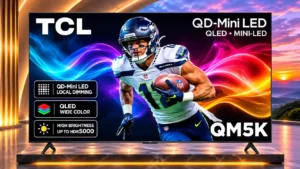
Overall: 3.6/5
Moving highlights can trigger obvious local-dimming flicker against dark areas, which may be distracting in action scenes.
Pros: black levels, picture quality
Cons: HDR performance, blooming control
Overall: 3.0/5
The slow PWM dimming persists at all brightness settings, an issue for flicker-sensitive viewers.
Pros: viewing angles, smart TV platform
Cons: overall satisfaction, refresh rate
Overall: 3.3/5
Low-frequency backlight flicker below maximum brightness can distract sensitive viewers and aggravate uneven-looking motion.
Pros: picture quality, motion handling
Cons: HDR performance, HDR brightness