
Overall: 3.8/5
The stand is straightforward to assemble, and the joystick-controlled menus make everyday adjustments easy.
Pros: value for money, Resolution
Cons: HDR performance, port selection

Overall: 3.8/5
The stand is straightforward to assemble, and the joystick-controlled menus make everyday adjustments easy.
Pros: value for money, Resolution
Cons: HDR performance, port selection
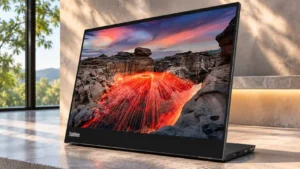
Overall: 3.9/5
Responsive touch and easy-to-reach controls make navigating both content and the screen menus straightforward.
Pros: overall picture quality, Stylus usability
Cons: port selection, refresh rate

Overall: 4.1/5
Everyday controls are clear enough for people who do not want to learn complex networking menus.
Pros: value for money, Wi-Fi speed
Cons: 6 GHz performance, subscription requirements

Overall: 4.2/5
Intuitive menus, easy-to-reach controls, and flexible presets make the display straightforward to use after initial setup. The Windows configuration utility is particularly convenient.
Pros: refresh rate, overall satisfaction
Cons: value for money, port selection

Overall: 4.0/5
Straightforward controls, simple pairing and useful app settings keep operation accessible.
Pros: Battery, Sound quality
Cons: Comfort during long use, Build quality
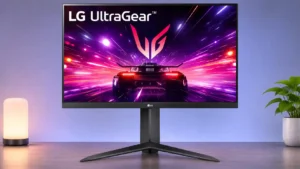
Overall: 3.3/5
Simple controls, automated input changes, and desktop adjustment software make the monitor straightforward to use day to day.
Pros: adaptive sync performance, response time
Cons: HDR performance, console gaming compatibility

Overall: 3.6/5
The everyday picture and workspace are straightforward to live with, although some reviewers find the physical menu controls dated.
Pros: stand adjustability, competitive gaming suitability
Cons: value for money, port selection
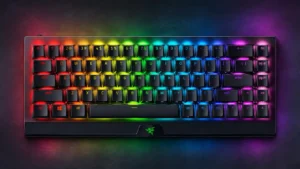
Overall: 3.8/5
Initial setup and ordinary layout can be straightforward, but advanced RGB configuration can be unnecessarily difficult.
Pros: overall satisfaction, size and form factor
Cons: connectivity, build quality

Overall: 4.0/5
The menu and day-to-day controls are approachable, although extracting peak performance and handling OLED care may be demanding.
Pros: refresh rate, competitive gaming suitability
Cons: value for money, brightness

Overall: 3.9/5
There is a substantial learning curve behind the huge feature set. Cleaner settings and voice shortcuts help, but nested activities and awkward strength-mode input can still slow simple tasks.
Pros: battery life, GPS accuracy
Cons: value for money, menu navigation

Overall: 3.7/5
Initial setup and familiar Amazon controls can be straightforward, while ad-driven menus and subscription prompts make finding content less pleasant.
Pros: value for money, HDR brightness
Cons: color accuracy, shadow detail

Overall: 3.6/5
The joystick and daily operation are straightforward, while HDR preset choices, care routines and device handshakes can require extra tinkering.
Pros: overall satisfaction, brightness
Cons: Dolby Vision support, VRR flicker

Overall: 3.1/5
Convenience depends heavily on the task: TV apps can be easy to sign into, while everyday menu navigation and monitor-only startup can feel cumbersome.
Pros: PC gaming compatibility, overall picture quality
Cons: overall satisfaction, Smart TV platform