
Overall: 4.2/5
A wide viewing cone keeps the image enjoyable for people seated across a couch, despite subtle off-axis color shifts.
Pros: value for money, color accuracy
Cons: HDR brightness, reflection handling

Overall: 4.2/5
A wide viewing cone keeps the image enjoyable for people seated across a couch, despite subtle off-axis color shifts.
Pros: value for money, color accuracy
Cons: HDR brightness, reflection handling

Overall: 4.0/5
The wide OLED viewing angle accommodates a spread-out group without major loss of contrast.
Pros: overall satisfaction, picture quality
Cons: size options, value for money

Overall: 4.1/5
Its wide viewing angles and flexible stand are a useful pairing when a coworker needs to see the same screen.
Pros: USB hub functionality, USB-C power delivery
Cons: speaker quality
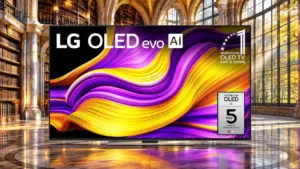
Overall: 4.2/5
The wide viewing angle lets groups spread across the sofa without major losses of picture quality.
Pros: overall satisfaction, picture quality
Cons: banding control, remote control quality
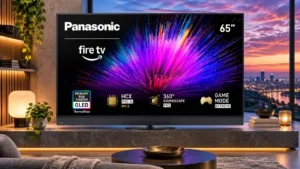
Overall: 4.3/5
Wide OLED viewing angles let people seated across a couch retain most of the picture's color and contrast.
Pros: picture quality, color accuracy
Cons: bass performance, HDMI 2.1 port count

Overall: 3.9/5
A wide audience can see nearly the same colors and contrast from different seats, helping group viewing.
Pros: color volume, black levels
Cons: Inconsistent panel and coating by size, sound quality
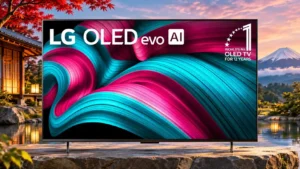
Overall: 4.0/5
People seated off-center can still enjoy rich blacks and a strong image, making group movie nights appealing.
Pros: value for money, overall satisfaction
Cons: Remote control usability, sound quality
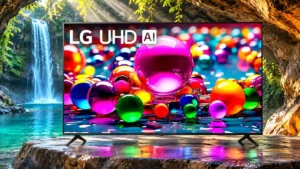
Overall: 3.0/5
People scattered across a wide sofa benefit from unusually stable off-axis colors, though everyone still sees the limited contrast.
Pros: viewing angles, smart TV platform
Cons: overall satisfaction, refresh rate
Overall: 3.9/5
Wide viewing angles and the huge display help groups follow the same picture from different seats.
Pros: overall satisfaction, picture quality
Cons: Weight and handling, black levels

Overall: 4.4/5
Broad viewing angles preserve a strong picture for people looking from the side, though the 27-inch size still favors close seating.
Pros: sharpness, overall satisfaction
Cons: value for money, VRR flicker

Overall: 4.0/5
The broad IPS viewing angles preserve a consistent image when several people look at the panel together.
Pros: overall satisfaction, refresh rate
Cons: HDR performance, HDMI 2.1 support

Overall: 3.7/5
Its IPS panel stays more consistent from the sides, which helps when friends or family sit nearby.
Pros: overall satisfaction, PC gaming compatibility
Cons: color accuracy, local dimming performance

Overall: 3.9/5
Very little color or brightness is lost from side seats, making shared viewing unusually flexible.
Pros: value for money, overall satisfaction
Cons: Dolby Vision support, sound quality

Overall: 4.0/5
Very wide viewing angles preserve a strong picture for people sitting off-center around a large screen.
Pros: reflection handling, overall satisfaction
Cons: Dolby Vision support, bass performance

Overall: 4.0/5
Wide OLED viewing angles make it easier to follow a game from beside the player without severe color or contrast loss.
Pros: brightness, contrast
Cons: Text fringing, speaker quality

Overall: 3.6/5
A relatively wide horizontal viewing angle benefits people sitting off-center, particularly in group seating arrangements. The 50-inch version draws less praise.
Pros: picture quality, overall satisfaction
Cons: sound quality, reliability

Overall: 3.9/5
Wider seating arrangements are more practical than with many VA TVs, but off-axis color shifts mean the best view remains near the center.
Pros: peak brightness, overall satisfaction
Cons: value for money, shadow detail

Overall: 4.2/5
Several people can watch from typical living-room seats without extreme color loss. Off-axis blooming and tint shifts become more apparent farther from center.
Pros: high-refresh-rate gaming, gaming performance
Cons: value for money, bass performance

Overall: 3.9/5
The shared-screen viewing earns praise for making the compact portable display easier to work with in everyday laptop setups.
Pros: brightness, portability and weight
Cons: value for money, port selection

Overall: 4.2/5
The IPS viewing angles make it easier for someone beside you to see the image, with mild color shifts at more extreme angles.
Pros: value for money, Resolution
Cons: port selection, competitive gaming suitability

Overall: 3.7/5
Seating-angle results conflict: typical side chairs look fine in some tests, but another assessment reports substantial color washout and lifted blacks.
Pros: picture quality, maximum volume
Cons: sound quality, bass performance