
Overall: 4.4/5
The monitor is straightforward to live with, especially once its software and keyboard controls are configured.
Pros: port selection, color accuracy
Cons: built-in speakers, speaker quality

Overall: 4.4/5
The monitor is straightforward to live with, especially once its software and keyboard controls are configured.
Pros: port selection, color accuracy
Cons: built-in speakers, speaker quality

Overall: 3.9/5
Once G-SYNC is configured, enabling Pulsar is largely a single-menu action; it follows changing frame rates without constant retuning.
Pros: motion clarity, Backlight strobing
Cons: contrast, HDR performance

Overall: 4.2/5
The joystick and desktop control utility make most adjustments straightforward. Hidden physical controls and some complex menu choices can make the first setup less intuitive.
Pros: overall satisfaction, black levels
Cons: value for money, stand adjustability

Overall: 4.3/5
The joystick interface, customizable shortcuts and companion software make the extensive settings more approachable than the feature list suggests.
Pros: black levels, sharpness
Cons: value for money, brightness
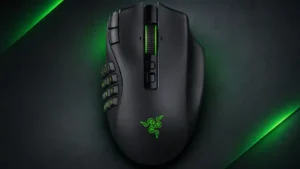
Overall: 4.2/5
Setup and customization are straightforward for many users, although mastering the full button grid takes practice.
Pros: Interchangeable side panels, MMO gaming suitability
Cons: value for money, FPS gaming suitability
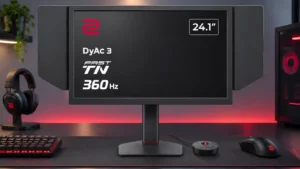
Overall: 3.8/5
Assembly and initial adjustments are straightforward, with markings that make a familiar position easy to recreate.
Pros: competitive gaming suitability, motion clarity
Cons: contrast, overall picture quality

Overall: 4.1/5
One account finds travel, presentation and interface behavior exceptionally seamless. The result is an experience with very little practical friction.
Pros: overall quality, DLC value
Cons: difficulty balance, innovation

Overall: 4.1/5
Dropping the former Tizen smart-TV layer simplifies everyday operation, with a familiar PC monitor menu in its place.
Pros: PC gaming compatibility, reflection handling
Cons: color accuracy, VRR flicker

Overall: 3.5/5
Controls and app navigation feel approachable to the enthusiastic owner, with a mobile-like simplicity.
Pros: art display mode, design and appearance
Cons: overall satisfaction, HDMI port accessibility

Overall: 3.8/5
Simple first-person controls make walking, talking and examining objects straightforward.
Pros: atmosphere, narrative quality
Cons: gameplay mechanics, core gameplay loop

Overall: 3.9/5
Straightforward menus and relatively accessible management rules make city construction easier to grasp than some deeper simulations.
Pros: core gameplay loop, art direction
Cons: combat system, difficulty balance
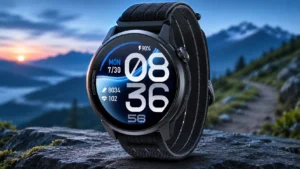
Overall: 4.4/5
A straightforward interface, responsive menus and physical controls keep the watch easy to operate during exercise.
Pros: heart rate accuracy, display quality
Cons: band quality, smartwatch features
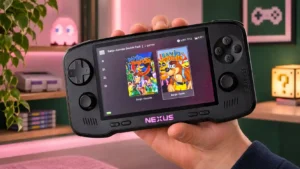
Overall: 4.0/5
Cartridges are easy to insert and the streamlined interface keeps playing uncomplicated. A few settings and power-state quirks interrupt that otherwise straightforward experience.
Pros: controller features, display quality
Cons: TV output connectivity, Suspend and resume
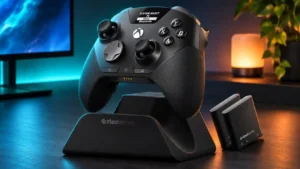
Overall: 4.3/5
Most functions feel intuitive, especially the OLED-based settings and rapid source switching. The unusually placed menu buttons can interrupt early familiarity.
Pros: battery replaceability, charging dock support
Cons: value for money, back button placement

Overall: 4.3/5
Quick equipment access and more intuitive controls remove repeated interruptions. The remake is much easier to handle without losing the underlying adventure.
Pros: remake/remaster quality, overall quality
Cons: difficulty balance, menu usability

Overall: 4.3/5
Clear menus and straightforward Fire TV navigation keep everyday operation approachable, even with many adjustable picture settings.
Pros: picture quality, black levels
Cons: bass performance, HDR brightness

Overall: 4.4/5
Simple mouse-driven navigation and straightforward interaction make getting started easy. A few players particularly appreciate the lack of complicated controls or demanding puzzles.
Pros: art direction, overall quality
Cons: Bike travel interactivity, pacing

Overall: 3.7/5
Using a smartphone as a microphone makes setup quick and welcoming, even without dedicated accessories. Some pitch-tracking performance depends on the quality of the chosen device.
Pros: accessory compatibility, ease of use
Cons: content completeness, minigame quality

Overall: 3.9/5
Straightforward controls and understandable health information keep daily use approachable. The simple experience suits users who want useful numbers without managing a complex sports platform.
Pros: value for money, design and appearance
Cons: contactless payments, GPS accuracy

Overall: 4.4/5
The central joystick and straightforward physical controls make ordinary setup and adjustment quick.
Pros: brightness, value for money
Cons: port selection, built-in speakers

Overall: 3.8/5
Google TV is approachable, picture presets are convenient, and the physical remote is simple to operate.
Pros: picture quality, color accuracy
Cons: HDR performance, sound quality

Overall: 3.8/5
The redesigned Tizen home screen and straightforward navigation make everyday operation less cumbersome.
Pros: overall satisfaction, color gamut
Cons: value for money, local dimming performance

Overall: 3.8/5
Simple Google TV navigation and accessible quick settings keep daily operation straightforward. Advanced HDMI input formats may still require manual configuration.
Pros: HDMI 2.1 port count, overall satisfaction
Cons: HDR performance, bass performance

Overall: 4.0/5
Simple controls and accessible app information make basic operation easy.
Pros: Sound quality, Overall recommendation
Cons: Noise isolation (passive), Active noise cancellation

Overall: 3.7/5
Everyday club administration is easier with more readable screens, a useful overview, and faster access to important details. The scale of the simulation can still overwhelm first-time managers.
Pros: menu usability, user interface design
Cons: Match engine realism, Tactical data and analysis

Overall: 4.0/5
Putting on, pairing and controlling the earbuds is generally straightforward, particularly with a Galaxy phone nearby.
Pros: Situational awareness, Comfort during long use
Cons: Value for money, Sound leakage

Overall: 3.8/5
A single button and a basic interface make the initial interaction easy to grasp. That welcoming simplicity conceals considerable depth.
Pros: core gameplay loop, art direction
Cons: learning curve, controls responsiveness

Overall: 4.0/5
Many find basic navigation straightforward, but advanced settings and sport modes can require more effort.
Pros: battery life, heart rate accuracy
Cons: value for money, software smoothness

Overall: 3.6/5
Simple controls and a clear monster-smashing premise make the basic experience easy to understand.
Pros: graphics quality, combat system
Cons: progression system, solo play quality

Overall: 4.2/5
Simple controls and approachable activities make participation easy, including for young children and newcomers.
Pros: minigame quality, art direction
Cons: gameplay mechanics, onboarding experience

Overall: 4.0/5
Settings and apps are easier to navigate.
Pros: black levels, picture quality
Cons: glare resistance, reflection handling

Overall: 4.1/5
Controls and setup are broadly intuitive, with convenient adjustment once the menu layout is familiar.
Pros: competitive gaming suitability, refresh rate
Cons: Dual-mode versatility, GPU demands

Overall: 3.8/5
The refreshed Tizen setup and everyday navigation are friendlier, though art settings and authentication still require extra effort.
Pros: cable management, design and appearance
Cons: value for money, Dolby Vision support

Overall: 4.1/5
The basic controls and matching rules are easy to pick up, even though handling them simultaneously takes practice.
Pros: overall quality, combat system
Cons: learning curve, boss design

Overall: 4.0/5
Controls that become familiar quickly, adjustable lighting and automatic final cleanup help make the restoration process approachable.
Pros: core gameplay loop, overall quality
Cons: narrative quality, controls responsiveness

Overall: 3.9/5
Modern controls make Croc substantially easier to handle, reducing the effort needed to manage an older 3D platformer.
Pros: archival bonus content, remake/remaster quality
Cons: minigame quality, narrative quality

Overall: 3.9/5
A surprisingly broad range of puzzle interactions remains streamlined and manageable.
Pros: puzzle design, overall quality
Cons: graphics quality, frame rate stability

Overall: 4.1/5
The familiar Google TV layout keeps navigation approachable and makes finding the main apps easy.
Pros: peak brightness, picture quality
Cons: value for money, color accuracy

Overall: 3.8/5
Distinct Guardian abilities feel smooth and easy to manage, making the shared core mechanics accessible and enjoyable.
Pros: graphics quality, overall quality
Cons: frame rate stability, handheld play suitability
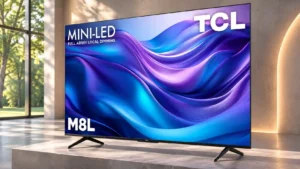
Overall: 4.1/5
It is easy to settle into movies or streaming without constant picture adjustments or menu hunting.
Pros: value for money, overall satisfaction
Cons: HDR brightness

Overall: 3.4/5
Most app and picture controls are straightforward, especially compared with more layered competing interfaces. Ads and unusual remote shortcuts complicate a few tasks.
Pros: art display mode, picture quality
Cons: contrast ratio, high-refresh-rate gaming
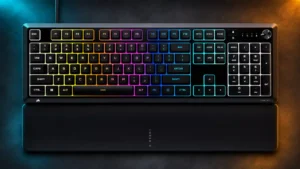
Overall: 4.0/5
Setup is straightforward and configuration interfaces are intuitive, particularly for existing Corsair software users.
Pros: noise level, media controls
Overall: 3.8/5
Basic operation and pairing are straightforward. The simple approach favors convenience, though the available controls do not offer much depth.
Pros: Repairability, Overall satisfaction
Cons: Sound quality, Bass performance

Overall: 4.0/5
webOS menus are generally intuitive and well organized, even if the software can occasionally feel heavier than expected.
Pros: contrast ratio, black levels
Cons: reflection handling, color accuracy

Overall: 4.0/5
Accessible physical controls and a dedicated mute button make everyday operation straightforward. One first-time user still needs time to learn sidetone and the app.
Pros: Design and Aesthetics, Repairability

Overall: 4.0/5
Basic data access and the ECG workflow can be straightforward. Setting up communication services and multiple companion apps is considerably less convenient.
Pros: mapping and navigation, battery life
Cons: value for money, software smoothness

Overall: 3.8/5
Most testers find webOS menus intuitive, although AI features and the pointer can feel cumbersome until familiar.
Pros: value for money, peak brightness
Cons: color accuracy, stand quality

Overall: 3.1/5
The growing and scoring premise is easy to understand, and some groups can join quickly. That initial simplicity does not always translate into comfortable play at the game’s busiest pace.
Pros: multiplayer design, level design
Cons: fun factor, farming system
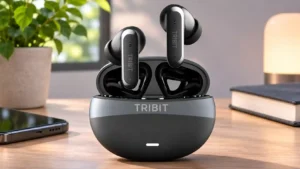
Overall: 3.7/5
Pairing can be quick and controls easy to personalize, but touch timing or app glitches can complicate everyday operation.
Pros: Sound quality, Active noise cancellation
Cons: Treble clarity, Microphone quality for calls

Overall: 4.2/5
Mac users benefit from immediate wake, keyboard controls, and simple connections; troubleshooting without physical menus is less pleasant.
Pros: refresh rate, HDR performance
Cons: value for money, Device compatibility