
Overall: 4.1/5
High pixel density and accurate, vibrant color work well for creative apps, even though this is not a dedicated reference display.
Pros: Pixel density, Resolution
Cons: GPU demands, HDR performance

Overall: 4.1/5
High pixel density and accurate, vibrant color work well for creative apps, even though this is not a dedicated reference display.
Pros: Pixel density, Resolution
Cons: GPU demands, HDR performance
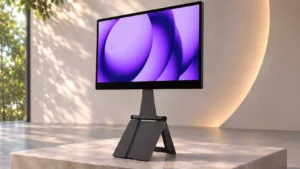
Overall: 4.3/5
The broad color space, sharp screen, and portable touch tools support design work away from a studio, although fine color proofing has caveats.
Pros: overall satisfaction, stand adjustability
Cons: value for money, reflection handling

Overall: 4.2/5
A firsthand owner recommends it for graphic design, supported by dense 4K pixels and the broad color gamut.
Pros: HDR performance, overall satisfaction
Cons: HDR highlight detail, color accuracy

Overall: 4.2/5
Vibrant color, high resolution and usable creator modes make graphics work enjoyable; calibration remains worthwhile for exact output.
Pros: overall picture quality, overall satisfaction
Cons: port selection, brightness

Overall: 4.0/5
Wide-gamut colors suit digital art and graphic tasks, with calibration and dark-tone imperfections limiting demanding accuracy work.
Pros: brightness, contrast
Cons: Text fringing, speaker quality

Overall: 4.2/5
Strong color accuracy and the roomy 4K canvas suit ordinary design work, with specialized high-density and OLED alternatives for niche needs.
Pros: port selection, overall satisfaction
Cons: value for money, competitive gaming suitability
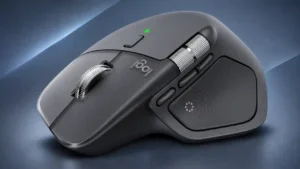
Overall: 3.6/5
Design workflows benefit from customized shortcuts and horizontal navigation, especially in supported applications.
Pros: productivity performance, click noise
Cons: Upgrade value, gaming suitability

Overall: 3.7/5
Web and social-media design work is practical thanks to the sharp 4K image and usable sRGB colors, though precise reference tasks are less suitable.
Pros: value for money, Resolution
Cons: stand adjustability, viewing angles