
Overall: 3.9/5
The 16:10 panel gives code, terminal windows and web pages useful extra vertical room, especially as a second laptop screen.
Pros: brightness, portability and weight
Cons: value for money, port selection

Overall: 3.9/5
The 16:10 panel gives code, terminal windows and web pages useful extra vertical room, especially as a second laptop screen.
Pros: brightness, portability and weight
Cons: value for money, port selection

Overall: 4.2/5
Crisp text, wide desktop space, and convenient computer switching make long code-and-terminal workflows easy to arrange.
Pros: port selection, overall satisfaction
Cons: value for money, competitive gaming suitability

Overall: 4.1/5
Extremely sharp small text makes code and documentation easy to inspect over long stretches of desk work.
Pros: Pixel density, Resolution
Cons: GPU demands, HDR performance

Overall: 4.2/5
Multiple code, terminal, and browser windows remain readable at once without juggling separate displays.
Pros: overall satisfaction, screen size
Cons: stand adjustability, Photo editing
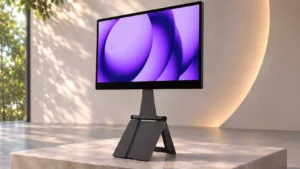
Overall: 4.3/5
The crisp panel and easy portrait rotation make room for long documents and code in a mobile workstation.
Pros: overall satisfaction, stand adjustability
Cons: value for money, reflection handling

Overall: 4.1/5
Fine text, roomy code windows and macOS-friendly scaling make it particularly pleasant for programmers. A lower refresh rate is less consequential during ordinary coding.
Pros: value for money, Resolution
Cons: HDR performance, refresh rate

Overall: 4.2/5
Sharp text, ample screen space and a portrait pivot make reading code and working through long files comfortable.
Pros: value for money, Resolution
Cons: port selection, competitive gaming suitability

Overall: 3.8/5
Crisp 4K text and smooth scrolling make programming and other text-heavy work a strong fit, with comfortable viewing for longer desk sessions.
Pros: value for money, Resolution
Cons: port selection, HDR performance

Overall: 3.7/5
The QHD panel and adjustable portrait stand suit code editors and longer documents, making it more versatile than a gaming-only display.
Pros: overall satisfaction, PC gaming compatibility
Cons: color accuracy, local dimming performance

Overall: 4.2/5
Dense 4K text stays crisp, and 120Hz reduces the jarring feel of scrolling through long code files. That combination is especially appealing for all-day development.
Pros: port selection, USB hub functionality
Cons: competitive gaming suitability, motion clarity

Overall: 4.2/5
Crisp RGB text at 4K and the portrait-capable stand suit long coding sessions, particularly alongside a laptop.
Pros: brightness, HDR performance
Cons: speaker quality, built-in speakers

Overall: 4.1/5
The QHD workspace and fast scrolling work well for basic programming and as a secondary coding display. Heavy multitaskers may want a larger or sharper screen.
Pros: USB hub functionality, USB-C power delivery
Cons: speaker quality

Overall: 4.2/5
Detailed text is comfortable at native 4K or sensible scaling, although static code windows warrant OLED-care precautions.
Pros: overall satisfaction, black levels
Cons: reflection handling, Color brightness

Overall: 3.6/5
Programmable shortcuts and comfortable desk use can be useful in coding workflows.
Pros: productivity performance, click noise
Cons: Upgrade value, gaming suitability

Overall: 4.2/5
The dense panel makes code and small editor text much sharper than on lower-resolution OLEDs, though static toolbars invite ordinary burn-in precautions.
Pros: HDR performance, DisplayPort connectivity
Cons: value for money, brightness

Overall: 4.0/5
4K text sharpness and pivot support make coding comfortable, especially as a portrait secondary monitor.
Pros: Dual-mode versatility, refresh rate
Cons: black levels, contrast