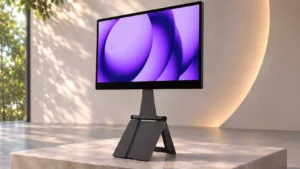
Overall: 4.3/5
The simple USB-C connection delivers video and power for many laptops, removing the need for a separate display power adapter in routine work.
Pros: overall satisfaction, stand adjustability
Cons: value for money, reflection handling

Overall: 4.3/5
The simple USB-C connection delivers video and power for many laptops, removing the need for a separate display power adapter in routine work.
Pros: overall satisfaction, stand adjustability
Cons: value for money, reflection handling

Overall: 4.2/5
A Thunderbolt cable can handle display, data and substantial laptop power together, replacing a separate charger and desk dock for many users.
Pros: port selection, USB hub functionality
Cons: competitive gaming suitability, motion clarity

Overall: 4.1/5
USB-C makes this monitor a compelling laptop dock: connect one cable for video, peripherals and charging, then unplug and go. It saves adapters and desk clutter.
Pros: USB hub functionality, USB-C power delivery
Cons: speaker quality

Overall: 4.1/5
Thunderbolt carries 6K video, data and laptop charging on one cable, reducing chargers and adapter clutter.
Pros: value for money, Resolution
Cons: HDR performance, refresh rate

Overall: 4.2/5
One USB-C lead can provide the display signal and up to 65W power, allowing a tidy laptop workspace with minimal cable swapping.
Pros: overall satisfaction, screen size
Cons: stand adjustability, Photo editing

Overall: 4.2/5
Laptop video and charging over USB-C simplify a mixed desk, while the KVM adds easy switching to a gaming desktop.
Pros: HDR performance, DisplayPort connectivity
Cons: value for money, brightness

Overall: 4.1/5
A compatible laptop can use USB-C for both display output and up to 90W charging, avoiding a separate video and charging cable. It is a convenient arrangement for a shared...
Pros: Resolution, overall satisfaction
Cons: value for money, GPU demands

Overall: 4.2/5
USB-C combines 4K video, data and charging on one lead, simplifying laptop desks. The 65W supply may be insufficient for sustained heavy loads on larger laptops.
Pros: value for money, Resolution
Cons: port selection, competitive gaming suitability

Overall: 4.2/5
One Thunderbolt cable can carry display, data, and substantial laptop charging, replacing separate dock connections for compatible computers.
Pros: port selection, overall satisfaction
Cons: value for money, competitive gaming suitability

Overall: 4.2/5
USB-C carries video and up to 90W power together, simplifying compatible laptop desks without a separate charger.
Pros: overall picture quality, overall satisfaction
Cons: port selection, brightness

Overall: 4.2/5
USB-C combines video and up to 90W laptop power, making a simple one-cable workstation practical.
Pros: HDR performance, overall satisfaction
Cons: HDR highlight detail, color accuracy

Overall: 4.4/5
A compatible laptop can receive video, USB data, and up to 90W of power through one USB-C cable. Verify power needs and cable capabilities before relying on it as a...
Pros: sharpness, overall satisfaction
Cons: value for money, VRR flicker

Overall: 4.2/5
USB-C video and charging simplify laptop connections; most accounts find 90W delivery useful, though one report describes a 65W limit.
Pros: brightness, HDR performance
Cons: speaker quality, built-in speakers

Overall: 3.9/5
The single-cable laptop docking earns praise for making the compact portable display easier to work with in everyday laptop setups.
Pros: brightness, portability and weight
Cons: value for money, port selection

Overall: 4.0/5
USB-C combines image transmission and substantial laptop charging, making a tidy one-cable workspace possible.
Pros: Dual-mode versatility, refresh rate
Cons: black levels, contrast

Overall: 3.5/5
USB-C video and charging make a laptop connection convenient, even though advanced multi-device switching can be imperfect.
Pros: HDR performance, overall satisfaction
Cons: local dimming performance, Blooming control