
If you want better backward compatibility
Choose Asus ROG Xbox Ally X20. It scores 4.0 vs 1.9 for backward compatibility, with a 4.0 overall score.

Excellent controller-style grips and strong PC-game performance make the Ally X a compelling portable companion. Its high price and uneven Windows experience are the main reasons to hesitate, especially if you expect a handheld that behaves exactly like an Xbox console.
Players with several PC-game libraries or a useful Xbox Play Anywhere and Game Pass collection who want comfortable portable gaming. It particularly rewards owners willing to tune settings and use it regularly at home or while traveling.
Tight budgets, streaming-only needs or anyone expecting a maintenance-free handheld Xbox with universal console-library access. Steam-only players seeking simplicity and people gaming beside others in a quiet room also have strong reasons to consider alternatives.
The ROG Xbox Ally X is easiest to recommend when comfort, demanding PC games and access to several existing libraries matter more than effortless console operation. Its sculpted grips repeatedly win owners over, and the efficient processor can make heavier games enjoyable without always using maximum power. Lighter titles are an especially good fit, often offering much longer battery life. The compromises remain substantial: the seven-inch LCD lacks OLED contrast, loud buttons bother some users, and Windows updates, launchers and sleep behavior can interrupt play. Later ownership reports describe useful improvements, but experiences remain uneven. It is a versatile companion for Game Pass and compatible Xbox libraries, and can even handle docked work. Budget buyers, streaming-only users and anyone expecting every Xbox console purchase to work locally should look carefully at the alternatives.
Compared with other Video Game Console, this product is above average in availability, controller ergonomics, repairability, near average in reliability, user interface, below average in backward compatibility, accessibility features, display quality.
| Attribute | This product | Category average | Difference |
|---|---|---|---|
| backward compatibility | 1.9 | 4.6 | -2.7 |
| availability | 5.0 | 2.4 | +2.6 |
| accessibility features | 2.3 | 4.2 | -2.0 |
| display quality | 3.4 | 4.8 | -1.4 |
| controller ergonomics | 4.9 | 3.9 | +1.0 |
| repairability | 3.5 | 2.1 | +1.4 |
| frame rate performance | 4.2 | 3.3 | +0.9 |
| power efficiency | 4.2 | 3.3 | +0.9 |
Choose Asus ROG Xbox Ally X20. It scores 4.0 vs 1.9 for backward compatibility, with a 4.0 overall score.
Choose Lenovo Legion Go 2. It scores 4.9 vs 3.4 for display quality, with a 3.6 overall score.
Choose Nintendo Switch 2. It scores 4.2 vs 3.1 for size and portability, with a 3.7 overall score.
Choose Lenovo Legion Go S. It scores 4.2 vs 2.4 for reliability, with a 3.9 overall score.
Products reviewers directly compared with this model, grouped into quick takeaways.
It is a Windows handheld PC with an Xbox-focused interface. It plays compatible PC releases locally; owning an Xbox console version does not guarantee a downloadable version here.
Yes, many demanding games run well with suitable power modes, graphics settings and upscaling. The heaviest titles can require a 30fps target or lower visual settings rather than a locked 60fps.
Demanding-game reports commonly fall around two to four hours at moderate settings, with shorter runs at high power. Lighter games often last substantially longer, but results vary by game and configuration.
No. The seven-inch 1080p LCD supports 120Hz and variable refresh, which helps motion look smooth, but its size, bezels and lack of OLED contrast are recurring complaints.
The Xbox-style grips are widely praised and often make it more comfortable than competing handhelds. Its weight can still become tiring, and loud face buttons may disturb someone nearby.
Several owners successfully use it with a dock, monitor, keyboard and mouse for daily work or light creative tasks. TV gaming can be less seamless because controller focus and compatibility sometimes need intervention.
Locally installed games can be a major advantage over streaming, but disconnected play depends on the title and launcher. DRM checks and cloud saves that have not synced can interfere, so prepare the games you intend to use before traveling.
These are a few of the reviews included in our analysis.

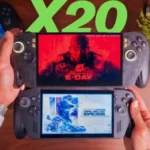

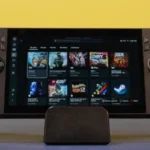
The Xbox Ally X is a year old as of this October. It has somehow escaped price increases (so far), but is this pint-sized gaming beast worth it?
All that glitters might actually be gold.
The most useful "Xbox" device I've probably ever owned - Can you believe it's been an entire year since we published our initial review of...
Our ROG Xbox Ally X review finds a fantastic Xbox-focused handheld with strong performance, great Game Pass support, and a few Windows...
Has it really been that long already?! - Six months ago, when I first got my hands on the ROG Xbox Ally X courtesy of ASUS, I assumed it was...
Choose it if you own N64 cartridges and want the most polished, low-lag way to play them on a 4K TV. Skip it if you want cheap emulation, broad flash-cart/controller...
Pros: display quality, performance
Cons: availability

Best for easy, controller-free family play that gets kids moving. Skip it if you want deep games, cutting-edge graphics, or dislike paying for Play Pass.
Pros: game library quality, value for money
Cons: subscription service value, graphical performance
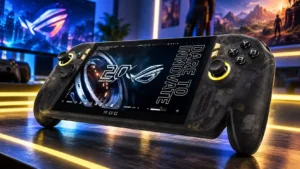
The vivid OLED screen and superb grip comfort make this a compelling premium Windows handheld. Its high price buys refinement rather than a major performance leap, and Windows still needs...
Pros: display quality, controller ergonomics
Cons: value for money, ease of use
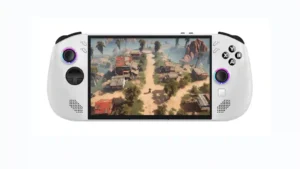
Choose the SteamOS version for a comfortable, console-like handheld with a sharp 120Hz screen and strong performance. Skip it if you prioritize long battery life, quiet fans, or effortless access...
Pros: display quality, user interface
Cons: controller features, battery life