#1

Overall: 4.2/5
Broad color coverage, fine pixels and adjustable professional profiles make the display appealing for many editing projects. Strict reference-grade workflows may still call for specialist displays.
Pros: HDR performance, DisplayPort connectivity
Cons: value for money, brightness
#2

Overall: 4.2/5
The spacious 4K canvas, rich colors, presets, and easy laptop connectivity make this a compelling display for creating and editing content.
Pros: port selection, overall satisfaction
Cons: value for money, competitive gaming suitability
#3

Overall: 4.2/5
Wide Adobe RGB coverage, 4K detail and laptop connectivity make the screen especially appealing for creative desktop tasks.
Pros: HDR performance, overall satisfaction
Cons: HDR highlight detail, color accuracy
#4

Overall: 4.2/5
Wide colors and exceptionally fine 4K detail make the monitor appealing for visually creative tasks. Buyers needing stricter calibration should consider their particular workflows.
Pros: reflection handling, color gamut
Cons: value for money, brightness
#5

Overall: 4.2/5
Detailed 4K imagery, wide gamut and attractive HDR make this a strong editing and design screen, provided static-tool burn-in risk is acceptable.
Pros: overall picture quality, overall satisfaction
Cons: port selection, brightness
#6
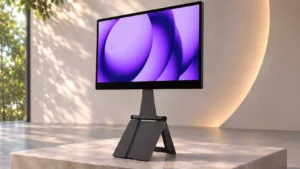
Overall: 4.3/5
High resolution, an extensive gamut, touch tools, and multiple positioning options suit photography, design, and content production, with some limitations for precise grading.
Pros: overall satisfaction, stand adjustability
Cons: value for money, reflection handling
#7

Overall: 4.2/5
Rich color and accurate presets help with creative work, but static toolbars and small text complicate long editing sessions.
Pros: refresh rate, HDR performance
Cons: reflection handling, Text fringing
#8

Overall: 4.2/5
Sharp 4K detail and broad color make it attractive for content work, though critical workflows require calibration and careful gamut management.
Pros: overall satisfaction, black levels
Cons: reflection handling, Color brightness
#9

Overall: 4.0/5
Photography, digital art and video work can benefit from its gamut and visibility; static interfaces and imperfect tone neutrality are important caveats.
Pros: brightness, contrast
Cons: Text fringing, speaker quality
#10

Overall: 4.0/5
A sharp 4K canvas and broad gamut suit mixed creative work, particularly creators who also play games.
Pros: Dual-mode versatility, refresh rate
Cons: black levels, contrast
#11

Overall: 3.7/5
Its 4K workspace and usable sRGB color work for casual content creation, but demanding color reference work needs a higher-end display.
Pros: value for money, Resolution
Cons: stand adjustability, viewing angles
#12

Overall: 4.1/5
The expansive desktop and high native resolution are useful for content timelines and multiple editing panels. The curvature and OLED-care considerations make this a more conditional choice for dedicated studio...
Pros: Resolution, overall satisfaction
Cons: value for money, GPU demands
#13

Overall: 3.6/5
Creative users stand to gain from app-aware shortcuts and tactile feedback, particularly with supported editing tools.
Pros: productivity performance, click noise
Cons: Upgrade value, gaming suitability
#14

Overall: 4.2/5
Basic creative tasks benefit from sharpness and appealing colors, but the screen is not intended for critical grading.
Pros: overall satisfaction, screen size
Cons: stand adjustability, Photo editing
#15

Overall: 3.7/5
The crisp 4K IPS picture and appealing color make occasional creative work practical. This is a versatile display for experimenting with spatial visuals rather than a dedicated professional production monitor.
Pros: glasses-free 3D quality, AI 2D-to-3D conversion
Cons: 3D compatible game library, value for money
#16

Overall: 3.5/5
The sharp 4K workspace appeals for occasional editing, but color calibration is advisable before accuracy-sensitive production.
Pros: HDR performance, overall satisfaction
Cons: local dimming performance, Blooming control
#17

Overall: 4.0/5
Nonprofessional editing and content projects are workable thanks to clear text and QHD detail, but demanding color or HDR workflows need more.
Pros: overall satisfaction, refresh rate
Cons: HDR performance, HDMI 2.1 support
