
Overall: 4.1/5
This is one of its strongest roles: 6K clarity and 32-inch workspace make documents, multiple windows and daily creative tasks easy to arrange together.
Pros: value for money, Resolution
Cons: HDR performance, refresh rate

Overall: 4.1/5
This is one of its strongest roles: 6K clarity and 32-inch workspace make documents, multiple windows and daily creative tasks easy to arrange together.
Pros: value for money, Resolution
Cons: HDR performance, refresh rate

Overall: 4.2/5
Text detail, 120Hz scrolling, generous ergonomics and a full docking hub combine into an exceptionally capable everyday work monitor.
Pros: port selection, USB hub functionality
Cons: competitive gaming suitability, motion clarity

Overall: 4.2/5
Large, sharp workspace and a powerful integrated dock make this exceptionally capable for documents, spreadsheets, and everyday multitasking.
Pros: port selection, overall satisfaction
Cons: value for money, competitive gaming suitability
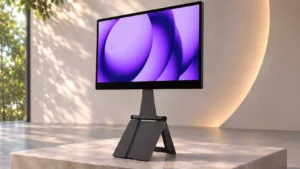
Overall: 4.3/5
Extra desktop space reduces window switching and speeds document, file, and application management, whether used on a desk or away from home.
Pros: overall satisfaction, stand adjustability
Cons: value for money, reflection handling

Overall: 4.2/5
The 34-inch ultrawide handles several readable windows side by side and is an especially strong choice for office workflows and multitasking.
Pros: overall satisfaction, screen size
Cons: stand adjustability, Photo editing

Overall: 3.9/5
Documents, spreadsheets and communication tools benefit from the extra display height and easy side-by-side placement.
Pros: brightness, portability and weight
Cons: value for money, port selection

Overall: 3.8/5
Dense 4K text, enough room for documents side by side, and fluid 120Hz scrolling make work the monitor’s strongest use case.
Pros: value for money, Resolution
Cons: port selection, HDR performance

Overall: 4.1/5
Exceptionally crisp fonts, smooth scrolling and fine image detail make everyday documents and general desktop work a major strength.
Pros: Pixel density, Resolution
Cons: GPU demands, HDR performance

Overall: 3.7/5
A strong fit for spreadsheets, browser windows, document editing, and general office tasks, thanks to the expansive 4K canvas.
Pros: value for money, Resolution
Cons: stand adjustability, viewing angles

Overall: 3.7/5
The 34-inch width accommodates documents, browsers, spreadsheets and several windows at once, making everyday work comfortable.
Pros: ultrawide gaming experience, black levels
Cons: HDR performance, viewing angles

Overall: 3.6/5
Desk-based productivity is its strongest application: comfortable long sessions, fast scrolling and configurable work shortcuts.
Pros: productivity performance, click noise
Cons: Upgrade value, gaming suitability

Overall: 3.5/5
Ultra-sharp text and a spacious 4K image make writing, browsing and reading comfortable for long sessions.
Pros: HDR performance, overall satisfaction
Cons: local dimming performance, Blooming control

Overall: 4.1/5
Comfortable text, an ergonomic stand and convenient laptop connectivity make it an especially practical daily office screen.
Pros: USB hub functionality, USB-C power delivery
Cons: speaker quality

Overall: 4.2/5
4K sharpness, standard RGB text layout, ergonomic support and laptop connectivity make the monitor highly capable for work. Local dimming is best disabled for dark static apps.
Pros: HDR performance, overall satisfaction
Cons: HDR highlight detail, color accuracy

Overall: 4.2/5
Dense 4K pixels make spreadsheets, long documents and side-by-side windows especially comfortable, while 120Hz adds welcome smoothness to scrolling and everyday navigation.
Pros: value for money, Resolution
Cons: port selection, competitive gaming suitability

Overall: 4.2/5
Sharp 4K text, abundant workspace, adjustable ergonomics and laptop-friendly ports make this unusually capable for office duties.
Pros: brightness, HDR performance
Cons: speaker quality, built-in speakers

Overall: 4.1/5
The big display is comfortable for writing, web browsing, spreadsheets and office work, making it useful beyond games.
Pros: value for money, overall satisfaction
Cons: HDR performance, Headphone output quality

Overall: 4.0/5
Sharp RGB-stripe text, 4K detail and minimal static-image risk suit long work sessions; local dimming is often best disabled on the desktop.
Pros: Dual-mode versatility, refresh rate
Cons: black levels, contrast

Overall: 3.6/5
Sharp 4K text, high brightness and no OLED burn-in concern make this a comfortable work monitor. Missing USB-C docking features and soft text in 1080p mode are the notable limitations.
Pros: refresh rate, Dual-mode versatility
Cons: motion clarity, black levels

Overall: 3.6/5
QHD sharpness, flexible ergonomics, and everyday readability make browsing, documents, and multitasking comfortable. It is a useful screen between gaming sessions.
Pros: refresh rate, value for money
Cons: HDR performance, contrast

Overall: 4.0/5
The sharp QHD panel and ergonomic stand make browsing, writing and routine work comfortable alongside gaming.
Pros: overall satisfaction, refresh rate
Cons: HDR performance, HDMI 2.1 support

Overall: 4.0/5
With an external display, keyboard and mouse, the Windows hardware can handle browsing, general work and some design tasks. It is a useful secondary role, though small-screen interaction makes it...
Pros: display quality, controller ergonomics
Cons: value for money, ease of use

Overall: 4.2/5
High-density text and Uniform Brightness make office tasks comfortable, but glare, 15W USB-C charging and static-content burn-in risk deserve thought.
Pros: overall satisfaction, black levels
Cons: reflection handling, Color brightness
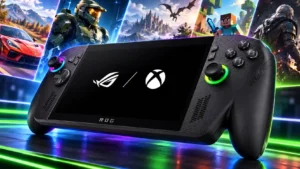
Overall: 3.7/5
With a monitor, keyboard and mouse, the handheld can handle real daily writing, browsing and light creative tasks. Some owners use it as their main PC, while others find the...
Pros: performance, frame rate performance
Cons: ease of use, user interface

Overall: 4.2/5
High pixel density and useful connectivity make ordinary documents, spreadsheets and browser work much more practical than on older QD-OLEDs. All-day static content still brings burn-in concerns and some users...
Pros: HDR performance, DisplayPort connectivity
Cons: value for money, brightness

Overall: 3.8/5
Graphics mode can work for everyday PC tasks, but its BGR layout introduces a possible text-sharpness compromise.
Pros: picture quality, 4K at 144 Hz support
Cons: sound quality, value for money

Overall: 3.3/5
PC use benefits from readable text and low input lag, though slight text softness and subpixel quirks can be limiting.
Pros: color accuracy, upscaling quality
Cons: picture quality, sound quality

Overall: 4.1/5
Multiple windows, crisp native-resolution text and substantial vertical room make the display a productive workspace. The severe curve and risk from static OLED content limit its appeal for long, repetitive...
Pros: Resolution, overall satisfaction
Cons: value for money, GPU demands

Overall: 3.7/5
QHD text clarity, flicker-free operation, and excellent ergonomics make general work comfortable. SDR color tuning and switching local dimming modes can add friction.
Pros: overall satisfaction, PC gaming compatibility
Cons: color accuracy, local dimming performance

Overall: 4.2/5
High pixel density makes text and windows sharp, but matte haze, OLED subpixels and static-image upkeep can complicate heavy daily office use. It is more compelling as a gaming-first mixed-use...
Pros: reflection handling, color gamut
Cons: value for money, brightness

Overall: 4.4/5
Sharp text, USB-C, and consistent-brightness settings make mixed office work pleasant. All-day static documents and interface elements are less ideal because of OLED wear concerns.
Pros: sharpness, overall satisfaction
Cons: value for money, VRR flicker

Overall: 4.1/5
A 100-inch model proved useful as a giant second screen, but BGR subpixel ordering can compromise small PC text in another test.
Pros: peak brightness, HDR brightness
Cons: sound quality, viewing angles