
Overall: 4.2/5
High-resolution images, strong color and useful HDR make editing engaging, with calibration and static-interface burn-in risk worth considering.
Pros: overall picture quality, overall satisfaction
Cons: port selection, brightness

Overall: 4.2/5
High-resolution images, strong color and useful HDR make editing engaging, with calibration and static-interface burn-in risk worth considering.
Pros: overall picture quality, overall satisfaction
Cons: port selection, brightness

Overall: 4.1/5
General YouTube-style editing feels comfortable on the large screen, with sufficient picture quality for non-specialist creator work.
Pros: value for money, overall satisfaction
Cons: HDR performance, Headphone output quality

Overall: 4.2/5
The sharp 4K canvas and expansive color coverage were recommended by a firsthand owner for video work.
Pros: HDR performance, overall satisfaction
Cons: HDR highlight detail, color accuracy

Overall: 4.2/5
Smooth 4K footage, strong color coverage and fine pixel detail help when editing and grading video.
Pros: HDR performance, DisplayPort connectivity
Cons: value for money, brightness

Overall: 4.1/5
Ample pixel space keeps full-resolution footage, tool panels and timelines visible together. SDR editing shines; precise HDR finishing is less convincing.
Pros: value for money, Resolution
Cons: HDR performance, refresh rate

Overall: 4.1/5
5K resolution, readable controls and space to view 4K footage are appealing for editing, while critical HDR grading is less convincing.
Pros: Pixel density, Resolution
Cons: GPU demands, HDR performance

Overall: 4.0/5
The high-density 4K screen and wide color range suit editing, and Mini LED avoids OLED burn-in worries from static timelines.
Pros: Dual-mode versatility, refresh rate
Cons: black levels, contrast

Overall: 3.6/5
Timeline scrolling, remappable buttons and app-specific ring commands are particularly useful for video editors.
Pros: productivity performance, click noise
Cons: Upgrade value, gaming suitability

Overall: 4.0/5
Good gamut coverage and fast motion rendition suit occasional editing and footage review, although panel accuracy limitations remain.
Pros: brightness, contrast
Cons: Text fringing, speaker quality

Overall: 4.1/5
One long-term owner prefers this OLED for video editing, and an sRGB mode supports Rec.709 work; subtle text and HDR precision remain caveats.
Pros: overall satisfaction, value for money
Cons: reflection handling, screen uniformity

Overall: 3.6/5
The native 4K panel provides sharp workspace detail and ample brightness for editing. The picture is exceptionally clear in daily editing use.
Pros: refresh rate, Dual-mode versatility
Cons: motion clarity, black levels

Overall: 4.0/5
A creator found the QHD screen a useful addition to an editing workstation, although it is not positioned as a color-grading specialist.
Pros: overall satisfaction, refresh rate
Cons: HDR performance, HDMI 2.1 support

Overall: 3.6/5
A reviewer who primarily edits videos reports enjoying the vivid picture and upgrade, making it a reasonable general-purpose creative screen.
Pros: refresh rate, value for money
Cons: HDR performance, contrast

Overall: 4.2/5
Sharp 4K detail, good color presets, and 120Hz timelines suit regular editing, but HDR-focused finishing is better served elsewhere.
Pros: port selection, overall satisfaction
Cons: value for money, competitive gaming suitability

Overall: 4.1/5
The extra width and height fit long editing timelines, multiple panels and reference material exceptionally well. Editors must weigh that workspace against curved lines and the limits of WOLED color...
Pros: Resolution, overall satisfaction
Cons: value for money, GPU demands

Overall: 4.2/5
Accurate wide-gamut color and an expansive timeline are genuine strengths; text rendering and static elements remain caveats.
Pros: refresh rate, HDR performance
Cons: reflection handling, Text fringing

Overall: 3.6/5
Some testing and hands-on use found regular video editing comfortable, especially with the expanded gamut. Static timelines, dark-mode banding, and imperfect accuracy require consideration.
Pros: reflection handling, HDR performance
Cons: screen uniformity, Screen coating clarity

Overall: 4.2/5
Sharp 4K detail, broad gamut and multiple connections suit editing timelines and professional creative tools, though panel uniformity and weak HDR dimming limit exacting grading.
Pros: port selection, USB hub functionality
Cons: competitive gaming suitability, motion clarity
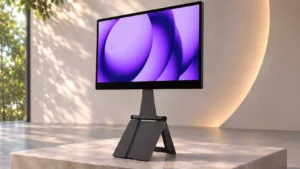
Overall: 4.3/5
The extra screen is useful for full-size previews and longer timelines, with rich color and strong brightness. Editors needing absolute color precision should check the image against a calibrated display.
Pros: overall satisfaction, stand adjustability
Cons: value for money, reflection handling

Overall: 4.2/5
The sharp, wide-gamut panel offers a useful video-editing canvas, but critical color work calls for calibration.
Pros: brightness, HDR performance
Cons: speaker quality, built-in speakers

Overall: 4.2/5
Detailed 4K imagery and acceptable everyday color suit amateur and general-purpose editing; serious grading and exact fractional-rate workflows have caveats.
Pros: value for money, Resolution
Cons: port selection, competitive gaming suitability

Overall: 3.8/5
The accurate 4K panel suits general video editing and detailed sRGB work, but wide-gamut grading would benefit from a specialist monitor.
Pros: value for money, Resolution
Cons: port selection, HDR performance

Overall: 4.2/5
The detailed panel and vivid color are useful for editing video, especially alongside gaming. Creators prioritizing precise grading may prefer additional calibration.
Pros: reflection handling, color gamut
Cons: value for money, brightness

Overall: 4.3/5
Wide color coverage helps occasional video editing, but a dedicated professional screen may be a better match for stringent color requirements.
Pros: black levels, motion clarity
Cons: value for money, Dual-mode versatility

Overall: 3.7/5
The broad color gamut and high brightness are useful for creative work, though tonal accuracy requires calibration before professional use.
Pros: overall satisfaction, PC gaming compatibility
Cons: color accuracy, local dimming performance

Overall: 4.2/5
The crisp 4K image and broad gamut are promising for editing, but accurate finishing requires profiling and attention to HDR tracking.
Pros: overall satisfaction, black levels
Cons: reflection handling, Color brightness

Overall: 3.7/5
It offers a large, sharp canvas for casual timeline editing; its HDR limitations and viewing consistency make professional grading less suitable.
Pros: value for money, Resolution
Cons: stand adjustability, viewing angles

Overall: 4.2/5
The ultrawide gives convenient room for video work and adequate amateur color, but it is not a high-end grading screen.
Pros: overall satisfaction, screen size
Cons: stand adjustability, Photo editing

Overall: 3.5/5
4K detail suits occasional editing, but careful calibration is needed if color accuracy matters.
Pros: HDR performance, overall satisfaction
Cons: local dimming performance, Blooming control