If you want better reliability
Choose Logitech MX Anywhere 3S. It scores 4.9 vs 2.9 for reliability, with a 4.5 overall score.

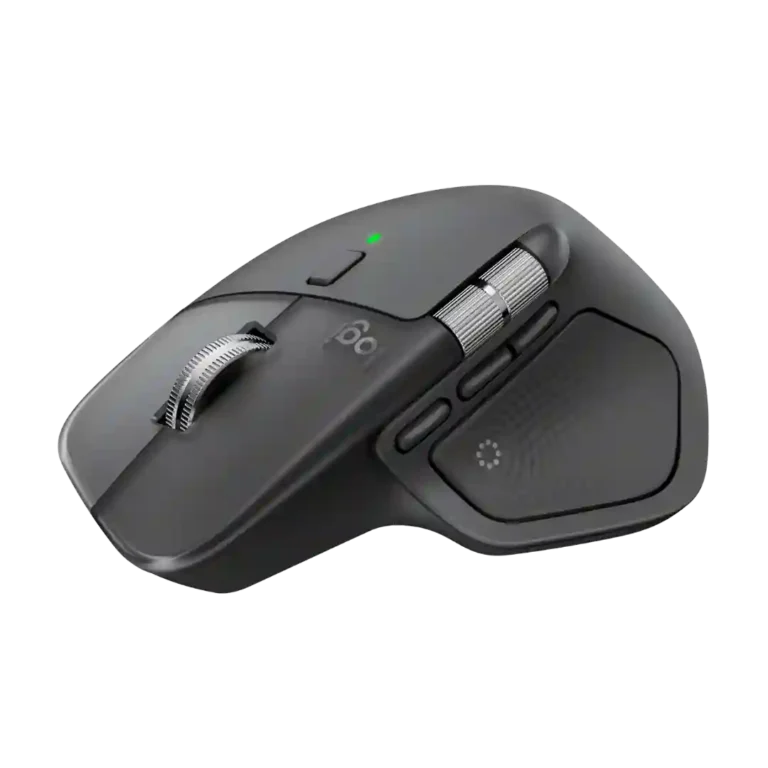
Choose it for all-day productivity, deep customization, quiet clicks, and best-in-class scrolling. Skip it for competitive gaming, left-handed use, frequent travel, or if an MX Master 3S already meets your needs.
Desk-based professionals, editors, spreadsheet users, and multi-device power users who will exploit app-specific controls, horizontal scrolling, and workflow shortcuts.
Competitive gamers, left-handed users, travelers who prioritize a small lightweight mouse, and many MX Master 3S owners who do not specifically want haptics or the Actions Ring.
The MX Master 4 earns unusually broad praise as a premium productivity mouse. Reviewers repeatedly highlight its sculpted comfort, excellent MagSpeed wheel, quiet clicks, accurate tracking, long battery life, multi-device support, and deep per-app customization. Haptics and the Actions Ring can genuinely speed up creative and office workflows, but their value depends on software support and personal habits; several reviewers barely use them. The main hardware tradeoffs are substantial weight, a large right-handed-only shape, and a 125 Hz polling rate that makes fast gaming a poor fit. Logi Options+ unlocks much of the mouse’s power but also produces some of the sharpest complaints. For newcomers or older-MX owners it is a standout choice, while satisfied MX Master 3S users often have little reason to upgrade.
Compared with other Mice, this product is above average in gaming suitability, software stability, coating quality, near average in materials quality, left and right click quality, below average in reliability, setup ease, USB-C connectivity.
| Attribute | This product | Category average | Difference |
|---|---|---|---|
| reliability | 2.9 | 4.5 | -1.6 |
| setup ease | 3.1 | 4.8 | -1.7 |
| USB-C connectivity | 3.1 | 4.9 | -1.8 |
| wireless latency | 2.7 | 4.5 | -1.7 |
| sustainability | 3.0 | 4.8 | -1.8 |
| macro support | 2.5 | 4.2 | -1.7 |
| charging convenience | 3.0 | 4.3 | -1.3 |
| ecosystem integration | 3.3 | 4.5 | -1.1 |
Choose Logitech MX Anywhere 3S. It scores 4.9 vs 2.9 for reliability, with a 4.5 overall score.
Choose Logitech MX Master 3S. It scores 5.0 vs 3.1 for setup ease, with a 4.2 overall score.
Choose Apple Magic Mouse. It scores 5.0 vs 3.8 for materials quality, with a 3.4 overall score.
Choose Logitech Signature Comfort Plus M850 L. It scores 4.7 vs 3.9 for productivity performance, with a 4.3 overall score.
Products reviewers directly compared with this model, grouped into quick takeaways.
Yes. Reviewers repeatedly praise its sculpted palm support and long-session comfort, especially for office and creative workflows, though the large shape will not fit everyone.
It is fine for casual and slower-paced games, but reviewers consistently warn that the heavy body and 125 Hz polling rate are poor fits for competitive or twitch-heavy gaming.
They can be excellent for app-specific shortcuts and creative workflows, but opinions are mixed. Some reviewers use them constantly, while others prefer keyboard shortcuts and barely touch them.
Battery life is a major strength. Reviewers commonly report weeks of daily use with little charge loss, and quick charging can provide hours of use from a brief top-up.
Usually not unless the new haptics, revised materials, extra control, quieter clicks, or Actions Ring are especially valuable to your workflow.
Yes. It can pair with up to three devices, and reviewers value Easy-Switch and Logi Flow for mixed Mac and PC workflows, though Flow can occasionally feel clunky.
Basic mouse functions work without it, but advanced remapping, profiles, haptics, Smart Actions, and the Actions Ring rely heavily on the companion software.
These are a few of the reviews included in our analysis.





The latest Master series mouse aimed to boost productivity is out. The MX Master 4 continues what the 3S started, but unfortunately, it...
With the launch of the Logitech MX Master 4, I decided to retire my five-year-old, worn-out MX Master 3. Here are five things I learned about...
Logitech MX Master 4 review (2026): haptics, Action Ring, Logi Options+ — and the three honest catches: weight, slickness, no onboard memory.
Logitech MX Master 4 pros and cons, Amazon price history. Liked: Responsive and satisfying buttons Smooth and silent scrolling Disliked...
A real long term Logitech MX Master 4 review after nine months. What changed from the 3S, the scroll wheel and thumb button issues, Mac vs...

Best for travel, quiet shared spaces, precise any-surface tracking, and multi-device productivity. Skip it if you have large hands, want all-day palm support, or need a gaming-focused mouse.
Pros: motion consistency, programmable buttons
Cons: palm grip comfort, hand support

Choose it if you want a premium MMO/productivity mouse with 12 adjustable side buttons, strong battery life, and Stream Deck integration. Skip it if you need an ultralight FPS mouse,...
Pros: click latency, macro support
Cons: firmware reliability, tilt gesture controls

Choose the Kone II if you want a large, ergonomic mouse with deep customization and strong sensor performance. Skip it if you have small hands, need an ambidextrous mouse, or...
Pros: click latency, motion consistency
Cons: handedness options, portability

Good if you want a large, ergonomic wireless mouse with long battery life and deep customization. Skip it if you have small hands, prioritize ultralight FPS speed, or want the...
Pros: left and right click quality, software stability
Cons: polling rate, cross-platform compatibility