
Overall: 4.2/5
The combination of fast OLED response, 4K detail and VRR is exceptionally suited to a powerful gaming PC, especially across different genres.
Pros: overall satisfaction, black levels
Cons: reflection handling, Color brightness

Overall: 4.2/5
The combination of fast OLED response, 4K detail and VRR is exceptionally suited to a powerful gaming PC, especially across different genres.
Pros: overall satisfaction, black levels
Cons: reflection handling, Color brightness

Overall: 4.2/5
A powerful gaming PC can take full advantage of the sharp 4K image, fluid refresh and low-latency response. Less capable systems may be better matched to a cheaper 1440p OLED.
Pros: reflection handling, color gamut
Cons: value for money, brightness

Overall: 4.1/5
A high-refresh OLED with exceptionally clear motion and deep blacks makes PC gaming the primary strength. The 240Hz panel keeps action responsive.
Pros: overall satisfaction, value for money
Cons: reflection handling, screen uniformity

Overall: 4.4/5
PC gaming is a standout use, with high-refresh QHD operation, low latency and highly responsive OLED motion.
Pros: overall satisfaction, response time
Cons: reflection handling, VRR flicker

Overall: 4.2/5
A fast gaming PC can make excellent use of the full ultrawide resolution and 240Hz speed.
Pros: refresh rate, HDR performance
Cons: reflection handling, Text fringing

Overall: 4.3/5
The monitor offers exceptional 1440p performance, wide PC sync support and usable full-speed connectivity even with some older graphics cards.
Pros: black levels, motion clarity
Cons: value for money, Dual-mode versatility

Overall: 3.6/5
High-refresh PC play is a clear strength, combining GPU-variable-refresh support with low lag and crisp motion.
Pros: reflection handling, HDR performance
Cons: screen uniformity, Screen coating clarity
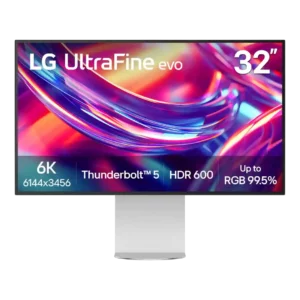
Overall: 3.9/5
Cross-platform compatibility is excellent, with reviewers reporting easy use across Macs and PCs and full on-screen controls outside macOS. Gaming performance is still constrained by the 60Hz panel.
Pros: port selection, overall satisfaction
Cons: value for money, cable management

Overall: 4.2/5
The high-bandwidth inputs and OLED performance suit modern gaming PCs, with the best results from machines capable of high 4K frame rates.
Pros: HDR performance, DisplayPort connectivity
Cons: value for money, brightness

Overall: 4.1/5
Fast motion, high-bandwidth connections and vivid OLED picture quality make the monitor highly capable when paired with a gaming PC.
Pros: Resolution, overall satisfaction
Cons: value for money, GPU demands

Overall: 4.4/5
A high-end PC can make excellent use of the 4K/240Hz panel's sharpness and low latency. More modest graphics hardware will not always reach the top refresh rate.
Pros: sharpness, overall satisfaction
Cons: value for money, VRR flicker

Overall: 4.1/5
The 4K 240Hz panel, G-Sync support, low latency, and DisplayPort connection make it an excellent PC gaming display.
Pros: motion clarity, PC gaming compatibility
Cons: color accuracy, software support

Overall: 4.3/5
PC gaming compatibility was strong when paired with capable hardware, though reviewers stressed that 4K/240Hz needs a powerful system.
Pros: value for money, sharpness
Cons: brightness, USB hub functionality

Overall: 4.1/5
PC games run smoothly and look inviting, especially in a big SDR presentation, though hard-core competitive players may prefer faster, smaller panels.
Pros: value for money, overall satisfaction
Cons: HDR performance, Headphone output quality

Overall: 3.5/5
This monitor makes the most sense on a capable PC able to exploit 4K/160Hz and its optional 320Hz mode.
Pros: HDR performance, overall satisfaction
Cons: local dimming performance, Blooming control

Overall: 4.2/5
Games look sharp and feel responsive over HDMI or USB-C once configured, but the refresh ceiling is modest by gaming-OLED standards.
Pros: overall picture quality, overall satisfaction
Cons: port selection, brightness

Overall: 3.7/5
DisplayPort unlocks QHD at 200Hz, while fast response and HDR produce a strong PC gaming experience once settings are tuned.
Pros: overall satisfaction, PC gaming compatibility
Cons: color accuracy, local dimming performance

Overall: 3.9/5
A 300Hz QHD image with low latency, HDMI 2.1 and rich HDR makes this an attractive gaming display, provided the player accepts some VA artifacts.
Pros: HDR performance, black levels
Cons: viewing angles, response time

Overall: 4.2/5
The 4K, 165Hz panel and modern inputs work well across demanding and older PC games, although maximum frame rates depend on GPU power.
Pros: brightness, HDR performance
Cons: speaker quality, built-in speakers

Overall: 4.0/5
The monitor handles a wide range of PC games, with 4K160 for detail and 1080p320 when speed matters more.
Pros: Dual-mode versatility, refresh rate
Cons: black levels, contrast

Overall: 4.0/5
QHD at up to 180Hz is an appealing PC gaming balance; use DisplayPort for the full refresh capability.
Pros: overall satisfaction, refresh rate
Cons: HDR performance, HDMI 2.1 support

Overall: 4.3/5
The G6 is excellent with a powerful gaming PC, especially in esports titles that can reach several hundred frames per second. Midrange systems can leave much of the 500Hz capability...
Pros: overall satisfaction, competitive gaming suitability
Cons: value for money, screen size

Overall: 3.7/5
A wide 180Hz canvas with low lag is enjoyable for mainstream PC play; demanding competitive players may notice smearing.
Pros: ultrawide gaming experience, black levels
Cons: HDR performance, viewing angles

Overall: 4.2/5
VRR, low input lag and a 120Hz ceiling provide a responsive gaming base. The IPS panel's comparatively slow transitions produce distracting blur in fast titles.
Pros: value for money, Resolution
Cons: port selection, competitive gaming suitability

Overall: 3.6/5
As a budget PC gaming screen, it combines rapid refresh, low lag, and QHD detail effectively. It is less impressive in slower games and HDR-heavy titles.
Pros: refresh rate, value for money
Cons: HDR performance, contrast
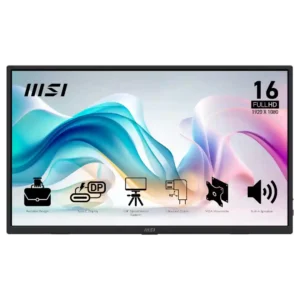
Overall: 4.1/5
PC gaming works acceptably for casual play, but the display is not built for high-refresh gaming.
Pros: value for money, portability and weight
Cons: built-in speakers, color gamut

Overall: 3.6/5
Modern inputs, variable refresh and two speed modes make this a flexible gaming PC display. High frame-rate performance is limited by graphics hardware and visible motion blur.
Pros: refresh rate, Dual-mode versatility
Cons: motion clarity, black levels

Overall: 4.2/5
PC gameplay benefits from bright 4K and a high-speed alternative, but more responsive OLED models remain attractive for competitive-only buyers.
Pros: HDR performance, overall satisfaction
Cons: HDR highlight detail, color accuracy

Overall: 4.1/5
Strong PC gameplay is possible at either resolution, but high-end 5K refresh rates depend heavily on graphics hardware and supported settings.
Pros: Pixel density, Resolution
Cons: GPU demands, HDR performance

Overall: 4.1/5
PC gaming works well as a secondary use, especially with the higher refresh rate. Its motion handling is less convincing than a purpose-built gaming monitor.
Pros: USB hub functionality, USB-C power delivery
Cons: speaker quality

Overall: 3.7/5
It connects to gaming PCs through HDMI or DisplayPort and offers 4K/120Hz, but VA motion performance limits fast-paced games.
Pros: value for money, Resolution
Cons: stand adjustability, viewing angles

Overall: 4.2/5
Modern PC connections and a 120Hz panel make casual play practical; gaming-first rivals offer faster motion.
Pros: overall satisfaction, screen size
Cons: stand adjustability, Photo editing

Overall: 3.8/5
PC games benefit from a smooth 120Hz signal and low lag, but image smear and slow transitions make the experience less polished than dedicated gaming screens.
Pros: value for money, Resolution
Cons: port selection, HDR performance
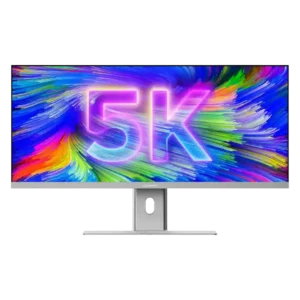
Overall: 4.3/5
The monitor works well with PCs and can handle casual games, but its strengths remain productivity and creative work rather than gaming-first use.
Pros: productivity versatility, aspect ratio
Cons: built-in speakers, competitive gaming suitability

Overall: 4.1/5
Static or slower-paced games look detailed, but the fixed 60Hz ceiling and resolution load limit its usefulness for demanding PC play.
Pros: value for money, Resolution
Cons: HDR performance, refresh rate

Overall: 4.2/5
PC games can be enjoyed after work, especially at 120Hz, but sluggish motion handling makes gaming a secondary strength rather than its primary purpose.
Pros: port selection, USB hub functionality
Cons: competitive gaming suitability, motion clarity
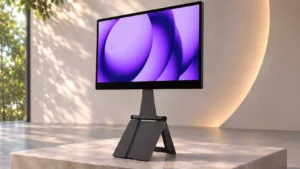
Overall: 4.3/5
Games run on a connected computer, but the 60Hz display can tear in fast action and is better suited to less demanding play.
Pros: overall satisfaction, stand adjustability
Cons: value for money, reflection handling