
The organized menus offer deep customization, and convenient software control makes many adjustments easier.
Pros: Pixel density, Resolution
Cons: GPU demands, HDR performance

The organized menus offer deep customization, and convenient software control makes many adjustments easier.
Pros: Pixel density, Resolution
Cons: GPU demands, HDR performance

The menu is generally fast and intuitive, with customizable joystick shortcuts for common controls.
Pros: overall satisfaction, response time
Cons: reflection handling, VRR flicker

The joystick-controlled menus are intuitive, well organized and easy to customize, with frequently used controls readily accessible.
Pros: value for money, overall satisfaction
Cons: HDR performance, Headphone output quality

The joystick-controlled on-screen menus are responsive and easy to navigate. They also offer plenty of useful display adjustments.
Pros: sharpness, overall satisfaction
Cons: value for money, VRR flicker

The joystick-driven menus are consistently praised for clear navigation and easy access to common settings.
Pros: overall satisfaction, refresh rate
Cons: HDR performance, HDMI 2.1 support

Clear menus and a responsive rear joystick simplify picture, sound and input adjustments, with useful shortcuts for frequent changes.
Pros: overall picture quality, overall satisfaction
Cons: port selection, brightness

The joystick-driven menu is fast and extensive, though its styling is ordinary and a few settings require learning their interactions.
Pros: black levels, motion clarity
Cons: value for money, Dual-mode versatility

The revised joystick menu is larger and easier to read than earlier versions, with useful shortcuts. Some still find navigation clunky compared with rival systems.
Pros: port selection, USB hub functionality
Cons: competitive gaming suitability, motion clarity

The on-screen menu and rear joystick are straightforward to use for brightness, input and display adjustments.
Pros: USB hub functionality, USB-C power delivery
Cons: speaker quality

A responsive five-way joystick and organized menus make adjustments straightforward, with some limits on shortcuts and settings memory.
Pros: brightness, HDR performance
Cons: speaker quality, built-in speakers
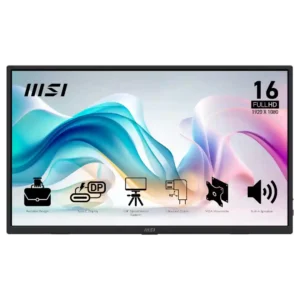
The OSD ranges from comprehensive and useful to slightly awkward or limited depending on the reviewer. Most appreciate having real controls at this price.
Pros: value for money, portability and weight
Cons: built-in speakers, color gamut
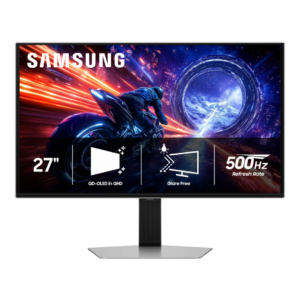
The joystick-driven OSD is generally fast, clear, and easy to navigate, with sensibly organized menus. Placement can be awkward, and some important HDR controls are buried deeper than beginners may...
Pros: overall satisfaction, competitive gaming suitability
Cons: value for money, screen size
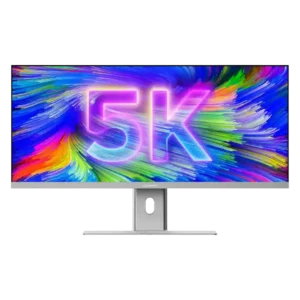
The rear joystick gives quick access to common controls and becomes fast to use. One reviewer found the menu initially confusing, but the overall layout was considered thoughtful and responsive.
Pros: productivity versatility, aspect ratio
Cons: built-in speakers, competitive gaming suitability

The joystick and accessible menus make it easy to reach picture controls, with a good range of options to customize.
Pros: ultrawide gaming experience, black levels
Cons: HDR performance, viewing angles

Front-facing buttons and a logical menu are widely praised for easy access. Some find the layered controls or restrictions within particular modes frustrating.
Pros: value for money, Resolution
Cons: HDR performance, refresh rate

OSD usability was mostly positive, though one reviewer still found the on-screen display awkward.
Pros: value for money, sharpness
Cons: brightness, USB hub functionality

The rear joystick is intuitive for some, though another tester found its physical location annoying and preferred Mac software controls.
Pros: value for money, Resolution
Cons: port selection, competitive gaming suitability

The OSD remains familiar and reasonably approachable, with accessible brightness, picture, and OLED-care settings.
Pros: reflection handling, HDR performance
Cons: screen uniformity, Screen coating clarity

A rear joystick provides a convenient way to navigate picture and other settings.
Pros: value for money, Resolution
Cons: port selection, HDR performance
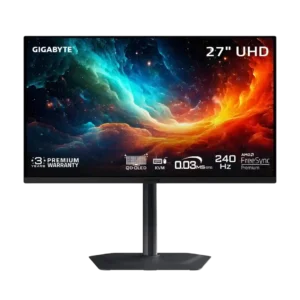
The joystick-driven OSD is usually fast and intuitive, but certain changes can reset the monitor or force Windows reconfiguration.
Pros: motion clarity, PC gaming compatibility
Cons: color accuracy, software support

The feature-rich menu is useful, but the physical joystick receives mixed feedback on tactile quality.
Pros: Dual-mode versatility, refresh rate
Cons: black levels, contrast

The joystick-led menu and software controls are generally easy to navigate, but placement of APL controls and some locked options frustrate.
Pros: brightness, contrast
Cons: Text fringing, speaker quality

The joystick-driven OSD is fast and intuitively organized, though options are limited and some owners dislike how changing modes affects their image.
Pros: overall satisfaction, PC gaming compatibility
Cons: color accuracy, local dimming performance
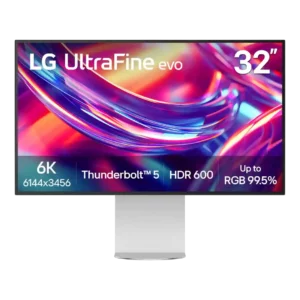
OSD opinions are split: some reviewers find the joystick menu clear and convenient, while others dislike the layout, rear placement, or missing fine calibration controls. Usability depends heavily on what...
Pros: port selection, overall satisfaction
Cons: value for money, cable management

One owner found the gaming modes intuitive, while another initially struggled to discover the joystick menu. Basic adjustments are straightforward once the controls are understood.
Pros: refresh rate, value for money
Cons: HDR performance, contrast

The joystick is intuitive once located, but buried options, repeated navigation and an easily hit mode button add friction.
Pros: HDR performance, overall satisfaction
Cons: HDR highlight detail, color accuracy
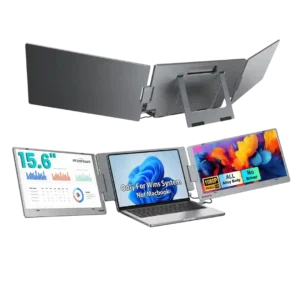
The per-screen controls are useful, but usability is mixed. One expert calls the button-driven OSD painful and dated, while a customer likes being able to adjust each screen independently.
Pros: overall satisfaction, portability and weight
Cons: reliability over time

Touch gestures give access to basic brightness, contrast, and volume controls, but precision is limited and the gesture can fail in nonstandard orientations.
Pros: overall satisfaction, stand adjustability
Cons: value for money, reflection handling

The on-screen display usability is a recurring limitation, especially compared with more flexible or higher-end portable monitors.
Pros: brightness, portability and weight
Cons: value for money, port selection

A bottom-center joystick works in open setups but becomes hard to reach with another screen underneath. A later owner found wake activation less responsive.
Pros: overall satisfaction, value for money
Cons: reflection handling, screen uniformity

Physical controls receive repeated criticism for difficult navigation, frequent mispresses and slow adjustment.
Pros: HDR performance, overall satisfaction
Cons: local dimming performance, Blooming control

Menu categories are understandable, but the interface responds slowly and shortcut customization is limited, making repeated image adjustments frustrating.
Pros: HDR performance, black levels
Cons: viewing angles, response time