
Pixel-level OLED control delivers exceptional depth between bright highlights and true blacks, especially noticeable in dim scenes and games.
Pros: overall picture quality, overall satisfaction
Cons: port selection, brightness

Pixel-level OLED control delivers exceptional depth between bright highlights and true blacks, especially noticeable in dim scenes and games.
Pros: overall picture quality, overall satisfaction
Cons: port selection, brightness

Near-infinite OLED contrast gives nighttime scenes and bright objects an unusually dramatic separation.
Pros: overall satisfaction, response time
Cons: reflection handling, VRR flicker

Exceptionally high native VA contrast and a 1,152-zone backlight produce powerful separation between dark and bright content. The benefit is greatest with more aggressive local dimming.
Pros: HDR performance, black levels
Cons: viewing angles, response time

Per-pixel lighting makes bright and dark objects coexist without halos, lending games a dramatic sense of depth.
Pros: black levels, motion clarity
Cons: value for money, Dual-mode versatility

Pixel-level light control produces outstanding scene depth and contrast, especially in darker rooms. Strong ambient light can diminish that striking effect.
Pros: sharpness, overall satisfaction
Cons: value for money, VRR flicker

Pixel-level OLED contrast creates deep shadow areas and bright highlights that stand apart, in dark rooms and under moderate ambient lighting.
Pros: overall satisfaction, value for money
Cons: reflection handling, screen uniformity

Contrast was universally praised, with reviewers emphasizing OLED’s deep range and strong visual depth.
Pros: value for money, sharpness
Cons: brightness, USB hub functionality

Contrast is an image-quality highlight: dark blacks and relatively bright highlights coexist well for a modestly priced VA monitor.
Pros: overall satisfaction, screen size
Cons: stand adjustability, Photo editing

Per-pixel OLED control gives dark scenes exceptional contrast and an immediate transition from black to bright highlights.
Pros: brightness, contrast
Cons: Text fringing, speaker quality

Enhanced IPS Black contrast produces a welcome improvement over traditional IPS, especially for text and shadows. It still cannot provide the near-perfect blacks of OLED.
Pros: port selection, USB hub functionality
Cons: competitive gaming suitability, motion clarity
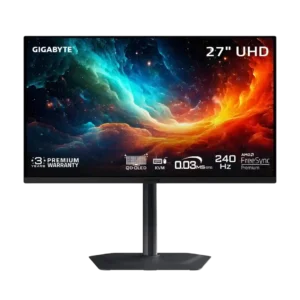
Per-pixel OLED control produces excellent contrast and clean separation between bright highlights and dark backgrounds. Ambient light reduces that advantage.
Pros: motion clarity, PC gaming compatibility
Cons: color accuracy, software support
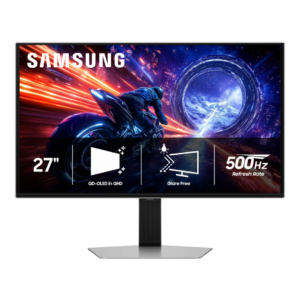
OLED contrast is effectively infinite in controlled lighting, with excellent shadow separation and no blooming. The matte QD-OLED surface can reduce perceived contrast when strong ambient light raises black levels.
Pros: overall satisfaction, competitive gaming suitability
Cons: value for money, screen size

With local dimming enabled, contrast becomes far stronger than ordinary IPS and the scene looks punchier. Disabling dimming returns it to typical IPS contrast.
Pros: HDR performance, overall satisfaction
Cons: HDR highlight detail, color accuracy

Deep native VA contrast and well-controlled Mini LED zones produce striking depth, although OLED still owns the darkest pixel-level scenes.
Pros: brightness, HDR performance
Cons: speaker quality, built-in speakers
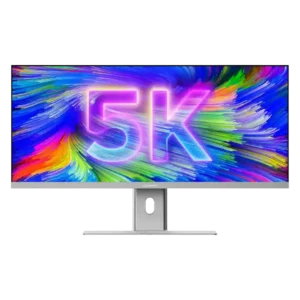
Measured contrast around 1430:1 looked strong in practical use, giving images pleasing depth at a normal working brightness.
Pros: productivity versatility, aspect ratio
Cons: built-in speakers, competitive gaming suitability

True OLED blacks deliver striking image depth and contrast without blooming. Some inaccurate presets alter perceived black detail despite that panel strength.
Pros: reflection handling, HDR performance
Cons: screen uniformity, Screen coating clarity

High native VA contrast makes dark SDR scenes convincing. The advantage does not carry over into convincing HDR local dimming.
Pros: ultrawide gaming experience, black levels
Cons: HDR performance, viewing angles

Deep native VA blacks give the screen satisfying contrast in SDR, though stronger HDR-focused monitors can produce more compelling highlights.
Pros: value for money, overall satisfaction
Cons: HDR performance, Headphone output quality

Contrast is strong for a small IPS productivity screen, although its depth and color punch cannot match OLED and not everyone found darker scenes satisfying.
Pros: brightness, portability and weight
Cons: value for money, port selection

Its contrast is praised as strong for IPS, but nearby VA models can still achieve deeper blacks.
Pros: USB hub functionality, USB-C power delivery
Cons: speaker quality
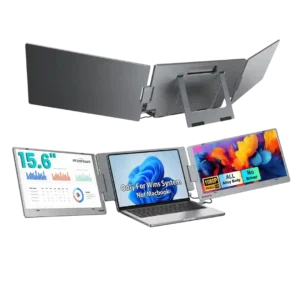
Contrast is described as decent rather than exceptional. The expert review finds it usable for the class but clearly behind higher-end OLED or MicroLED displays.
Pros: overall satisfaction, portability and weight
Cons: reliability over time
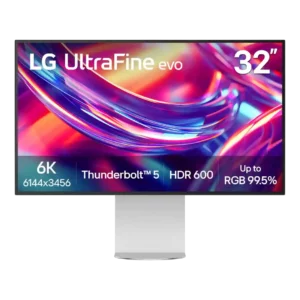
IPS Black gives the monitor better depth than standard IPS, but results range from merely acceptable to very good for the panel type. OLED comparisons repeatedly expose the remaining contrast...
Pros: port selection, overall satisfaction
Cons: value for money, cable management

Static contrast is decent for ordinary IPS and can add some depth, but gray blacks and glow stop dark scenes from looking genuinely rich.
Pros: value for money, Resolution
Cons: port selection, HDR performance

HDR local dimming helps dark scenes, while the underlying IPS contrast and unwanted halos lag stronger VA or OLED alternatives.
Pros: HDR performance, overall satisfaction
Cons: local dimming performance, Blooming control

Mini LED dimming significantly improves apparent HDR contrast over ordinary IPS screens, but native IPS contrast is modest and VA competitors render darker blacks.
Pros: overall satisfaction, PC gaming compatibility
Cons: color accuracy, local dimming performance

Zoned dimming substantially enhances HDR depth, but native IPS contrast cannot match VA or OLED in dark scenes.
Pros: Dual-mode versatility, refresh rate
Cons: black levels, contrast

The LCD gives solid daytime contrast and readable off-axis images, though it lacks the stronger visual impact of OLED competitors.
Pros: overall satisfaction, stand adjustability
Cons: value for money, reflection handling

The IPS contrast is respectable for an office LCD yet far from OLED or strong VA blacks, which weakens dark-room immersion and HDR.
Pros: value for money, Resolution
Cons: port selection, competitive gaming suitability

IPS contrast is the chief image-quality compromise: some find it respectable for LCD, but dark scenes cannot match OLED or high-zone mini-LED.
Pros: Pixel density, Resolution
Cons: GPU demands, HDR performance

Opinions vary on its IPS contrast: several find it respectable for LCD technology, but others find the blacks and overall depth disappointing beside OLED or Mini LED.
Pros: value for money, Resolution
Cons: HDR performance, refresh rate

The typical IPS contrast limits dark-scene depth and HDR. One owner nevertheless saw an improvement over a much older TN screen.
Pros: overall satisfaction, refresh rate
Cons: HDR performance, HDMI 2.1 support
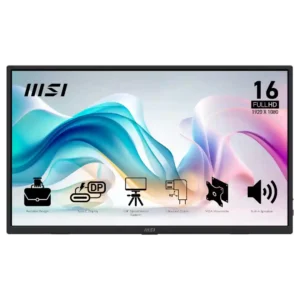
Contrast is typical budget IPS fare: usable for work, but dark scenes look washed out and gaming lacks depth.
Pros: value for money, portability and weight
Cons: built-in speakers, color gamut

The IPS panel’s modest native contrast makes darker scenes look flat compared with VA or OLED screens. Basic HDR support cannot fully overcome that limitation.
Pros: refresh rate, value for money
Cons: HDR performance, contrast