
The magnetic Stand+ is a standout, offering height, tilt, landscape, portrait, and above-laptop placements in a compact folding form.
Pros: overall satisfaction, stand adjustability
Cons: value for money, reflection handling

The magnetic Stand+ is a standout, offering height, tilt, landscape, portrait, and above-laptop placements in a compact folding form.
Pros: overall satisfaction, stand adjustability
Cons: value for money, reflection handling

Height, swivel, tilt and two-way portrait rotation provide unusually flexible positioning.
Pros: overall satisfaction, response time
Cons: reflection handling, VRR flicker

Its integrated folding stand offers useful tilt adjustment and allows portrait or landscape placement without a separate folio support.
Pros: brightness, portability and weight
Cons: value for money, port selection

Height, tilt, swivel and full portrait pivot make it easy to align the panel with your seating position or a second monitor.
Pros: port selection, USB hub functionality
Cons: competitive gaming suitability, motion clarity

Height, tilt, swivel and pivot adjustments are smooth and generous, making the included stand a practical strength.
Pros: HDR performance, black levels
Cons: viewing angles, response time

Height, swivel, tilt and portrait rotation offer generous flexibility for an affordable monitor, especially in multi-display workstations.
Pros: USB hub functionality, USB-C power delivery
Cons: speaker quality

The included stand is a standout: height, swivel, tilt and pivot adjustments let users dial in many professional desk positions.
Pros: value for money, Resolution
Cons: HDR performance, refresh rate

A flexible stand supports height, tilt, swivel, and portrait rotation. It even has a slight ergonomic edge over the 27GX700A-B.
Pros: overall satisfaction, value for money
Cons: reflection handling, screen uniformity

Height, tilt, swivel, and pivot adjustments are unusually comprehensive for a budget gaming display. Movement is reported as smooth and convenient.
Pros: overall satisfaction, PC gaming compatibility
Cons: color accuracy, local dimming performance

Height, tilt, swivel and pivot adjustments earn some of the strongest and most consistent praise across the reviews.
Pros: overall satisfaction, refresh rate
Cons: HDR performance, HDMI 2.1 support
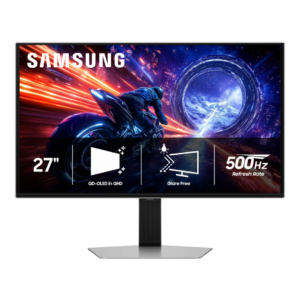
The stand is one of the most consistent strengths, with height, tilt, swivel, and pivot adjustment plus a compact flat base. Movement is generally smooth and stable, though one tester...
Pros: overall satisfaction, competitive gaming suitability
Cons: value for money, screen size

Height, swivel, tilt and pivot make positioning flexible, despite a large base.
Pros: HDR performance, overall satisfaction
Cons: local dimming performance, Blooming control

Height, tilt, swivel and pivot support accommodate different work styles, including portrait coding; a few users note that adjustments or the stand itself can wobble.
Pros: value for money, Resolution
Cons: port selection, competitive gaming suitability

Height, tilt, swivel and portrait rotation are smooth and extensive, making long desktop sessions easier to position.
Pros: HDR performance, overall satisfaction
Cons: HDR highlight detail, color accuracy
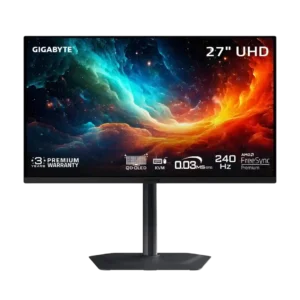
The compact stand offers height, tilt, swivel, and pivot adjustment while taking up little desk space. Its flat base also leaves room for accessories.
Pros: motion clarity, PC gaming compatibility
Cons: color accuracy, software support

Height, tilt, swivel and portrait rotation are welcome, but some wish the panel could be raised higher, particularly for vertical use.
Pros: Pixel density, Resolution
Cons: GPU demands, HDR performance

Height, swivel, tilt and pivot adjustments are broad and generally smooth, letting the screen fit many desk positions.
Pros: brightness, HDR performance
Cons: speaker quality, built-in speakers

Height, tilt, swivel and pivot give flexible viewing positions, though some reviewers would welcome more height travel.
Pros: black levels, motion clarity
Cons: value for money, Dual-mode versatility

Height, tilt and swivel adjustments are useful and generally smooth, but there is no stand-based portrait rotation.
Pros: overall picture quality, overall satisfaction
Cons: port selection, brightness

Height, tilt, swivel, and portrait rotation offer a wide adjustment range. Most movements are smooth, though tilt can feel stiff.
Pros: sharpness, overall satisfaction
Cons: value for money, VRR flicker

Stand adjustability was praised for stability, small footprint, and full ergonomic movement.
Pros: value for money, sharpness
Cons: brightness, USB hub functionality

Full height, tilt, swivel and pivot adjustment is widely praised, aside from a somewhat limited maximum height.
Pros: Dual-mode versatility, refresh rate
Cons: black levels, contrast
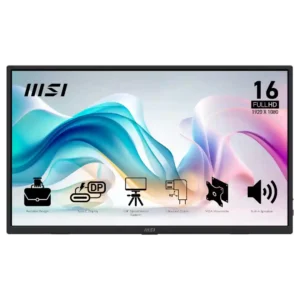
The kickstand is generally sturdy and useful across several angles, though portrait use is awkward and some owners prefer an external stand.
Pros: value for money, portability and weight
Cons: built-in speakers, color gamut
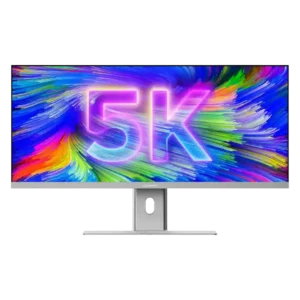
Height, tilt, swivel, and in some accounts rotation make the stand unusually flexible. Some units or setups showed wobble, and the screen may not lower enough for shorter users.
Pros: productivity versatility, aspect ratio
Cons: built-in speakers, competitive gaming suitability

Generous height and tilt adjustments are repeatedly praised, with some swivel capability reported; stock-stand portrait rotation is lacking.
Pros: value for money, overall satisfaction
Cons: HDR performance, Headphone output quality

Height, tilt, swivel, and pivot are generously included for a budget monitor. A few users found the height mechanism rough or the positioning less secure than expected.
Pros: refresh rate, value for money
Cons: HDR performance, contrast

Height, tilt and swivel adjustments are useful and generally smooth, although portrait clearance and occasional wobble limit the experience.
Pros: value for money, Resolution
Cons: port selection, HDR performance

Height, tilt, swivel and portrait adjustments provide versatile ergonomics from a compact metal stand.
Pros: brightness, contrast
Cons: Text fringing, speaker quality

Height, tilt, and swivel flexibility are praised; one comparison finds a glossy LG sibling slightly more ergonomic.
Pros: reflection handling, HDR performance
Cons: screen uniformity, Screen coating clarity
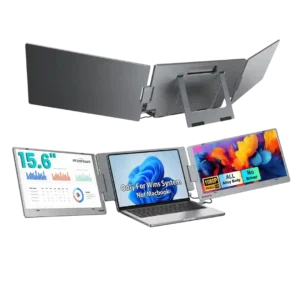
The kickstand and screen articulation are usually praised for flexible positioning, rotation, and stable desk use. Still, several customers report fit or stability issues, including a low working height, loose-feeling...
Pros: overall satisfaction, portability and weight
Cons: reliability over time
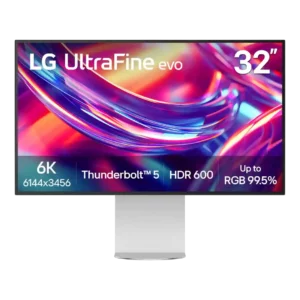
The stand offers useful height, tilt, and portrait rotation, with some versions also described as swiveling. Its biggest drawback is stiff, clunky movement, and several reviewers wished it moved more...
Pros: port selection, overall satisfaction
Cons: value for money, cable management

Height and tilt are useful, while reports differ over swivel capability; portrait rotation is not available on the stock stand.
Pros: ultrawide gaming experience, black levels
Cons: HDR performance, viewing angles

The stand tilts and raises, but several reviewers found the maximum height too low, and the lack of swivel limits flexibility. Lowering it can also feel stiff.
Pros: overall satisfaction, screen size
Cons: stand adjustability, Photo editing