
Elite competitive players get ultra-clear motion and extremely low latency, especially when they can exceed 300fps. The 720Hz mode is an optional niche tradeoff.
Pros: black levels, motion clarity
Cons: value for money, Dual-mode versatility

Elite competitive players get ultra-clear motion and extremely low latency, especially when they can exceed 300fps. The 720Hz mode is an optional niche tradeoff.
Pros: black levels, motion clarity
Cons: value for money, Dual-mode versatility

Very fast pixel transitions, low input lag and smooth 280Hz motion suit competitive games. Higher-refresh 360–500Hz models remain available for specialists.
Pros: overall satisfaction, response time
Cons: reflection handling, VRR flicker

Fast OLED response, 240Hz refresh, and a compact 27-inch frame make tracking opponents especially effective.
Pros: overall satisfaction, value for money
Cons: reflection handling, screen uniformity
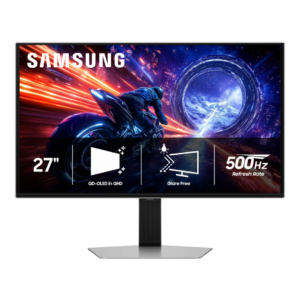
Competitive gaming is the G6’s clearest strength: 500Hz motion, near-instant pixel response, and very low lag make fast shooters exceptionally clear and responsive. The benefit is greatest when a powerful...
Pros: overall satisfaction, competitive gaming suitability
Cons: value for money, screen size

Fast response and low lag help competitive players track motion and place shots precisely. Reaching the full 280fps requires sufficiently fast hardware.
Pros: brightness, contrast
Cons: Text fringing, speaker quality
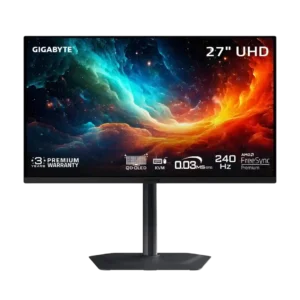
Extremely low latency, 240Hz refresh, clean motion, and tactical aspect-ratio modes make it excellent for competitive gaming. Only the most demanding esports players may want an even higher refresh rate.
Pros: motion clarity, PC gaming compatibility
Cons: color accuracy, software support

The 240Hz OLED speed, minimal input lag, and compact view make fast shooters highly responsive. It remains a demanding choice for PCs trying to push 4K frames.
Pros: sharpness, overall satisfaction
Cons: value for money, VRR flicker

The 1440p/330Hz mode, responsive controls and motion options suit fast competition well, though OLED rivals may be preferable when pure esports speed is the only priority.
Pros: Pixel density, Resolution
Cons: GPU demands, HDR performance

The 280Hz refresh, exceptionally quick pixel response, and low lag make competitive games feel immediate and clear. Even faster esports models exist for players prioritizing refresh above image quality.
Pros: reflection handling, HDR performance
Cons: screen uniformity, Screen coating clarity

The 200Hz refresh rate, low input lag, and quick response give fast PC games a responsive feel, even if overshoot at lower refresh rates prevents flawless motion clarity.
Pros: refresh rate, value for money
Cons: HDR performance, contrast

The 1080p/320Hz mode makes fast multiplayer enjoyable, but softer detail and residual smearing mean speed does not equal perfect clarity.
Pros: HDR performance, overall satisfaction
Cons: HDR highlight detail, color accuracy

A 320Hz 1080p option favors high-speed competition, but players mainly using 4K may seldom switch to it.
Pros: HDR performance, overall satisfaction
Cons: local dimming performance, Blooming control

180Hz motion and quick response make shooters a strong fit, though VRR blur and faster 320Hz alternatives temper top-tier esports appeal.
Pros: overall satisfaction, refresh rate
Cons: HDR performance, HDMI 2.1 support

Competitive gaming suitability was strong for 4K/240Hz responsiveness, though hardcore esports players may still prefer faster lower-resolution panels.
Pros: value for money, sharpness
Cons: brightness, USB hub functionality

Smooth 165Hz motion and low input lag work well for shooters, but 240–320Hz competitors offer greater speed for dedicated esports play.
Pros: brightness, HDR performance
Cons: speaker quality, built-in speakers

FHD320 makes fast games smoother, but softness and incomplete pixel transitions prevent it from matching the best esports displays.
Pros: Dual-mode versatility, refresh rate
Cons: black levels, contrast

Response times and strobing make fast play credible, but the screen is not the best choice for the most demanding esports competitors seeking 240Hz or higher.
Pros: overall satisfaction, PC gaming compatibility
Cons: color accuracy, local dimming performance

300Hz, HDMI 2.1 and low lag make fast competitive play appealing. Dark smearing, imperfect pixel compliance and limited strobing keep it from being the cleanest esports option.
Pros: HDR performance, black levels
Cons: viewing angles, response time

Shooters can be very smooth at 180Hz, but dark or bright smearing and the sheer 32-inch size make this a conditional choice for demanding competitive play.
Pros: value for money, overall satisfaction
Cons: HDR performance, Headphone output quality

Low input lag helps in competitive titles, but dark smearing and relatively slow pixel transitions hold it back for motion-focused players.
Pros: ultrawide gaming experience, black levels
Cons: HDR performance, viewing angles
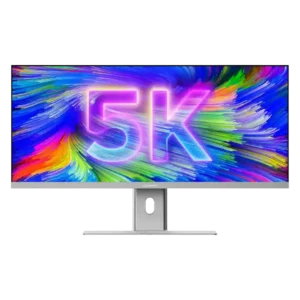
Competitive gaming is not this monitor’s strength. Its response time and 100Hz ceiling are fine for occasional play but too slow for fast shooters and esports-focused buyers.
Pros: productivity versatility, aspect ratio
Cons: built-in speakers, competitive gaming suitability

Low input lag helps, but the 120Hz cap and pronounced moving-object trails make fast esports shooters a weaker fit than dedicated gaming screens.
Pros: value for money, Resolution
Cons: port selection, competitive gaming suitability
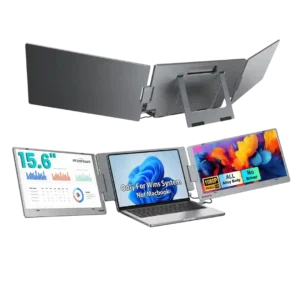
Competitive gaming is not a strong fit. Reviewers point to the 60Hz refresh rate and explicitly frame the screens as productivity displays rather than gaming-focused panels.
Pros: overall satisfaction, portability and weight
Cons: reliability over time

Fast OLED pixel response helps, but 120Hz is less competitive than 240Hz OLED alternatives; most serious esports players should look elsewhere.
Pros: overall picture quality, overall satisfaction
Cons: port selection, brightness

The competitive gaming suitability is a recurring limitation, especially compared with more flexible or higher-end portable monitors.
Pros: brightness, portability and weight
Cons: value for money, port selection

The S2725DC is aimed at everyday work and occasional play rather than serious competition; blurry motion makes it a poor choice for fast, demanding matches.
Pros: USB hub functionality, USB-C power delivery
Cons: speaker quality

Casual games run well enough, but high-speed competitive players are encouraged to choose a faster, gaming-focused screen.
Pros: overall satisfaction, screen size
Cons: stand adjustability, Photo editing
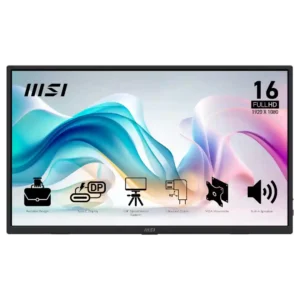
Competitive gaming is a poor fit because the 60Hz ceiling limits fast-paced play. Casual gaming is much less problematic.
Pros: value for money, portability and weight
Cons: built-in speakers, color gamut

Low input lag helps, but sluggish pixel transitions and visible blur make this weaker than a properly tuned gaming monitor for esports.
Pros: value for money, Resolution
Cons: port selection, HDR performance

A 60Hz refresh ceiling and visible motion blur make this a poor fit for competitive shooters and other fast-paced esports games.
Pros: value for money, Resolution
Cons: HDR performance, refresh rate

This is not a good choice for serious competitive play: pixel response is slow despite the 120Hz refresh, and aggressive overdrive can cause distracting halos.
Pros: port selection, USB hub functionality
Cons: competitive gaming suitability, motion clarity
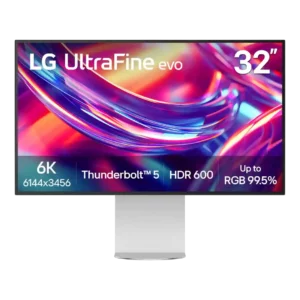
This is not a competitive gaming monitor. Reviewers explicitly steer serious gamers elsewhere because 60Hz and modest motion performance outweigh the otherwise low input lag.
Pros: port selection, overall satisfaction
Cons: value for money, cable management