#1

The integrated five-speaker system is a major advantage over ordinary monitor audio. It can eliminate separate desktop speakers for everyday entertainment and music.
Pros: overall picture quality, overall satisfaction
Cons: port selection, brightness
#2

The integrated speakers are surprisingly full and loud for a productivity monitor, suitable for calls and videos without separate desktop audio.
Pros: overall satisfaction, screen size
Cons: stand adjustability, Photo editing
#3

The two integrated speakers are unusually usable for a budget monitor, particularly for meetings and YouTube, although they cannot replace dedicated audio gear.
Pros: value for money, Resolution
Cons: port selection, competitive gaming suitability
#4

Built-in speakers save space and can handle calls or background videos. Their presence is welcome, but they are not meant to replace good external speakers.
Pros: USB hub functionality, USB-C power delivery
Cons: speaker quality
#5

Monitor speakers are a convenient extra for games, calls, and videos. Reactions range from pleasantly surprised by their bass to complaints that they sound loud and muddy.
Pros: value for money, Resolution
Cons: port selection, HDR performance
#6

Integrated stereo sound is useful for calls, videos and temporary gaming audio, even if it cannot replace a dedicated setup.
Pros: brightness, HDR performance
Cons: speaker quality, built-in speakers
#7

Built-in speakers are useful for basic audio and casual viewing, but bass and richness are limited compared with external speakers.
Pros: brightness, contrast
Cons: Text fringing, speaker quality
#8

No speakers are provided. Some consider this a regrettable omission, while others see it as acceptable for a gaming monitor used with external audio.
Pros: Pixel density, Resolution
Cons: GPU demands, HDR performance
#9
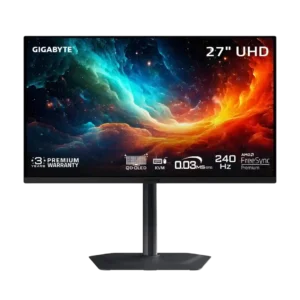
The 5W speakers can get loud and punchy enough for casual videos, but sound quality is divisive and not a substitute for dedicated audio.
Pros: motion clarity, PC gaming compatibility
Cons: color accuracy, software support
#10
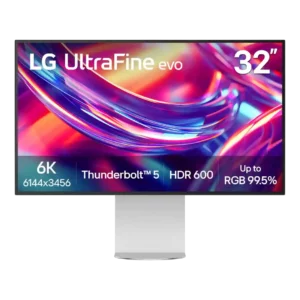
Speaker quality is inconsistent across reviews. Some found the 5W pair surprisingly clear and usable, while others called them weak or even terrible, so demanding listeners should not count on...
Pros: port selection, overall satisfaction
Cons: value for money, cable management
#11
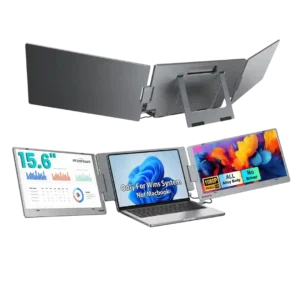
Speaker feedback is weak overall. One customer says the built-in audio is barely worth having, while another only notes that sound is somewhat louder than an older version.
Pros: overall satisfaction, portability and weight
Cons: reliability over time
#12
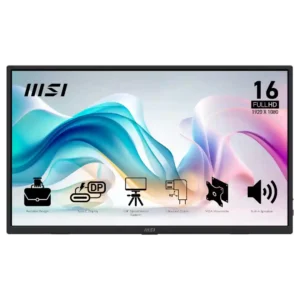
Speaker feedback is one of the clearest weaknesses: several reviewers call the sound tinny, muffled, or terrible, though a minority find it decent for basic audio.
Pros: value for money, portability and weight
Cons: built-in speakers, color gamut
#13

There are no speakers. Some welcome avoiding weak budget audio, while others find the omission inconvenient for console or video playback.
Pros: overall satisfaction, refresh rate
Cons: HDR performance, HDMI 2.1 support
#14

There are no built-in speakers, so console and other external-device users need headphones or separate audio equipment.
Pros: black levels, motion clarity
Cons: value for money, Dual-mode versatility
#15

There are no integrated speakers; anyone relying on monitor audio will need headphones or external speakers.
Pros: HDR performance, overall satisfaction
Cons: HDR highlight detail, color accuracy
#16

There are no integrated speakers. That absence is especially inconvenient when watching shows or using the screen without external audio.
Pros: sharpness, overall satisfaction
Cons: value for money, VRR flicker
#17

There are no integrated speakers. Some consider that a disappointment in an expensive do-everything desk display; others already own suitable audio equipment and do not mind.
Pros: port selection, USB hub functionality
Cons: competitive gaming suitability, motion clarity
#18
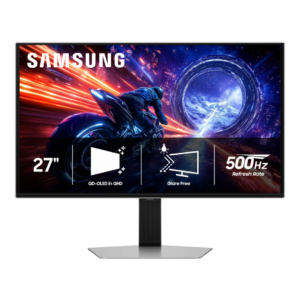
There are no built-in speakers, and testers considered that a missed convenience for buyers without room for separate audio.
Pros: overall satisfaction, competitive gaming suitability
Cons: value for money, screen size
#19
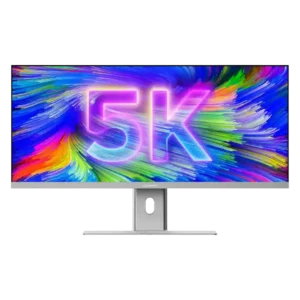
The dual 3W speakers are consistently judged weak, tinny, or merely acceptable for calls. External speakers are strongly preferable for music, movies, and serious audio work.
Pros: productivity versatility, aspect ratio
Cons: built-in speakers, competitive gaming suitability
#20

The built-in speakers is a recurring limitation, especially compared with more flexible or higher-end portable monitors.
Pros: brightness, portability and weight
Cons: value for money, port selection
#21

Accounts conflict about speaker availability and output; the reported working audio is weak and some connections produced no sound.
Pros: HDR performance, overall satisfaction
Cons: local dimming performance, Blooming control
#22

There are no built-in speakers, so console and media users need headphones, a soundbar or external speakers.
Pros: overall satisfaction, response time
Cons: reflection handling, VRR flicker
#23

The absence of speakers is a minor disappointment for anyone who expected desktop audio without separate equipment.
Pros: value for money, overall satisfaction
Cons: HDR performance, Headphone output quality
#24

There are no integrated speakers, so audio needs to come from a headset or separate speakers.
Pros: reflection handling, HDR performance
Cons: screen uniformity, Screen coating clarity
#25

There are no built-in speakers, so console users need headphones or an external audio connection.
Pros: overall satisfaction, value for money
Cons: reflection handling, screen uniformity
#26

There are no built-in speakers, so standalone console or movie setups need headphones or external audio.
Pros: HDR performance, black levels
Cons: viewing angles, response time
#27

No built-in speakers are provided, a drawback for users wanting audio without external gear.
Pros: Dual-mode versatility, refresh rate
Cons: black levels, contrast
#28

There are no integrated speakers, disappointing anyone hoping to play audio without headphones or separate speakers.
Pros: ultrawide gaming experience, black levels
Cons: HDR performance, viewing angles
#29

Built-in speaker support was poor because multiple reviewers noted there are no integrated speakers, sometimes alongside no headphone jack.
Pros: value for money, sharpness
Cons: brightness, USB hub functionality
#30

There are no built-in speakers, so external audio is necessary.
Pros: overall satisfaction, PC gaming compatibility
Cons: color accuracy, local dimming performance
#31

There are no built-in speakers, so desktop audio needs separate speakers, headphones, or another sound source.
Pros: refresh rate, value for money
Cons: HDR performance, contrast
#32

The integrated speakers are a recurring weak point: reviewers describe thin, quiet, sometimes scratchy audio that falls behind laptop speakers.
Pros: overall satisfaction, stand adjustability
Cons: value for money, reflection handling
