
Native 1440p at 540Hz is exceptionally smooth for high-frame-rate games. The optional 720Hz mode adds smaller improvements and cuts resolution to 720p.
Pros: black levels, motion clarity
Cons: value for money, Dual-mode versatility

Native 1440p at 540Hz is exceptionally smooth for high-frame-rate games. The optional 720Hz mode adds smaller improvements and cuts resolution to 720p.
Pros: black levels, motion clarity
Cons: value for money, Dual-mode versatility

The 300Hz refresh rate is a standout advantage over many budget Mini-LED rivals, especially for high-frame-rate PC gaming.
Pros: HDR performance, black levels
Cons: viewing angles, response time

120Hz is a substantial everyday upgrade for scrolling, window movement and casual play, even though panel response cannot always keep up.
Pros: value for money, Resolution
Cons: port selection, HDR performance

At 240Hz, gameplay is exceptionally smooth without sacrificing 4K sharpness. Reaching that ceiling in demanding games takes a powerful PC.
Pros: sharpness, overall satisfaction
Cons: value for money, VRR flicker

The 180Hz refresh rate makes gameplay visibly smoother than 60Hz and is a central draw for this value-focused monitor.
Pros: overall satisfaction, refresh rate
Cons: HDR performance, HDMI 2.1 support

The 240Hz refresh delivers noticeably fluid gameplay, although the more expensive 27GX700A-B rises to 280Hz.
Pros: overall satisfaction, value for money
Cons: reflection handling, screen uniformity

The 180Hz refresh is a major advantage for smooth shooters and racing games, even though the panel itself can still smear.
Pros: value for money, overall satisfaction
Cons: HDR performance, Headphone output quality

High refresh at native 5K plus up to 330Hz at 1440p delivers unusually flexible smoothness. Maximum 5K rates require a compatible GPU.
Pros: Pixel density, Resolution
Cons: GPU demands, HDR performance

The 200Hz refresh rate is the standout strength, producing a smooth, responsive sensation with a sufficiently fast PC. Some similarly priced alternatives trade a little speed for other advantages.
Pros: refresh rate, value for money
Cons: HDR performance, contrast

The 144Hz refresh rate makes scrolling and mouse movement noticeably smoother than basic 60Hz office screens and adds some appeal for casual games.
Pros: USB hub functionality, USB-C power delivery
Cons: speaker quality

Native 160Hz feels fast for 4K gaming, while the 320Hz option offers extra speed at the expense of resolution.
Pros: HDR performance, overall satisfaction
Cons: HDR highlight detail, color accuracy
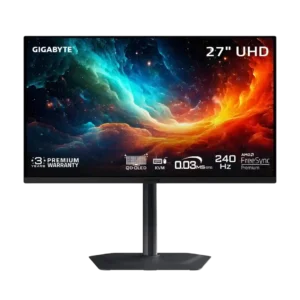
The 240Hz refresh rate makes movement exceptionally fluid and easy to track. Its OLED clarity can resemble much faster LCD gaming monitors.
Pros: motion clarity, PC gaming compatibility
Cons: color accuracy, software support

The jump to 120Hz makes everyday scrolling, cursor motion and window movement meaningfully more fluid than 60Hz. It does not fix the panel’s slower pixel response.
Pros: port selection, USB hub functionality
Cons: competitive gaming suitability, motion clarity

A 280Hz ceiling is fast enough for smooth, competitive play, although the improvement over 240Hz is smaller than the gap to high-end 480Hz-plus models.
Pros: brightness, contrast
Cons: Text fringing, speaker quality

The 120Hz refresh rate makes everyday scrolling and window movement noticeably smoother than 60Hz and adds useful casual-gaming headroom.
Pros: value for money, Resolution
Cons: port selection, competitive gaming suitability

Native 4K160 is excellent for detailed gaming, and FHD320 is useful for speed despite imperfect refresh compliance.
Pros: Dual-mode versatility, refresh rate
Cons: black levels, contrast

The 240Hz refresh rate was considered smooth and future-proof for most users, even if faster esports-focused OLEDs exist.
Pros: value for money, sharpness
Cons: brightness, USB hub functionality

At 280Hz, gaming feels notably smoother and motion is clearer than at mainstream refresh rates. A few premium alternatives go even faster.
Pros: reflection handling, HDR performance
Cons: screen uniformity, Screen coating clarity

At 120Hz, scrolling and window motion look notably smoother than 60Hz work monitors, though fast gaming remains a secondary use.
Pros: overall satisfaction, screen size
Cons: stand adjustability, Photo editing
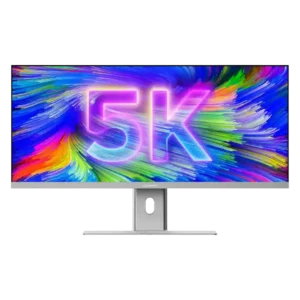
At 100Hz, scrolling, timeline movement, and everyday animation look noticeably smoother than on typical 60Hz productivity monitors. Serious gamers may still want a faster dedicated display.
Pros: productivity versatility, aspect ratio
Cons: built-in speakers, competitive gaming suitability
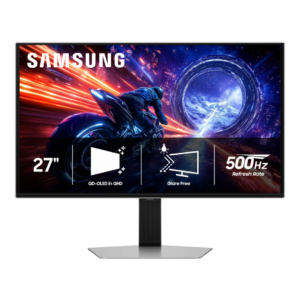
The 500Hz refresh delivers extraordinary smoothness when games can feed it enough frames, and several testers noticed a meaningful jump over 240Hz or 360Hz. Others saw diminishing returns and questioned...
Pros: overall satisfaction, competitive gaming suitability
Cons: value for money, screen size

The 200Hz headline is a meaningful upgrade over 60Hz and slightly faster than some close competitors. Some owners drop to 144Hz to avoid visible scanline artifacts in certain modes.
Pros: overall satisfaction, PC gaming compatibility
Cons: color accuracy, local dimming performance

A 165Hz ceiling looks notably smoother than 60Hz for games and ordinary desktop tasks, but is slower than esports-focused rivals.
Pros: brightness, HDR performance
Cons: speaker quality, built-in speakers

160Hz at 4K and 320Hz at 1080p offer excellent speed on paper, but one owner reports trouble retaining 160Hz after input switching.
Pros: HDR performance, overall satisfaction
Cons: local dimming performance, Blooming control

A 180Hz ceiling gives fluid gaming and plenty of headroom, though the VA panel cannot fully keep up with every transition.
Pros: ultrawide gaming experience, black levels
Cons: HDR performance, viewing angles

At 280Hz, motion is already very smooth for most games, though esports buyers seeking maximum speed can find 360–500Hz alternatives.
Pros: overall satisfaction, response time
Cons: reflection handling, VRR flicker

120Hz is smooth for daily use and casual play, yet distinctly slower than many similarly priced 240Hz OLED gaming displays.
Pros: overall picture quality, overall satisfaction
Cons: port selection, brightness
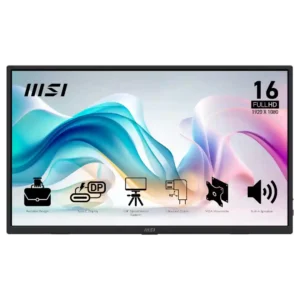
The 60Hz refresh rate is acceptable for office work and casual use but repeatedly criticized as a gaming limitation at this price.
Pros: value for money, portability and weight
Cons: built-in speakers, color gamut
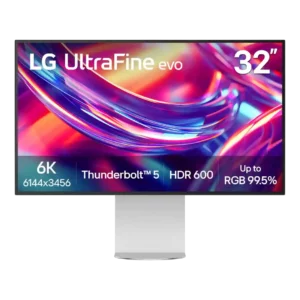
The 60Hz ceiling is one of the most repeated compromises. It is tolerable for static productivity work, but scrolling, mouse motion, and gaming feel dated next to 120Hz and faster...
Pros: port selection, overall satisfaction
Cons: value for money, cable management
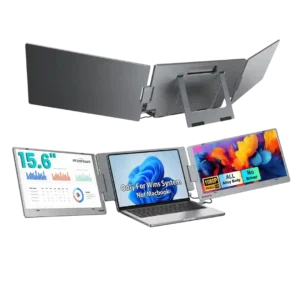
The 60Hz refresh rate is acceptable for productivity but a clear limitation for gaming. The one direct evaluation calls it a little unfortunate.
Pros: overall satisfaction, portability and weight
Cons: reliability over time

The 60Hz ceiling is the main display-speed compromise. It is adequate for office tasks and video but disappointing for fast games and motion-sensitive workflows.
Pros: overall satisfaction, stand adjustability
Cons: value for money, reflection handling

A 60Hz cap is acceptable for traditional creative timelines and normal office work but disappointing for fast games or people accustomed to 120Hz-plus displays.
Pros: value for money, Resolution
Cons: HDR performance, refresh rate

The standard 60Hz refresh is fine for office work but falls short of smooth high-refresh gaming.
Pros: brightness, portability and weight
Cons: value for money, port selection