
Tandem OLED brings impressive HDR brightness and superb contrast, especially in darker scenes. Full-screen output remains below the brightest Mini LED displays.
Pros: overall satisfaction, response time
Cons: reflection handling, VRR flicker

Tandem OLED brings impressive HDR brightness and superb contrast, especially in darker scenes. Full-screen output remains below the brightest Mini LED displays.
Pros: overall satisfaction, response time
Cons: reflection handling, VRR flicker

Exceptionally bright highlights and effective Mini LED dimming are its signature strengths. OLED retains the edge for absolute pixel-level black.
Pros: brightness, HDR performance
Cons: speaker quality, built-in speakers

The bright Mini-LED backlight brings genuine high-impact HDR well beyond ordinary LCD monitors, though accuracy and dimming behavior vary with content and setup.
Pros: HDR performance, black levels
Cons: viewing angles, response time

Bright highlights and localized backlighting make HDR the clear highlight of this monitor, provided the Auto HDR mode is used. Haloing and inaccurate alternative presets remain compromises.
Pros: overall satisfaction, PC gaming compatibility
Cons: color accuracy, local dimming performance

Tandem OLED delivers impressive HDR contrast and highlight brightness, often ahead of older OLED models. The highest-brightness configurations can sacrifice accurate tone tracking.
Pros: black levels, motion clarity
Cons: value for money, Dual-mode versatility

HDR performance was widely liked for OLED contrast, rich highlights, and cinematic depth, though brightness limits kept it from being flawless.
Pros: value for money, sharpness
Cons: brightness, USB hub functionality

Deep OLED blacks and impressive highlights make HDR gaming particularly striking. Full-screen brightness, dark-scene detail and preset accuracy are less consistent.
Pros: brightness, contrast
Cons: Text fringing, speaker quality
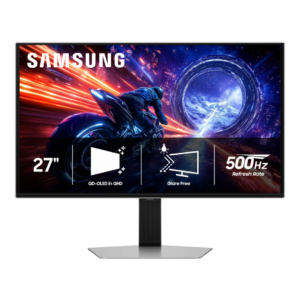
HDR is a major strength thanks to per-pixel lighting, deep blacks, wide color, and bright highlights. Peak brightness can approach 1,000 nits in small highlights, though bright-scene dimming and configuration...
Pros: overall satisfaction, competitive gaming suitability
Cons: value for money, screen size

Rich blacks and intense small highlights give HDR games and movies real impact. Large bright scenes and the compromises between HDR modes keep it short of a flawless presentation.
Pros: sharpness, overall satisfaction
Cons: value for money, VRR flicker

Deep blacks and saturated highlights make HDR enjoyable, with Dolby Vision support a bonus. Overall scene brightness and highlight output are not class-leading.
Pros: overall picture quality, overall satisfaction
Cons: port selection, brightness

Its 1,152-zone Mini LED backlight brings strong HDR brightness and contrast, but dark-detail crushing, red-leaning color and muted tiny highlights divide opinion.
Pros: HDR performance, overall satisfaction
Cons: HDR highlight detail, color accuracy

Large-area brightness is a clear strength of the 1,152-zone backlight; black crush, haloing and color shifts keep HDR short of perfect.
Pros: Dual-mode versatility, refresh rate
Cons: black levels, contrast

The mini-LED system can create striking HDR brightness, but inconsistent dimming and mode behavior stop it from being universally convincing.
Pros: HDR performance, overall satisfaction
Cons: local dimming performance, Blooming control

HDR highlights can pop and games look cinematic, but some presets clip detail and Windows HDR can seem dull. Newer OLEDs often offer more saturated HDR color.
Pros: overall satisfaction, value for money
Cons: reflection handling, screen uniformity

There is strong HDR impact and deep contrast, but major disagreement about real-game brightness and accuracy. Very bright settings sometimes overexpose the image or crush dark detail.
Pros: reflection handling, HDR performance
Cons: screen uniformity, Screen coating clarity
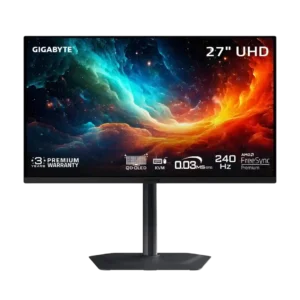
HDR is impressive in dark, high-contrast scenes but inconsistent overall. Bright-area highlights can clip, full-screen brightness is limited, and the boosted 1,000-nit mode is poorly calibrated.
Pros: motion clarity, PC gaming compatibility
Cons: color accuracy, software support

HDR is the clearest point of disagreement. Some enjoy its vivid scenes and visible shadow detail, while technical testing finds local dimming so poor that SDR is preferable.
Pros: value for money, overall satisfaction
Cons: HDR performance, Headphone output quality

Some reviewers enjoy the strong measured brightness and vivid color, while others find HDR unconvincing because edge-lit dimming cannot produce deep blacks or clean highlights.
Pros: Pixel density, Resolution
Cons: GPU demands, HDR performance
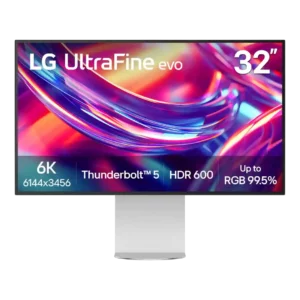
HDR can get bright, but limited contrast and edge lighting keep it from delivering convincing highlight-to-black separation. Multiple reviewers say it is acceptable for occasional viewing, not serious HDR mastering...
Pros: port selection, overall satisfaction
Cons: value for money, cable management

HDR brightness and color improve on older models, but crude edge-lit local dimming creates blooming and visible brightness bands. SDR is frequently preferable.
Pros: port selection, USB hub functionality
Cons: competitive gaming suitability, motion clarity

HDR is the primary image-quality compromise: decent brightness cannot make up for limited dimming and modest contrast. It is more suitable for occasional previewing than final reference grading.
Pros: value for money, Resolution
Cons: HDR performance, refresh rate

HDR is the recurring compromise: limited IPS contrast, modest brightness and awkward local dimming outweigh occasional praise for vibrant color.
Pros: overall satisfaction, refresh rate
Cons: HDR performance, HDMI 2.1 support

DisplayHDR 400 provides at most modest enhancement; measured and qualitative assessments repeatedly describe washed-out colors, weak blacks, and limited HDR impact.
Pros: refresh rate, value for money
Cons: HDR performance, contrast

The hdr performance is a recurring limitation, especially compared with more flexible or higher-end portable monitors.
Pros: brightness, portability and weight
Cons: value for money, port selection

The lack of HDR is a meaningful limitation for creators and anyone expecting richer high-dynamic-range visuals.
Pros: USB hub functionality, USB-C power delivery
Cons: speaker quality

HDR is present, but the limited HDR image quality falls short of the brighter, higher-contrast effect expected from premium displays.
Pros: overall satisfaction, screen size
Cons: stand adjustability, Photo editing

It is not presented as a strong option for HDR video, reflecting its productivity-focused LCD performance.
Pros: overall satisfaction, stand adjustability
Cons: value for money, reflection handling

HDR10 input is supported, but low contrast, limited luminance and weak wide-gamut color leave HDR video and games noticeably flat compared with stronger HDR panels.
Pros: value for money, Resolution
Cons: port selection, competitive gaming suitability

HDR is repeatedly criticized for weak highlights, elevated blacks and intrusive local dimming; SDR is the safer choice.
Pros: ultrawide gaming experience, black levels
Cons: HDR performance, viewing angles

Most testers found HDR weak, with limited luminance, gray blacks and no local dimming; a more positive review liked the added brightness and contrast effect.
Pros: value for money, Resolution
Cons: port selection, HDR performance
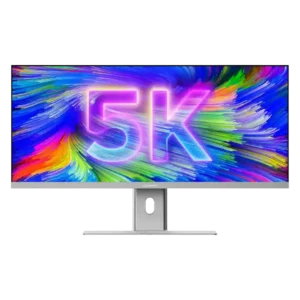
HDR is a clear weak spot: one lab test measured only 168 nits in HDR, far below the monitor’s strong SDR brightness.
Pros: productivity versatility, aspect ratio
Cons: built-in speakers, competitive gaming suitability