
Text and fine textures are unusually crisp, often described as the best detail seen on a 27-inch gaming display.
Pros: Pixel density, Resolution
Cons: GPU demands, HDR performance

Text and fine textures are unusually crisp, often described as the best detail seen on a 27-inch gaming display.
Pros: Pixel density, Resolution
Cons: GPU demands, HDR performance

Clear, precise lettering and crisp graphics make this a credible companion to high-resolution laptop displays.
Pros: overall satisfaction, stand adjustability
Cons: value for money, reflection handling
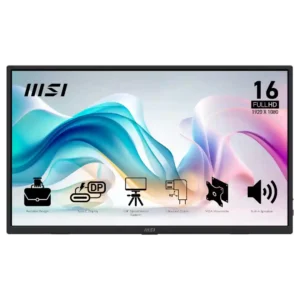
Sharpness is a strong point for productivity: text and small UI elements are repeatedly described as crisp and easy to read.
Pros: value for money, portability and weight
Cons: built-in speakers, color gamut

The zero-haze surface keeps imagery crisp, although QHD detail and OLED subpixel rendering trail sharper 4K LCDs for fine text.
Pros: overall satisfaction, response time
Cons: reflection handling, VRR flicker

Text stays clear across the screen, with multiple reviews praising crisp edges and legible interface fonts.
Pros: overall satisfaction, screen size
Cons: stand adjustability, Photo editing

Fine 4K text looks exceptionally crisp with standard RGB pixels; FHD mode is notably blurrier.
Pros: Dual-mode versatility, refresh rate
Cons: black levels, contrast
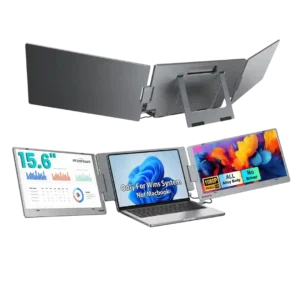
Sharpness is a standout in the customer feedback that addresses it directly. Reviewers call the screens super sharp and the images super crisp.
Pros: overall satisfaction, portability and weight
Cons: reliability over time

Sharpness was one of the clearest areas of agreement, with many reviewers calling the 27-inch 4K image and text exceptionally crisp.
Pros: value for money, sharpness
Cons: brightness, USB hub functionality
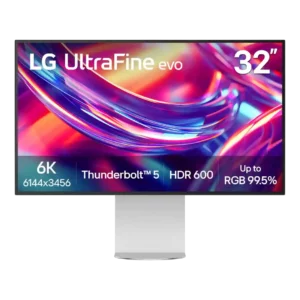
Sharpness is nearly unanimous praise: text is crisp, UI elements look Retina-like, and high-resolution photos and video show exceptional fine detail. The 224ppi density is one of the monitor's strongest...
Pros: port selection, overall satisfaction
Cons: value for money, cable management

The exceptionally dense 4K panel gives the monitor some of the cleanest-looking text and game detail available in desktop OLEDs. Fine edges look superb.
Pros: sharpness, overall satisfaction
Cons: value for money, VRR flicker

Small lettering, interface elements and fine photo detail look impressively crisp thanks to the 4K pixel density.
Pros: value for money, Resolution
Cons: port selection, HDR performance

The dense 4K panel excels at crisp text and clear desktop detail, though a 5K screen can still show finer small typography.
Pros: port selection, USB hub functionality
Cons: competitive gaming suitability, motion clarity

4K content and fine text look exceptionally crisp, a particularly dramatic upgrade from 1080p.
Pros: HDR performance, overall satisfaction
Cons: local dimming performance, Blooming control

The 4K panel produces detailed films and legible everyday text; very small fonts can still reveal OLED subpixel compromises.
Pros: overall picture quality, overall satisfaction
Cons: port selection, brightness

Text, browser content and fine details look impressively crisp, making a clear upgrade from lower-density office monitors.
Pros: value for money, Resolution
Cons: port selection, competitive gaming suitability
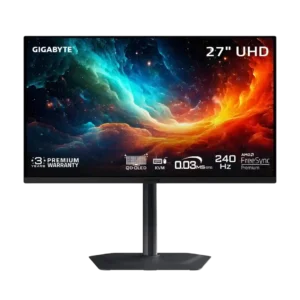
The glossy 4K panel looks exceptionally sharp, with minimal text fringing and no matte-coating grain. Fine detail and desktop text are both clear.
Pros: motion clarity, PC gaming compatibility
Cons: color accuracy, software support

The dense 4K panel makes fine detail and text notably sharper than standard 27-inch 1440p alternatives.
Pros: HDR performance, overall satisfaction
Cons: HDR highlight detail, color accuracy

High pixel density keeps interface text, photos and game details crisp at normal viewing distance.
Pros: brightness, HDR performance
Cons: speaker quality, built-in speakers

Standard RGB subpixels and QHD density produce clear text and defined game detail at normal seating distances.
Pros: HDR performance, black levels
Cons: viewing angles, response time

The 1440p glossy screen makes images and games look crisp. Fine text is less clean than on conventional RGB LCD monitors.
Pros: overall satisfaction, value for money
Cons: reflection handling, screen uniformity

Clear text, textures and fine game objects are repeatedly praised over older 1080p setups.
Pros: overall satisfaction, refresh rate
Cons: HDR performance, HDMI 2.1 support

Most praise the exceptionally fine lines and text, but the aggressive matte finish creates a softer impression for some buyers.
Pros: value for money, Resolution
Cons: HDR performance, refresh rate
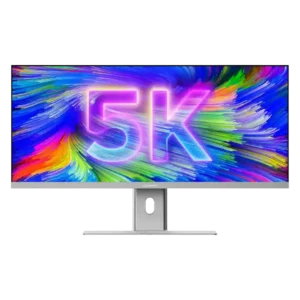
Text, UI elements, photos, and video detail look crisp for a 40-inch ultrawide. The 139ppi density is a big improvement over QHD models, but users accustomed to Retina displays can...
Pros: productivity versatility, aspect ratio
Cons: built-in speakers, competitive gaming suitability

The native 1440p image looks crisp in games, especially through the glossy coating. It cannot match 4K pixel density for small text.
Pros: black levels, motion clarity
Cons: value for money, Dual-mode versatility

The QHD image improves fine detail, text edges, and game clarity compared with a same-size 1080p screen.
Pros: refresh rate, value for money
Cons: HDR performance, contrast

Text and ordinary desktop content remain pleasantly crisp at 3440×1440, even if the panel is not 4K-sharp.
Pros: ultrawide gaming experience, black levels
Cons: HDR performance, viewing angles

Text generally looks crisp from a normal desk distance and is comfortable for office tasks. Higher-resolution 4K models still show finer detail.
Pros: overall satisfaction, PC gaming compatibility
Cons: color accuracy, local dimming performance

Text and ordinary images look crisp at this size, although higher-resolution competitors can render finer detail.
Pros: brightness, portability and weight
Cons: value for money, port selection

Game imagery looks crisp, although fine desktop print and the matte coating can reduce perceived detail versus 4K or glossy alternatives.
Pros: reflection handling, HDR performance
Cons: screen uniformity, Screen coating clarity
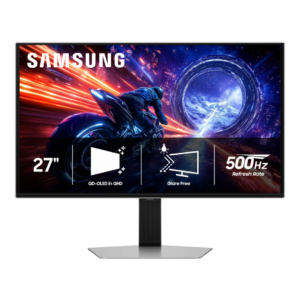
Gaming sharpness is generally good at 27-inch 1440p, but text and fine desktop detail lag behind 4K and same-resolution LCDs because of pixel density and QD-OLED’s subpixel layout.
Pros: overall satisfaction, competitive gaming suitability
Cons: value for money, screen size

Sharpness divides opinion: some find text and game images crisp after adjustments, while others think 1440p is too soft across 32 inches.
Pros: value for money, overall satisfaction
Cons: HDR performance, Headphone output quality

Text is suitably crisp for the intended office audience, though comparisons to higher-pixel-density displays reveal a softer image.
Pros: USB hub functionality, USB-C power delivery
Cons: speaker quality

Native QHD looks reasonably sharp in games, while coating grain, scaling and text subpixels prevent the crispness of denser 4K screens.
Pros: brightness, contrast
Cons: Text fringing, speaker quality