
Overall: 4.4/5
Native 3440×1440 PC gaming is this display's strongest role, pairing wide-screen immersion with excellent motion and rich HDR.
Pros: brightness, value for money
Cons: port selection, built-in speakers

Overall: 4.4/5
Native 3440×1440 PC gaming is this display's strongest role, pairing wide-screen immersion with excellent motion and rich HDR.
Pros: brightness, value for money
Cons: port selection, built-in speakers

Overall: 4.1/5
An especially compelling pairing for high-end PCs: 4K detail, 240Hz motion and dramatic OLED contrast come together in one screen.
Pros: PC gaming compatibility, reflection handling
Cons: color accuracy, VRR flicker

Overall: 4.1/5
PC gaming is excellent with a sufficiently powerful GPU, unlocking full 21:9 views, 5K2K detail, and rapid OLED motion.
Pros: Resolution, overall satisfaction
Cons: value for money, Image scaling

Overall: 4.5/5
High-bandwidth ports, VRR support and a 360Hz ceiling make it well equipped for modern PC gaming, from shooters to graphically demanding single-player titles.
Pros: color gamut, contrast
Cons: value for money, Resolution
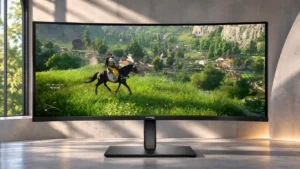
Overall: 4.4/5
Test results strongly favor high-refresh PC gaming, with very low lag and excellent motion clarity. Console-oriented buyers do not receive the same benefits.
Pros: refresh rate, color accuracy
Cons: console gaming compatibility, DisplayPort connectivity

Overall: 4.3/5
PC gaming is an excellent fit thanks to the fast OLED response, 280Hz refresh, vivid SDR image, and extensive tuning controls.
Pros: color gamut, overall picture quality
Cons: brightness, HDR performance

Overall: 4.3/5
The high-speed 4K OLED panel and modern gaming connections provide a premium PC gaming experience with plenty of performance headroom.
Pros: black levels, sharpness
Cons: value for money, brightness

Overall: 4.3/5
DisplayPort connectivity, adaptive sync and very quick pixel response make it a strong match for capable PC rigs. Native 5K2K gaming is most rewarding when the GPU can keep up.
Pros: overall satisfaction, Text fringing
Cons: brightness, Edge dimming behavior

Overall: 3.9/5
DisplayPort-connected NVIDIA PCs get the most complete feature set, while the GPU and input restrictions can frustrate more complicated arrangements.
Pros: motion clarity, Backlight strobing
Cons: contrast, HDR performance

Overall: 4.1/5
High-bandwidth ports, variable refresh, and spectacular motion make it well suited to fast gaming PCs that can push high frame rates.
Pros: competitive gaming suitability, refresh rate
Cons: Dual-mode versatility, GPU demands

Overall: 3.8/5
PC players get the most from DisplayPort’s 240Hz mode and the responsive 1440p OLED panel; the setup favors gaming over elaborate docking.
Pros: value for money, panel type
Cons: brightness, port selection

Overall: 4.4/5
The monitor is exceptionally well suited to high-end PCs through DisplayPort 2.1a, USB-C, KVM support, and broad VRR compatibility. Reviewers also reported flawless MacBook use over USB-C.
Pros: brightness, reflection handling
Cons: cable management

Overall: 4.2/5
High-refresh 4K gameplay is outstanding with a capable graphics card, and newer inputs support modern hardware. Reaching the full 240fps at 4K remains demanding.
Pros: overall satisfaction, black levels
Cons: value for money, stand adjustability
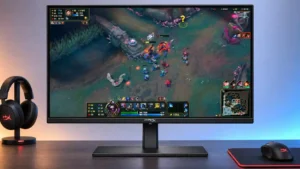
Overall: 4.1/5
The display pairs well with gaming PCs, producing polished results from fast shooters to graphically rich adventures.
Pros: black levels, overall picture quality
Cons: brightness, Gaming feature selection
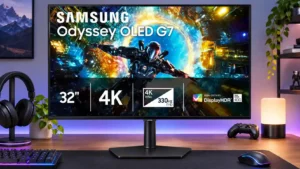
Overall: 3.8/5
VRR support and clear 4K gaming work well with different PC graphics setups, although the native maximum demands powerful hardware.
Pros: overall satisfaction, contrast
Cons: value for money, port selection

Overall: 4.0/5
Powerful Windows PCs can use the full native 5K/165Hz mode and high-speed QHD option. High GPU demands and some firmware quirks complicate an otherwise versatile setup.
Pros: Resolution, Dual-mode versatility
Cons: value for money, GPU demands

Overall: 4.4/5
A gaming PC can connect and high-resolution games look attractive, but the display lacks the speed of a dedicated gaming monitor.
Pros: port selection, color accuracy
Cons: built-in speakers, speaker quality
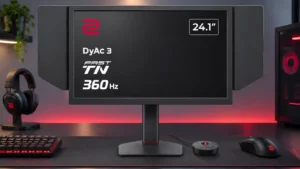
Overall: 3.8/5
For fast PC games, the monitor is highly responsive and clear, though its absence of HDR and weaker image quality make it less suited to all types of PC gaming.
Pros: competitive gaming suitability, motion clarity
Cons: contrast, overall picture quality

Overall: 4.4/5
PC games run smoothly enough for casual use, and the 120Hz upgrade makes the monitor far more versatile than its predecessor. The unusual aspect ratio and slower response still make...
Pros: productivity versatility, aspect ratio
Cons: value for money, competitive gaming suitability

Overall: 4.3/5
PC gaming can look spectacular at this scale, and 120Hz keeps casual play smooth. The 6K load, slower response, absent gaming extras, and platform-specific quirks make it secondary to productivity...
Pros: productivity versatility, overall satisfaction
Cons: value for money, response time

Overall: 3.5/5
Modern graphics hardware with the right HDMI or DisplayPort output can exploit both gaming modes; older cards can fall well short of the advertised refresh rate.
Pros: Resolution, sharpness
Cons: value for money, HDR performance
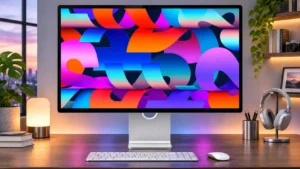
Overall: 3.7/5
A hands-on reviewer could not get the display working on a PC and advises against choosing it for a non-Mac gaming setup.
Pros: Monitor daisy-chaining, overall picture quality
Cons: value for money, refresh rate