
Native 5120-by-2880 resolution is the standout draw, providing remarkably detailed games and text. That extra fidelity is most noticeable in slower scenes and desktop work.
Pros: Pixel density, Resolution
Cons: GPU demands, HDR performance

Native 5120-by-2880 resolution is the standout draw, providing remarkably detailed games and text. That extra fidelity is most noticeable in slower scenes and desktop work.
Pros: Pixel density, Resolution
Cons: GPU demands, HDR performance

Packing 4K into a 27-inch OLED gives games, interface elements, and small text exceptional definition. The extra pixels are especially noticeable next to 1440p OLEDs.
Pros: sharpness, overall satisfaction
Cons: value for money, VRR flicker

The 4K panel is a defining strength: text, images, and fine interface details look much crisper than on ordinary 1080p portable screens.
Pros: overall satisfaction, stand adjustability
Cons: value for money, reflection handling

4K is one of the most consistently praised features, providing finely detailed images and legible text at a sensible desktop size.
Pros: value for money, Resolution
Cons: port selection, competitive gaming suitability

The 4K image is crisp and gives plenty of room for detailed projects, films and multiple windows.
Pros: overall picture quality, overall satisfaction
Cons: port selection, brightness

Native 4K yields strikingly sharp 27-inch images and text, at the expense of lower definition in FHD speed mode.
Pros: Dual-mode versatility, refresh rate
Cons: black levels, contrast

4K detail is a standout strength, especially for text and mixed work, although speed mode trades that detail for refresh rate.
Pros: HDR performance, overall satisfaction
Cons: local dimming performance, Blooming control
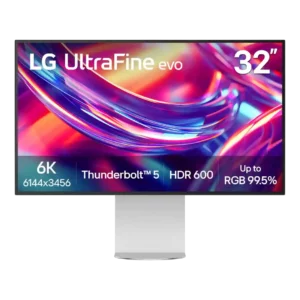
The 6K panel is the defining strength, delivering Retina-like density and far more working detail than 4K at the same general size. Reviewers consistently see the 6144×3456 canvas as the...
Pros: port selection, overall satisfaction
Cons: value for money, cable management

The 32-inch 6K canvas is the headline advantage, bringing far more usable pixels than 4K and providing beautiful detail for creative applications.
Pros: value for money, Resolution
Cons: HDR performance, refresh rate

Reviewers consistently praised the 4K resolution for making the 27-inch screen exceptionally crisp and detailed.
Pros: value for money, sharpness
Cons: brightness, USB hub functionality

At 27 inches, the 4K pixel density makes text and images exceptionally crisp and allows detailed desktop work.
Pros: value for money, Resolution
Cons: port selection, HDR performance
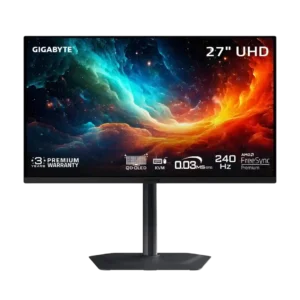
The 4K resolution looks exceptionally crisp at 27 inches, with high pixel density that improves games, text, and multitasking.
Pros: motion clarity, PC gaming compatibility
Cons: color accuracy, software support

At 3440 × 1440, the display earns praise for sharp desktop text and comfortable native scaling without excessive zoom.
Pros: overall satisfaction, screen size
Cons: stand adjustability, Photo editing

Sharp native 4K gives more detail to games and desktop text; choosing 1080p for 320Hz deliberately trades away that crispness.
Pros: HDR performance, overall satisfaction
Cons: HDR highlight detail, color accuracy

At 27 inches, 1440p balances sharpness and GPU demands; one PS5 user felt no need to jump to 4K.
Pros: overall satisfaction, value for money
Cons: reflection handling, screen uniformity

Four-kilopixel detail across 32 inches keeps text exceptionally crisp and game worlds finely detailed.
Pros: brightness, HDR performance
Cons: speaker quality, built-in speakers

The 2560×1440 resolution is repeatedly praised for sharper graphics and text than 1080p, while remaining practical for gaming hardware.
Pros: overall satisfaction, refresh rate
Cons: HDR performance, HDMI 2.1 support

At 27 inches, 4K provides detailed text and plentiful workspace. Mac users who demand the very finest text rendering may still favor 5K.
Pros: port selection, USB hub functionality
Cons: competitive gaming suitability, motion clarity
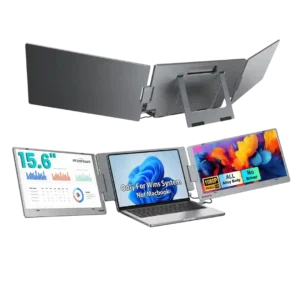
The 1080p resolution is generally judged well matched to the 15.6-inch panels. Reviewers repeatedly describe text and images as crisp, with several saying the resolution is more than adequate for...
Pros: overall satisfaction, portability and weight
Cons: reliability over time
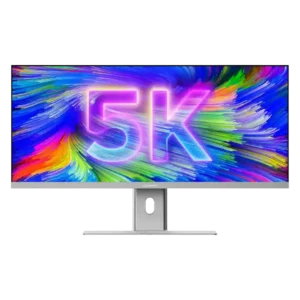
The 5120×2160 panel delivers a major jump in usable detail and is consistently praised for creative work. It is not Retina-class at 40 inches, so several reviewers preferred a scaled...
Pros: productivity versatility, aspect ratio
Cons: built-in speakers, competitive gaming suitability

A 27-inch 2560×1440 screen balances sharpness, desktop room and gaming performance nicely, but cannot match native 4K fine detail.
Pros: HDR performance, black levels
Cons: viewing angles, response time

QHD on a 27-inch screen brings noticeably more detail than 1080p while remaining less demanding than 4K, a compromise widely praised for gaming and work.
Pros: refresh rate, value for money
Cons: HDR performance, contrast

QHD at 27 inches provides a practical compromise between image detail and achievable high PC frame rates, with less fine detail than 4K.
Pros: overall satisfaction, response time
Cons: reflection handling, VRR flicker

The 2560×1440 panel gives sharp enough text for ordinary desktop work and a good gaming-detail balance on 27 inches. A 4K alternative remains noticeably sharper for text.
Pros: overall satisfaction, PC gaming compatibility
Cons: color accuracy, local dimming performance

The 3440×1440 format looks detailed enough for gaming and text, without the extra sharpness of a full 4K screen.
Pros: ultrawide gaming experience, black levels
Cons: HDR performance, viewing angles

The 1440p picture looks sharp for gaming while remaining easier to run than 4K, though it is not the best match for ultra-fine text.
Pros: reflection handling, HDR performance
Cons: screen uniformity, Screen coating clarity

1440p is a practical match for high refresh rates and midrange gaming PCs, though 4K is noticeably sharper.
Pros: brightness, contrast
Cons: Text fringing, speaker quality

At 1920×1200, text is reasonably crisp and gains useful height, though similarly priced alternatives can offer more pixels.
Pros: brightness, portability and weight
Cons: value for money, port selection
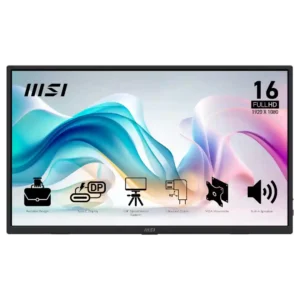
1080p is generally sharp enough at 15.6 inches and works well for office tasks, but some buyers find it merely adequate compared with higher-resolution screens.
Pros: value for money, portability and weight
Cons: built-in speakers, color gamut
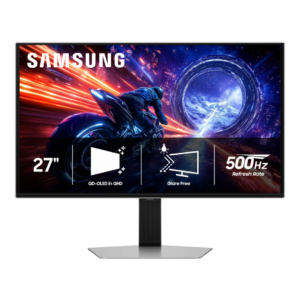
1440p is a sensible match for very high frame rates and looks crisp in games at 27 inches, but it is noticeably less dense than 4K. Buyers prioritizing fine text...
Pros: overall satisfaction, competitive gaming suitability
Cons: value for money, screen size

QHD balances graphics-card demands with usable detail, but its pixel density on a 32-inch screen looks too soft to some users.
Pros: value for money, overall satisfaction
Cons: HDR performance, Headphone output quality

QHD looks clear at 27 inches for daily documents and spreadsheets. It lacks the density of 4K, and users who need very fine text or packed workflows may notice the...
Pros: USB hub functionality, USB-C power delivery
Cons: speaker quality

Native 1440p looks good for 27-inch gaming and makes extreme frame rates more achievable than 4K. The 720p boost mode is much blurrier, and 4K remains sharper for fine text.
Pros: black levels, motion clarity
Cons: value for money, Dual-mode versatility