Best for portability and weight
Dell P1425 Monitor
5.0 attribute score
Highest scored product for this attribute based on supporting review evidence.

Highest scored product for this attribute based on supporting review evidence.
Balances the attribute score, supporting reviews, and overall product strength.
Has the broadest review evidence for this attribute.
Strongest overall product among items with scored evidence for this attribute.

Overall: 3.9/5
The panel is slim and light enough to disappear into a packed backpack, making it particularly pleasant for frequent travel.
Pros: brightness, portability and weight
Cons: value for money, port selection

Overall: 4.2/5
Despite its broad panel, several testers found the monitor manageable to lift and assemble alone.
Pros: refresh rate, HDR performance
Cons: reflection handling, Text fringing
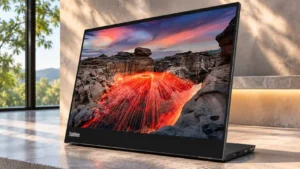
Overall: 3.9/5
At roughly 1.5 pounds and impressively thin, it is easy to transport without sacrificing display sharpness or hinge stability.
Pros: overall picture quality, Stylus usability
Cons: port selection, refresh rate
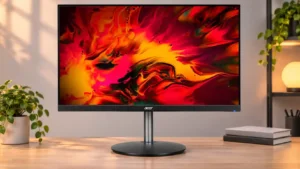
Overall: 3.7/5
Weighing under twelve pounds made the display easy enough to take to LAN parties or move between spaces.
Pros: adaptive sync performance, PC gaming compatibility
Cons: HDR performance, contrast

Overall: 4.1/5
Portability and weight earns praise as a useful part of the PA27JCV’s creator-focused design.
Pros: color accuracy, overall picture quality
Cons: HDR performance, refresh rate

Overall: 3.9/5
The 27-inch chassis was easy for one tester to handle during setup and felt lighter than several comparable displays.
Pros: Resolution, refresh rate
Cons: HDR performance, contrast

Overall: 3.8/5
The thin, fairly light construction makes repositioning the monitor easier than expected for a desktop 4K panel.
Pros: value for money, Resolution
Cons: port selection, HDR performance

Overall: 3.1/5
At least one owner finds the monitor light enough to move and set up repeatedly despite its larger screen size.
Pros: PC gaming compatibility, overall picture quality
Cons: overall satisfaction, Smart TV platform

Overall: 4.2/5
The slim, relatively light chassis is easier to reposition than its premium metal look suggests. This matters most if the monitor is moved regularly.
Pros: reflection handling, color gamut
Cons: value for money, brightness
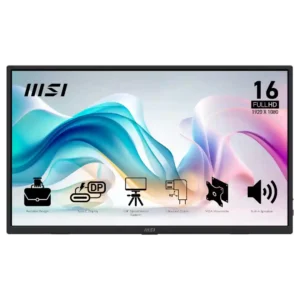
Overall: 4.1/5
Portability is one of the strongest points: reviewers repeatedly praise the thin, light chassis and easy fit in laptop bags or travel setups.
Pros: value for money, portability and weight
Cons: built-in speakers, color gamut
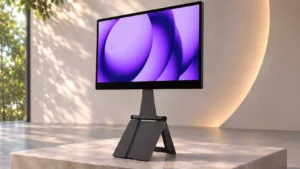
Overall: 4.3/5
Its thin aluminum body is easy to pack, especially compared with the larger Pro 17. The heavier metal construction and stand are the main carrying compromises.
Pros: overall satisfaction, stand adjustability
Cons: value for money, reflection handling

Overall: 4.3/5
The lighter, thinner enclosure is easier to move than earlier ProArt designs. A missing carrying handle is a small complaint for people who rearrange their workspace often.
Pros: USB-C power delivery, port selection
Cons: HDR performance, refresh rate

Overall: 4.2/5
The slim, relatively light body is convenient for taking the monitor to LAN sessions. The solid compact stand adds portability without much desk clutter.
Pros: refresh rate, overall satisfaction
Cons: value for money, port selection
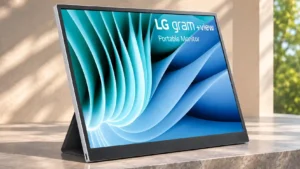
Overall: 3.8/5
The panel is unusually slim and light for its screen area, so it slips into a laptop bag; the folio adds noticeable carry weight.
Pros: portability and weight, overall satisfaction
Cons: port selection, Device compatibility
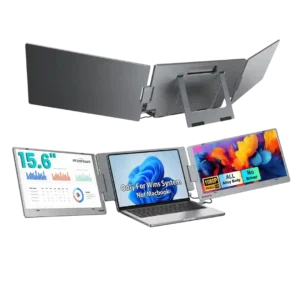
Overall: 4.2/5
Portability gets unusually split feedback. Many owners say it folds neatly, fits a laptop bag, and travels well, while experts and several customers point out the roughly 2.1–2.2 kg weight...
Pros: overall satisfaction, portability and weight
Cons: reliability over time
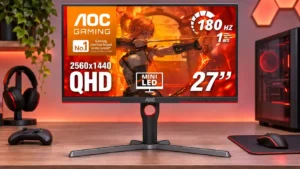
Overall: 3.9/5
Despite being fairly substantial, the display is manageable to set up and reposition; it is not a lightweight travel screen.
Pros: value for money, HDR performance
Cons: on-screen display usability, port selection

Overall: 3.7/5
The 27-inch size and manageable weight make repositioning it easier than moving a larger display. It still feels solid once placed on its desk stand.
Pros: glasses-free 3D quality, AI 2D-to-3D conversion
Cons: 3D compatible game library, value for money

Overall: 4.2/5
Despite its large screen, the monitor is considered manageable to relocate occasionally.
Pros: overall satisfaction, black levels
Cons: reflection handling, Color brightness
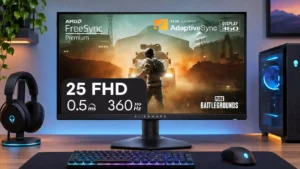
Overall: 3.9/5
The unboxing experience suggests a lighter-than-expected panel that is straightforward to lift and mount.
Pros: competitive gaming suitability, stand adjustability
Cons: color gamut, contrast

Overall: 4.2/5
The substantial build has some heft but is not considered unreasonably heavy for a large monitor.
Pros: overall picture quality, overall satisfaction
Cons: port selection, brightness

Overall: 4.2/5
It is manageable to assemble and reposition for a 32-inch desk display, though owners considering monitor arms should account for its weight.
Pros: port selection, overall satisfaction
Cons: value for money, competitive gaming suitability

Overall: 4.1/5
The lighter plastic chassis makes moving or mounting the monitor easier.
Pros: competitive gaming suitability, refresh rate
Cons: Dual-mode versatility, GPU demands

Overall: 3.6/5
The relatively light chassis is manageable for one person to reposition.
Pros: stand adjustability, competitive gaming suitability
Cons: value for money, port selection
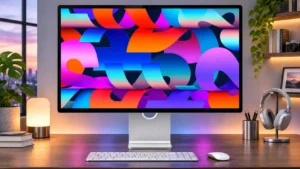
Overall: 3.7/5
One tester appreciates that the screen is light enough to carry, while another found the boxed unit and monitor cumbersome to move.
Pros: Monitor daisy-chaining, overall picture quality
Cons: value for money, refresh rate

Overall: 3.8/5
The screen itself is manageable to handle, but the heavy stand and wide foot can make rearranging a compact desk awkward.
Pros: value for money, Resolution
Cons: HDR performance, port selection

Overall: 4.1/5
Its unusually light body is manageable, but some monitor arms may need substantial tension adjustments to stay balanced.
Pros: USB hub functionality, USB-C power delivery
Cons: speaker quality

Overall: 4.0/5
The thin, relatively light assembly is easy to position and move, even if it feels less substantial than some heavier designs.
Pros: brightness, contrast
Cons: Text fringing, speaker quality

Overall: 4.0/5
This is a large, heavy display with a substantial base, so it is not especially portable. Its size also makes returns and desk placement more cumbersome than with a smaller...
Pros: overall satisfaction, productivity versatility
Cons: value for money, reliability over time

Overall: 4.4/5
This heavy 40-inch display is cumbersome to lift, position, or mount, and may require assistance or a stronger arm.
Pros: overall picture quality, color accuracy
Cons: value for money, built-in speakers

Overall: 4.0/5
At around 6.7kg with the stand, the unit may be too heavy for buyers prioritizing a lightweight monitor.
Pros: value for money, overall satisfaction
Cons: HDR performance, HDMI 2.1 support

Overall: 4.1/5
The 32-inch cabinet and robust stand are heavy, so this is best treated as a stationary desk display rather than one moved often.
Pros: value for money, Resolution
Cons: HDR performance, refresh rate
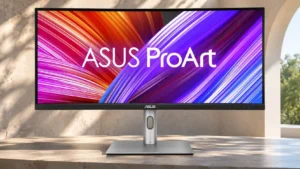
Overall: 3.9/5
At nearly 24 pounds, the monitor is heavy enough to make moving and installation less convenient.
Pros: color accuracy, value for money
Cons: color gamut, black levels

Overall: 4.2/5
The substantial screen and built-in power supply make this a heavy monitor to unpack and move, even if that heft accompanies sturdy construction.
Pros: overall satisfaction, black levels
Cons: value for money, stand adjustability

Overall: 4.4/5
The large, heavy panel is cumbersome to move between desks. It makes more sense as a permanent workstation display.
Pros: color accuracy, stand adjustability
Cons: built-in speakers, Desk footprint

Overall: 3.7/5
Heavy hardware, a broad panel and the need for a strong monitor arm make relocating or mounting it demanding.
Pros: value for money, black levels
Cons: refresh rate, portability and weight