
Overall: 4.2/5
The semi-glossy QD-OLED finish looks clearer and less grainy than many matte OLED coatings, with extra reflections as the tradeoff.
Pros: competitive gaming suitability, color gamut
Cons: brightness, HDMI 2.1 support

Overall: 4.2/5
The semi-glossy QD-OLED finish looks clearer and less grainy than many matte OLED coatings, with extra reflections as the tradeoff.
Pros: competitive gaming suitability, color gamut
Cons: brightness, HDMI 2.1 support

Overall: 4.0/5
The semiglossy surface gives images a clean, crisp look with little matte grain, provided room lighting is controlled.
Pros: value for money, overall satisfaction
Cons: HDR performance, HDMI 2.1 support

Overall: 3.7/5
The glossy finish gives blacks and colors extra depth, especially in controlled lighting.
Pros: value for money, black levels
Cons: refresh rate, portability and weight
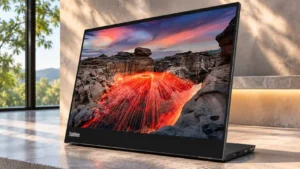
Overall: 3.9/5
The glossy coating gives images extra clarity versus the matte first-generation ThinkVision M14. The tradeoff is heavy glare in challenging light.
Pros: overall picture quality, Stylus usability
Cons: port selection, refresh rate

Overall: 4.0/5
The glossy coating gives an unusually clear, vibrant image compared with matte displays.
Pros: overall satisfaction, DisplayPort connectivity
Cons: value for money, reliability over time

Overall: 4.4/5
The semi-glossy finish keeps images crisp and colorful without the grain of heavy matte coatings, though it trades off some glare resistance.
Pros: color gamut, overall satisfaction
Cons: reflection handling, VRR flicker

Overall: 4.4/5
The lightly matte finish keeps reflections manageable without noticeably muddying text and images.
Pros: overall picture quality, color accuracy
Cons: value for money, built-in speakers

Overall: 4.2/5
The matte or semi-matte finish balances reduced reflections against slightly less crisp, glossy-looking detail. Preferences differ depending on lighting and sensitivity to coating texture.
Pros: refresh rate, overall satisfaction
Cons: value for money, port selection

Overall: 4.1/5
LuxPixel significantly reduces glare, but its diffusion can add a slightly hazy or grainy texture to fine text and white backgrounds. Preferences split between matte practicality and glossy punch.
Pros: color accuracy, overall picture quality
Cons: HDR performance, refresh rate

Overall: 4.4/5
The matte anti-glare finish reduces reflections but can slightly soften the picture or mute vividness relative to glass. Some users prefer the practical visibility tradeoff.
Pros: color accuracy, stand adjustability
Cons: built-in speakers, Desk footprint

Overall: 4.0/5
The matte finish controls mirror-like reflections with little obvious grain for some, but others prefer a glossy surface for maximum crispness.
Pros: refresh rate, competitive gaming suitability
Cons: value for money, brightness

Overall: 3.6/5
The semi-glossy finish produces a clean, striking image with minimal matte grain. Its reflections, smudges and cleaning sensitivity are the tradeoff.
Pros: overall satisfaction, brightness
Cons: Dolby Vision support, VRR flicker

Overall: 3.9/5
The matte-to-semi-gloss coating can reduce harsh reflections, though several testers notice graininess, haze or a less satisfying compromise than a truly clear glossy panel.
Pros: Resolution, refresh rate
Cons: HDR performance, contrast

Overall: 3.8/5
The matte coating contains moderate grain, a small clarity tradeoff for its anti-reflection properties.
Pros: value for money, Resolution
Cons: HDR performance, port selection
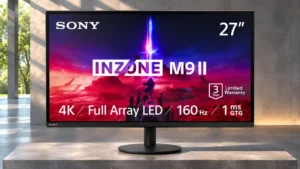
Overall: 3.9/5
One side-by-side test found the Sony’s matte screen notably hazier than a competing OLED, diminishing the expected crispness of 4K.
Pros: color gamut, stand adjustability
Cons: value for money, Bass reproduction