#1

Overall: 4.1/5
Viewing angles are consistently excellent, with little degradation when looking from the sides or sitting within the curve. The wide panel retains strong color and contrast across the image.
Pros: Resolution, overall satisfaction
Cons: value for money, GPU demands
#2

Overall: 4.2/5
Colors, contrast and detail hold up remarkably well off-axis, making the screen flexible to view from different positions.
Pros: HDR performance, DisplayPort connectivity
Cons: value for money, brightness
#3

Overall: 4.2/5
Off-axis color stays very consistent, though the gentle curve still favors sitting near the center.
Pros: refresh rate, HDR performance
Cons: reflection handling, Text fringing
#4

Overall: 4.3/5
Viewing angles are excellent, with little visible image degradation from off-center positions.
Pros: overall satisfaction, competitive gaming suitability
Cons: value for money, screen size
#5

Overall: 4.2/5
Colors and contrast remain strong from wide angles, without the obvious washout of many LCDs. That makes the image dependable off-axis.
Pros: reflection handling, color gamut
Cons: value for money, brightness
#6

Overall: 4.1/5
The IPS screen keeps the picture relatively consistent when viewed from the side, making it easier to work with someone seated nearby.
Pros: USB hub functionality, USB-C power delivery
Cons: speaker quality
#7

Overall: 4.1/5
Viewing angles are essentially perfect, with the image staying strong even from extreme off-axis positions.
Pros: motion clarity, PC gaming compatibility
Cons: color accuracy, software support
#8
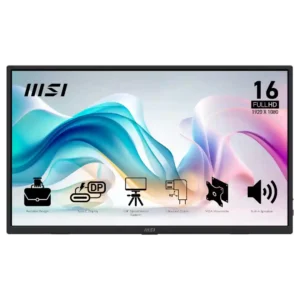
Overall: 4.1/5
Viewing angles are a strength of the IPS panel and are specifically praised for off-axis use.
Pros: value for money, portability and weight
Cons: built-in speakers, color gamut
#9

Overall: 4.4/5
The OLED panel maintains its picture well from off-center positions.
Pros: overall satisfaction, response time
Cons: reflection handling, VRR flicker
#10

Overall: 4.4/5
Wide viewing angles keep color and contrast consistent well off-center, making the image easy to appreciate from different positions.
Pros: sharpness, overall satisfaction
Cons: value for money, VRR flicker
#11

Overall: 4.3/5
Viewing angles received strong praise in the technical review that evaluated them directly.
Pros: value for money, sharpness
Cons: brightness, USB hub functionality
#12

Overall: 3.6/5
Typical IPS viewing angles remain wide and reliable despite the added contrast of IPS Black. The picture holds up well when viewed off center.
Pros: refresh rate, Dual-mode versatility
Cons: motion clarity, black levels
#13

Overall: 4.2/5
The IPS panel stays fairly consistent when viewed from the side, convenient for sharing a screen, though some colors change at extreme angles.
Pros: value for money, Resolution
Cons: port selection, competitive gaming suitability
#14

Overall: 3.8/5
The IPS panel maintains colors and detail impressively off-center, making it comfortable to view from different desk positions.
Pros: value for money, Resolution
Cons: port selection, HDR performance
#15
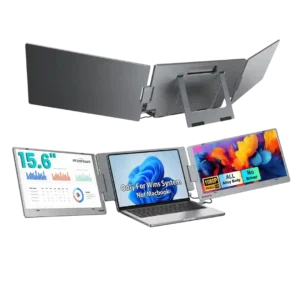
Overall: 4.2/5
Viewing angles are consistently strong. IPS panel behavior keeps colors stable from the side, which reviewers say works well for collaboration and shared viewing.
Pros: overall satisfaction, portability and weight
Cons: reliability over time
#16
Overall: 4.3/5
The IPS panel keeps colors and brightness consistent when viewed from the side, even at unusually wide angles.
Pros: overall satisfaction, stand adjustability
Cons: value for money, reflection handling
#17

Overall: 4.0/5
Its IPS image stays consistent off-axis and is favored for side viewing and shared-screen play.
Pros: overall satisfaction, refresh rate
Cons: HDR performance, HDMI 2.1 support
#18

Overall: 4.2/5
The picture stays appealing off-axis, with occasional subtle color tinting at wider angles.
Pros: overall satisfaction, black levels
Cons: reflection handling, Color brightness
#19

Overall: 4.1/5
Some owners see an impressively consistent image from the side, while a tester notes off-axis red or green tint.
Pros: overall satisfaction, value for money
Cons: reflection handling, screen uniformity
#20

Overall: 4.3/5
OLED viewing remains wide with little loss of image quality at ordinary off-axis positions, though one test noted a green tint at more extreme angles.
Pros: black levels, motion clarity
Cons: value for money, Dual-mode versatility
#21

Overall: 4.0/5
IPS colors stay relatively consistent from the side, although blooming and glow become more apparent in dark HDR scenes.
Pros: Dual-mode versatility, refresh rate
Cons: black levels, contrast
#22

Overall: 3.6/5
The IPS panel keeps colors and images usable off-axis, a routinely praised strength for desktop viewing.
Pros: refresh rate, value for money
Cons: HDR performance, contrast
#23

Overall: 3.7/5
Side views stay comparatively consistent, useful when other people watch or play nearby. A heavy anti-glare coating may still affect some viewing angles.
Pros: overall satisfaction, PC gaming compatibility
Cons: color accuracy, local dimming performance
#24
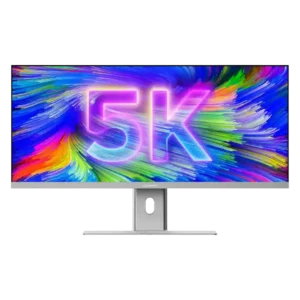
Overall: 4.3/5
The IPS panel generally keeps colors consistent from wide angles, but the extreme edges can appear darker from a centered seat. The issue is noticeable on uniform bright content rather...
Pros: productivity versatility, aspect ratio
Cons: built-in speakers, competitive gaming suitability
#25

Overall: 4.0/5
Off-axis picture consistency is generally strong for OLED, although some testing finds slight color shifts at extreme viewing angles.
Pros: brightness, contrast
Cons: Text fringing, speaker quality
#26

Overall: 3.9/5
The IPS screen is convenient to view beside a laptop rather than only straight-on.
Pros: brightness, portability and weight
Cons: value for money, port selection
#27

Overall: 4.2/5
Some evaluations find good off-axis color, while an account of several units reported pronounced yellow shifts even at mild angles.
Pros: port selection, USB hub functionality
Cons: competitive gaming suitability, motion clarity
#28

Overall: 4.1/5
Results are mixed: some see wide, dependable IPS angles, while others report more off-axis change due to the matte coating.
Pros: value for money, Resolution
Cons: HDR performance, refresh rate
#29

Overall: 4.2/5
The curve helps off-angle viewing more than some expect, but sharing the panel from beside the primary user is less convenient than on wider-angle IPS alternatives.
Pros: overall satisfaction, screen size
Cons: stand adjustability, Photo editing
#30

Overall: 4.2/5
Wide-angle picture quality is generally good, but distracting green tint shifts can affect some panels even near the center.
Pros: port selection, overall satisfaction
Cons: value for money, competitive gaming suitability
#31
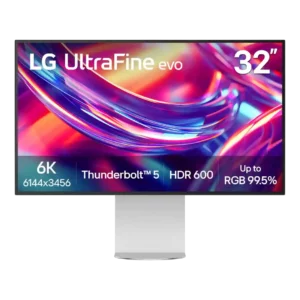
Overall: 3.9/5
Viewing angles are generally good for a large IPS display, though one unit showed visible banding from the side. Off-axis behavior is acceptable overall but not flawless.
Pros: port selection, overall satisfaction
Cons: value for money, cable management
#32

Overall: 4.2/5
Typical IPS breadth is compromised by off-axis glow and brightness shifts, especially with local dimming in darker scenes.
Pros: HDR performance, overall satisfaction
Cons: HDR highlight detail, color accuracy
#33

Overall: 4.1/5
IPS viewing angles are serviceable at a normal desk position, but oblique views can shift brightness or color compared with more uniform displays.
Pros: Pixel density, Resolution
Cons: GPU demands, HDR performance
#34

Overall: 3.6/5
Off-axis quality is generally decent, though one direct comparison found colors wash out faster than on an older LG OLED.
Pros: reflection handling, HDR performance
Cons: screen uniformity, Screen coating clarity
#35

Overall: 4.1/5
VA off-axis color loss can be noticeable, particularly for co-op, even though one user found the angle range surprisingly good.
Pros: value for money, overall satisfaction
Cons: HDR performance, Headphone output quality
#36

Overall: 3.7/5
The IPS panel is usable head-on but can lose brightness or shift color as the viewer moves off-axis. Stereo viewing is even more dependent on staying within the tracking range.
Pros: glasses-free 3D quality, AI 2D-to-3D conversion
Cons: 3D compatible game library, value for money
#37

Overall: 4.2/5
VA off-axis fade is a persistent drawback: image contrast and color noticeably weaken as you move away from center.
Pros: brightness, HDR performance
Cons: speaker quality, built-in speakers
#38

Overall: 3.9/5
Viewing angles are a clear VA limitation, with color and brightness shifts from the sides; some users find them tolerable at normal distances.
Pros: HDR performance, black levels
Cons: viewing angles, response time
#39

Overall: 3.7/5
Off-center color and brightness shifts are repeatedly noted, and even the corners can look uneven from a close seat. It works best when viewed head-on.
Pros: value for money, Resolution
Cons: stand adjustability, viewing angles
#40

Overall: 3.7/5
Colors and brightness fade noticeably off center, making the screen best used directly in front of the curve.
Pros: ultrawide gaming experience, black levels
Cons: HDR performance, viewing angles
