
Overall: 4.2/5
Wide OLED viewing angles maintain color and contrast well when the screen is viewed away from center.
Pros: competitive gaming suitability, color gamut
Cons: brightness, HDMI 2.1 support

Overall: 4.2/5
Wide OLED viewing angles maintain color and contrast well when the screen is viewed away from center.
Pros: competitive gaming suitability, color gamut
Cons: brightness, HDMI 2.1 support

Overall: 4.0/5
Color and contrast remain impressively stable when viewed from off center, consistent with the strengths of OLED.
Pros: value for money, overall satisfaction
Cons: HDR performance, HDMI 2.1 support

Overall: 4.4/5
Colors and contrast hold up impressively from off-center positions, giving a forgiving viewing sweet spot.
Pros: color gamut, overall satisfaction
Cons: reflection handling, VRR flicker

Overall: 4.0/5
Colors and contrast remain strong from off-axis seating, especially when compared with some newer WOLED alternatives.
Pros: refresh rate, competitive gaming suitability
Cons: value for money, brightness

Overall: 4.0/5
OLED viewing angles remain excellent, with very little color change at oblique positions.
Pros: overall satisfaction, DisplayPort connectivity
Cons: value for money, reliability over time
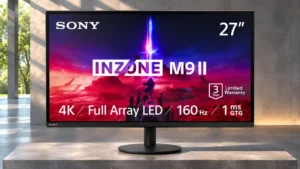
Overall: 3.9/5
The IPS panel stays readable and colorful from the side, making shared viewing and off-center play easier.
Pros: color gamut, stand adjustability
Cons: value for money, Bass reproduction

Overall: 4.4/5
Its IPS-style wide viewing angles keep images fairly consistent when seen from off-center positions.
Pros: overall picture quality, color accuracy
Cons: value for money, built-in speakers

Overall: 4.0/5
Viewing angles are excellent, maintaining comfortable visibility and color consistency even when the viewer is not centered. This is one of the practical advantages of the IPS-based panel.
Pros: overall satisfaction, productivity versatility
Cons: value for money, reliability over time

Overall: 3.6/5
The IPS panel keeps color and detail readable from the side, a useful advantage for shared viewing.
Pros: stand adjustability, competitive gaming suitability
Cons: value for money, port selection

Overall: 3.1/5
The IPS screen holds up well from off-center seats, helpful when sharing the display or looking at it from different positions.
Pros: PC gaming compatibility, overall picture quality
Cons: overall satisfaction, Smart TV platform

Overall: 4.4/5
The IPS panel holds its image reasonably well from the side. Stable viewing angles also help when the screen is rotated or shared.
Pros: color accuracy, stand adjustability
Cons: built-in speakers, Desk footprint
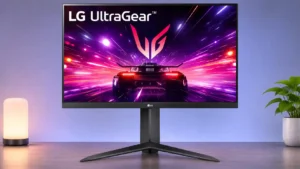
Overall: 3.3/5
The IPS image holds up well when viewed from an angle. That helps when the screen is rotated or used off-center.
Pros: adaptive sync performance, response time
Cons: HDR performance, console gaming compatibility

Overall: 4.2/5
OLED viewing angles remain strong, preserving a pleasant picture away from the center. Most setups benefit more from the easy stand repositioning than shared viewing.
Pros: refresh rate, overall satisfaction
Cons: value for money, port selection

Overall: 3.6/5
Colors and contrast remain impressively consistent off-axis, preserving the image quality when seated away from center.
Pros: overall satisfaction, brightness
Cons: Dolby Vision support, VRR flicker

Overall: 3.9/5
Typical IPS viewing angles are usable for nearby viewers and broad desktop positioning, though very wide angles and dark scenes can wash out.
Pros: Resolution, refresh rate
Cons: HDR performance, contrast

Overall: 3.8/5
IPS viewing angles are broad enough to comfortably share the image, even if off-axis performance is not a class leader.
Pros: value for money, Resolution
Cons: HDR performance, port selection

Overall: 4.1/5
Viewing angles is a situational tradeoff rather than a clear reason to buy this display.
Pros: color accuracy, overall picture quality
Cons: HDR performance, refresh rate