#1

Overall: 4.2/5
The unusually large hub can replace separate USB expansion hardware and provide quick-access front ports. Simultaneous peripheral use is generally excellent, subject to bandwidth limits.
Pros: port selection, USB hub functionality
Cons: competitive gaming suitability, motion clarity
#2

Overall: 4.1/5
Three USB-A downstream ports help connect desktop peripherals, and their utility is enhanced by the KVM system.
Pros: Pixel density, Resolution
Cons: GPU demands, HDR performance
#3

Overall: 4.1/5
Two USB-A ports are handy for wireless dongles and other PC peripherals.
Pros: overall satisfaction, value for money
Cons: reflection handling, screen uniformity
#4

Overall: 4.2/5
Numerous fast USB connections handle peripherals, drives, and charging in one place instead of needing a separate hub.
Pros: port selection, overall satisfaction
Cons: value for money, competitive gaming suitability
#5

Overall: 4.2/5
The downstream USB ports extend convenience to peripherals and capture devices, especially when switching computers with KVM.
Pros: HDR performance, DisplayPort connectivity
Cons: value for money, brightness
#6

Overall: 4.4/5
The built-in USB hub keeps keyboards and mice connected to the display and cuts down on cable runs to a desktop PC.
Pros: sharpness, overall satisfaction
Cons: value for money, VRR flicker
#7

Overall: 4.1/5
The USB hub is one of its best features. Ports on the back and a retractable front-facing pair make it easy to connect laptops and temporary accessories.
Pros: USB hub functionality, USB-C power delivery
Cons: speaker quality
#8

Overall: 4.2/5
The extra USB ports give peripherals a handy home, and the KVM improves their usefulness across connected computers.
Pros: overall satisfaction, black levels
Cons: reflection handling, Color brightness
#9

Overall: 4.2/5
The practical hub and its retractable ports are major reasons to choose this model over the port-light S2725QS. It does not provide KVM switching.
Pros: value for money, Resolution
Cons: port selection, competitive gaming suitability
#10

Overall: 4.2/5
The USB-A connections provide practical peripheral access, including useful powered-port scenarios. They are welcome but do not replace a laptop dock.
Pros: reflection handling, color gamut
Cons: value for money, brightness
#11

Overall: 4.2/5
USB-A and upstream connectivity make everyday peripherals easier to share between connected computers.
Pros: brightness, HDR performance
Cons: speaker quality, built-in speakers
#12

Overall: 4.1/5
The two USB-A ports and USB-B upstream connection add useful peripheral passthrough, particularly for busy console setups.
Pros: value for money, overall satisfaction
Cons: HDR performance, Headphone output quality
#13

Overall: 4.2/5
Convenient front-facing pop-out connections and a helpful USB-C hub are popular; the 5Gbps transfer ceiling is less compelling for high-speed storage.
Pros: overall satisfaction, screen size
Cons: stand adjustability, Photo editing
#14
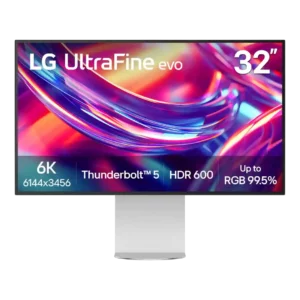
Overall: 3.9/5
The built-in USB-C and Thunderbolt hub can replace part of a desktop dock, supporting accessories and daisy-chained devices. Most reviewers find it useful, though one reported intermittent keyboard lag and...
Pros: port selection, overall satisfaction
Cons: value for money, cable management
#15
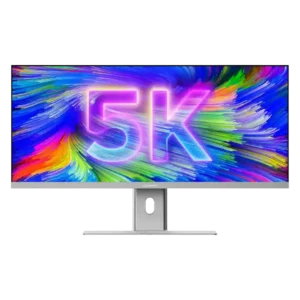
Overall: 4.3/5
The integrated dock is highly convenient for video, Ethernet, charging, and basic peripherals. Its downstream USB-C ports run at slow USB 2.0 speeds, so it cannot replace a high-performance Thunderbolt...
Pros: productivity versatility, aspect ratio
Cons: built-in speakers, competitive gaming suitability
#16

Overall: 4.1/5
Integrated peripheral ports make the monitor a practical desk hub, although power users may find the usable USB count insufficient.
Pros: value for money, Resolution
Cons: HDR performance, refresh rate
#17

Overall: 3.7/5
Two easy-to-reach USB-A ports provide handy peripheral passthrough when connected upstream to the PC.
Pros: ultrawide gaming experience, black levels
Cons: HDR performance, viewing angles
#18

Overall: 4.4/5
The pair of USB-A downstream sockets helps connect basic peripherals, but does not substitute for USB-C docking or a KVM.
Pros: overall satisfaction, response time
Cons: reflection handling, VRR flicker
#19

Overall: 4.1/5
USB-C, upstream USB-B, and downstream USB-A ports provide practical hub connectivity. USB-C power delivery is limited to 18W.
Pros: motion clarity, PC gaming compatibility
Cons: color accuracy, software support
#20

Overall: 3.7/5
A USB upstream connection activates additional ports and the tracking hardware. It is a practical convenience, even if a dedicated USB-C laptop connection is absent.
Pros: glasses-free 3D quality, AI 2D-to-3D conversion
Cons: 3D compatible game library, value for money
#21

Overall: 4.0/5
Two USB-A ports handle basic accessories or device charging; their usefulness is undercut by varying opinions about placement.
Pros: overall satisfaction, refresh rate
Cons: HDR performance, HDMI 2.1 support
#22

Overall: 4.3/5
The two-port USB hub is useful for peripherals and hard-to-reach PCs, but it is a basic hub rather than a high-end docking solution.
Pros: overall satisfaction, competitive gaming suitability
Cons: value for money, screen size
#23

Overall: 4.0/5
The USB hub and KVM are convenient for basic peripherals, but two downstream ports can feel limiting.
Pros: brightness, contrast
Cons: Text fringing, speaker quality
#24

Overall: 4.2/5
The small USB-C hub is handy for accessories and charging, but it is not a replacement for a full docking station.
Pros: overall picture quality, overall satisfaction
Cons: port selection, brightness
#25

Overall: 4.2/5
Two downstream ports provide useful peripheral connectivity, though their speed and limited count earned differing assessments.
Pros: HDR performance, overall satisfaction
Cons: HDR highlight detail, color accuracy
#26

Overall: 4.0/5
The onboard hub and KVM are convenient for input devices, but USB 2.0 data speed is poor for external storage.
Pros: Dual-mode versatility, refresh rate
Cons: black levels, contrast
#27

Overall: 3.5/5
The USB hub is handy for peripherals, but its routing through the USB-C input limits some multi-computer setups.
Pros: HDR performance, overall satisfaction
Cons: local dimming performance, Blooming control
#28

Overall: 4.1/5
The two USB-A downstream ports can handle basic peripherals, but their data path relies on the USB-C connection. The arrangement is less convenient than a fuller desktop hub.
Pros: Resolution, overall satisfaction
Cons: value for money, GPU demands
#29

Overall: 4.3/5
USB hub functionality was mixed to weak: convenient ports helped, but 15W USB-C, no USB-C display input, and no KVM were recurring limits.
Pros: value for money, sharpness
Cons: brightness, USB hub functionality
#30

Overall: 4.2/5
The USB-A/USB-C hub is convenient for a couple of peripherals but too limited for a fully connected desk.
Pros: refresh rate, HDR performance
Cons: reflection handling, Text fringing
#31

Overall: 3.6/5
The two downstream USB-A connections are useful once the upstream cable reaches a PC. They cannot function or charge devices independently from the monitor.
Pros: refresh rate, Dual-mode versatility
Cons: motion clarity, black levels
#32

Overall: 3.6/5
The absence of a USB hub is a repeated drawback, especially beside alternatives that offer easy peripheral connections.
Pros: refresh rate, value for money
Cons: HDR performance, contrast
#33

Overall: 3.9/5
No USB data hub is built in, limiting peripheral connection and laptop versatility.
Pros: HDR performance, black levels
Cons: viewing angles, response time
#34

Overall: 3.7/5
There is no USB hub, which is inconvenient for keyboards, peripherals, and laptop-based workflows.
Pros: overall satisfaction, PC gaming compatibility
Cons: color accuracy, local dimming performance
#35

Overall: 3.8/5
No integrated hub means keyboard, mouse and storage accessories must connect to a PC or a separate dock.
Pros: value for money, Resolution
Cons: port selection, HDR performance
#36

Overall: 3.7/5
The missing USB hub is a widely criticized omission for a productivity monitor. It cannot take over USB peripheral connections or laptop docking.
Pros: value for money, Resolution
Cons: stand adjustability, viewing angles
