#1

Overall: 4.4/5
The integrated USB hub conveniently handles storage, microphones, cameras, and other desk accessories. It can replace part of a separate docking station.
Pros: color accuracy, stand adjustability
Cons: built-in speakers, Desk footprint
#2

Overall: 4.4/5
The integrated hub supplies more useful USB connections than typical work monitors, reducing the need for separate accessories.
Pros: overall picture quality, color accuracy
Cons: value for money, built-in speakers
#3

Overall: 4.0/5
The integrated USB/Thunderbolt hub is one of the strongest reasons to buy this monitor. Owners repeatedly praise being able to keep peripherals connected through the display and reduce dependence on...
Pros: overall satisfaction, productivity versatility
Cons: value for money, reliability over time
#4

Overall: 4.0/5
The faster USB hub and shared peripheral connections are helpful for workstations, especially alongside KVM switching.
Pros: overall satisfaction, DisplayPort connectivity
Cons: value for money, reliability over time
#5

Overall: 4.4/5
Three USB-A ports and the upstream connections add useful peripheral access, especially alongside the KVM for a two-computer desk.
Pros: color gamut, overall satisfaction
Cons: reflection handling, VRR flicker
#6

Overall: 4.1/5
The built-in hub is useful for low-speed peripherals and a second computer, but it cannot replace a faster Thunderbolt dock for storage-heavy workflows.
Pros: color accuracy, overall picture quality
Cons: HDR performance, refresh rate
#7

Overall: 4.2/5
A useful downstream USB-A and USB-C arrangement keeps mouse and keyboard peripherals handy, though it does not turn the monitor into a USB-C laptop dock.
Pros: competitive gaming suitability, color gamut
Cons: brightness, HDMI 2.1 support
#8
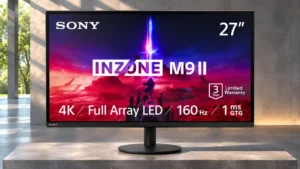
Overall: 3.9/5
USB-A ports accommodate commonplace peripherals, although the missing USB-C connection makes the hub less useful for modern laptop docking.
Pros: color gamut, stand adjustability
Cons: value for money, Bass reproduction
#9

Overall: 3.9/5
Several USB-A ports plus a downstream USB-C socket make accessory connections practical, but the hub is not a substitute for full USB-C display docking.
Pros: Resolution, refresh rate
Cons: HDR performance, contrast
#10

Overall: 4.0/5
The two rear USB-A ports help connect desktop peripherals, but a USB-B upstream cable and limited switching flexibility hold back more complex workflows.
Pros: value for money, overall satisfaction
Cons: HDR performance, HDMI 2.1 support
#11

Overall: 3.1/5
A small built-in USB hub adds peripheral convenience, though the USB-B upstream connection is less versatile than USB-C docking.
Pros: PC gaming compatibility, overall picture quality
Cons: overall satisfaction, Smart TV platform
#12

Overall: 4.0/5
Two USB-A ports are handy for a mouse and keyboard, but the limited hub and missing USB-C do not replace a fuller workstation dock.
Pros: refresh rate, competitive gaming suitability
Cons: value for money, brightness
#13

Overall: 3.6/5
Several USB-A ports plus a downstream USB-C port are handy for peripherals, but the hub cannot replace a full docking solution.
Pros: overall satisfaction, brightness
Cons: Dolby Vision support, VRR flicker
#14

Overall: 4.2/5
The USB-A hub can handle wired peripherals, but offers less convenience than rivals with USB-C or fuller docking features. It is functional rather than exceptional.
Pros: refresh rate, overall satisfaction
Cons: value for money, port selection
#15
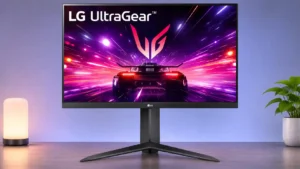
Overall: 3.3/5
There is no USB hub, so keyboard, mouse, and other peripherals need connections elsewhere. Rivals offer more convenience here.
Pros: adaptive sync performance, response time
Cons: HDR performance, console gaming compatibility
#16

Overall: 3.6/5
There is no practical USB hub for connecting a keyboard, mouse or other peripherals directly to the monitor.
Pros: stand adjustability, competitive gaming suitability
Cons: value for money, port selection
#17

Overall: 3.8/5
There are no downstream USB-A ports, making the monitor disappointing as a peripheral hub or simplified docking station.
Pros: value for money, Resolution
Cons: HDR performance, port selection
