
Overall: 4.4/5
The integrated USB hub can replace some desktop adapters and keeps frequently used peripherals connected through the monitor.
Pros: port selection, color accuracy
Cons: built-in speakers, speaker quality

Overall: 4.4/5
The integrated USB hub can replace some desktop adapters and keeps frequently used peripherals connected through the monitor.
Pros: port selection, color accuracy
Cons: built-in speakers, speaker quality
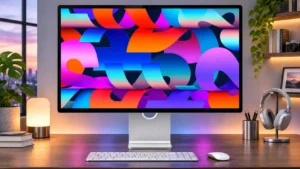
Overall: 3.7/5
The four rear USB-C/Thunderbolt ports simplify attached storage and accessories, although they are not as varied as the hubs on competing monitors.
Pros: Monitor daisy-chaining, overall picture quality
Cons: value for money, refresh rate

Overall: 4.5/5
A cluster of USB-A ports plus USB-C and KVM support adds practical peripheral flexibility, with more ports than some rivals.
Pros: color gamut, contrast
Cons: value for money, Resolution

Overall: 4.3/5
The peripheral hub adds helpful connections beyond the display inputs. Its convenient companion ports suit a desk with several wired accessories.
Pros: overall satisfaction, Text fringing
Cons: brightness, Edge dimming behavior

Overall: 4.4/5
Downstream USB ports help consolidate peripherals, although their throughput is modest for high-speed storage.
Pros: refresh rate, Text fringing
Cons: Resolution, GPU demands

Overall: 4.3/5
The built-in Thunderbolt and USB hub is one of the monitor's greatest strengths, often replacing a separate dock. High-speed rear ports, front pop-out connections, charging, Ethernet, and laptop power make...
Pros: productivity versatility, overall satisfaction
Cons: value for money, response time

Overall: 4.4/5
The two-port USB hub and built-in KVM make it easy to share a keyboard and mouse between systems. USB-C also supports a practical single-cable laptop connection.
Pros: brightness, reflection handling
Cons: cable management
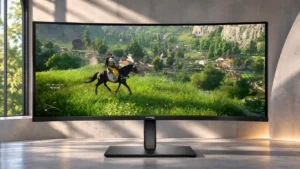
Overall: 4.4/5
USB hub connectivity adds welcome peripheral ports and helps tidy a mixed gaming and productivity desk.
Pros: refresh rate, color accuracy
Cons: console gaming compatibility, DisplayPort connectivity

Overall: 4.3/5
The USB hub conveniently accommodates peripheral input devices and supports a cleaner multi-device desk setup.
Pros: black levels, sharpness
Cons: value for money, brightness

Overall: 4.4/5
The built-in USB hub is practical, with easily reached USB-A and USB-C ports for peripherals and charging. Placement under the front edge is convenient for temporary devices but awkward for...
Pros: productivity versatility, aspect ratio
Cons: value for money, competitive gaming suitability

Overall: 4.4/5
The small hub is handy for peripherals and light charging, but two downstream ports and one upstream connection are basic for the class.
Pros: brightness, value for money
Cons: port selection, built-in speakers

Overall: 3.9/5
The built-in USB-A ports provide convenient places for simple peripherals and receiver dongles.
Pros: brightness, color gamut
Cons: AI scene optimization, value for money

Overall: 4.1/5
The two USB-A ports can serve connected peripherals, and compatible USB-C devices can use the hub through a single cable. Data bandwidth may trade off against maximum video mode.
Pros: PC gaming compatibility, reflection handling
Cons: color accuracy, VRR flicker

Overall: 3.9/5
The three USB-A connections are useful for accessories, even though the monitor offers no USB-C docking.
Pros: motion clarity, Backlight strobing
Cons: contrast, HDR performance

Overall: 4.1/5
The built-in USB ports add convenience for peripherals alongside the display inputs.
Pros: competitive gaming suitability, refresh rate
Cons: Dual-mode versatility, GPU demands

Overall: 4.2/5
The USB-A connections are useful for peripherals and KVM workflows, but one tester notes that the hub cannot replace every direct PC or console connection.
Pros: overall satisfaction, black levels
Cons: value for money, stand adjustability

Overall: 4.1/5
The small USB-A hub adds convenience, although routing its upstream signal through USB-C may complicate some desktop/laptop combinations.
Pros: Resolution, overall satisfaction
Cons: value for money, Image scaling

Overall: 4.0/5
Two downstream USB-A ports are useful for basic accessories but form a limited hub. More demanding multi-device desks benefit from a proper docking station.
Pros: Resolution, Dual-mode versatility
Cons: value for money, GPU demands

Overall: 3.5/5
A couple of USB-A data ports offer basic peripheral connectivity, but the hub feels limited for a premium productivity-capable monitor.
Pros: Resolution, sharpness
Cons: value for money, HDR performance
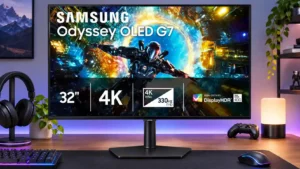
Overall: 3.8/5
Missing USB hub connectivity is a recurring complaint given the price and what competing OLED monitors offer.
Pros: overall satisfaction, contrast
Cons: value for money, port selection

Overall: 4.3/5
There is no USB hub, a repeated omission that limits peripheral connectivity and weakens the monitor’s productivity appeal.
Pros: color gamut, overall picture quality
Cons: brightness, HDR performance

Overall: 3.8/5
There is no USB hub or peripheral passthrough, a notable convenience sacrifice for anyone hoping to consolidate desk connections.
Pros: value for money, panel type
Cons: brightness, port selection
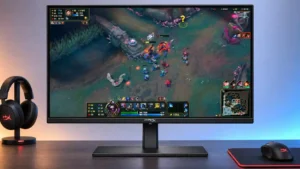
Overall: 4.1/5
There is no USB hub, so peripherals need to connect to a PC or a separate dock instead.
Pros: black levels, overall picture quality
Cons: brightness, Gaming feature selection