
Overall: 4.1/5
FreeSync and G-SYNC compatibility keep motion fluid with minimal tearing and stutter. Adaptive sync works effectively across different refresh settings.
Pros: Resolution, overall satisfaction
Cons: value for money, GPU demands

Overall: 4.1/5
FreeSync and G-SYNC compatibility keep motion fluid with minimal tearing and stutter. Adaptive sync works effectively across different refresh settings.
Pros: Resolution, overall satisfaction
Cons: value for money, GPU demands

Overall: 4.1/5
G-SYNC and FreeSync support provide responsive, tear-free gaming, including compatibility with a motion-blur reduction mode.
Pros: Pixel density, Resolution
Cons: GPU demands, HDR performance

Overall: 4.2/5
G-SYNC and FreeSync support keep fast gameplay fluid and reduce tearing, although OLED flicker can remain an issue when frame rates fluctuate.
Pros: refresh rate, HDR performance
Cons: reflection handling, Text fringing

Overall: 4.3/5
Adaptive sync and G-Sync/FreeSync support were praised for smoothing frames and reducing tearing.
Pros: value for money, sharpness
Cons: brightness, USB hub functionality

Overall: 4.1/5
FreeSync and G-SYNC compatibility reduce tearing across changing game frame rates. Variable-refresh flicker can still appear in dark, low-frame-rate scenes.
Pros: overall satisfaction, value for money
Cons: reflection handling, screen uniformity

Overall: 4.3/5
VRR support works across a broad refresh range, with consistently fast OLED response; its main caveat is possible flicker during frame-rate swings.
Pros: black levels, motion clarity
Cons: value for money, Dual-mode versatility

Overall: 3.6/5
Gameplay benefits from smooth, tear-free variable refresh over a broad frame-rate range. Brightness stability is generally good, with some higher-mode flicker caveats.
Pros: refresh rate, Dual-mode versatility
Cons: motion clarity, black levels

Overall: 3.7/5
FreeSync and G-Sync compatibility help conventional gaming stay smooth and tear-free. These benefits apply to standard play, not all of the specialized 3D display modes.
Pros: glasses-free 3D quality, AI 2D-to-3D conversion
Cons: 3D compatible game library, value for money

Overall: 4.4/5
Broad adaptive-sync support generally keeps frame delivery smooth across different graphics cards. Uneven frame rates can still trigger OLED flicker.
Pros: sharpness, overall satisfaction
Cons: value for money, VRR flicker

Overall: 4.1/5
VRR keeps action tear-free and fluid in ordinary games, although one account notes that moving objects become slightly less crisp when it is enabled.
Pros: value for money, overall satisfaction
Cons: HDR performance, Headphone output quality

Overall: 4.2/5
FreeSync and other VRR support help keep PC and console gaming free of obvious tearing, although variable refresh does not correct motion blur.
Pros: value for money, Resolution
Cons: port selection, competitive gaming suitability

Overall: 3.5/5
One PC gaming report found no obvious tearing or VRR issues, though other experiences identify occasional signal instability.
Pros: HDR performance, overall satisfaction
Cons: local dimming performance, Blooming control

Overall: 4.2/5
VRR works across the refresh range without the obvious flicker sometimes seen on competing panels.
Pros: HDR performance, overall satisfaction
Cons: HDR highlight detail, color accuracy

Overall: 4.2/5
FreeSync generally works smoothly and G-Sync also functions in testing, helping games avoid tearing at supported frame rates.
Pros: overall picture quality, overall satisfaction
Cons: port selection, brightness

Overall: 3.6/5
FreeSync Premium and G-SYNC-compatible operation are described as keeping PC gameplay smoother and reducing tearing, although PS5 variable-refresh support is a separate limitation.
Pros: refresh rate, value for money
Cons: HDR performance, contrast

Overall: 4.0/5
FreeSync and G-SYNC generally keep motion smooth, with some settings designed to tame frame-rate swings. Adaptive sync still shares OLED’s potential for visible flicker.
Pros: brightness, contrast
Cons: Text fringing, speaker quality

Overall: 3.7/5
FreeSync support is praised for smoother, tear-resistant play; one user wished its lower refresh range extended further.
Pros: value for money, Resolution
Cons: stand adjustability, viewing angles

Overall: 4.1/5
G-Sync and VRR generally prevent tearing and preserve response consistency across refresh rates. Low, unstable frame rates can still produce OLED flicker.
Pros: motion clarity, PC gaming compatibility
Cons: color accuracy, software support

Overall: 3.6/5
FreeSync and G-SYNC compatibility keep motion fluid across supported PCs. Large frame-rate swings can still produce visible flicker in dark scenes.
Pros: reflection handling, HDR performance
Cons: screen uniformity, Screen coating clarity

Overall: 4.3/5
Adaptive sync is usually smooth and tear-free across Nvidia and AMD GPUs, but one test found conspicuous VRR flicker in dark and mid-tone scenes. Samsung’s VRR Control can help, though...
Pros: overall satisfaction, competitive gaming suitability
Cons: value for money, screen size

Overall: 3.7/5
Variable refresh is supported over both major video connections and helps avoid tearing across a broad gaming frame-rate range.
Pros: overall satisfaction, PC gaming compatibility
Cons: color accuracy, local dimming performance

Overall: 3.9/5
Adaptive Sync works smoothly for some gamers across a broad refresh range. Dark, fluctuating frame rates can still cause flicker, making the experience more conditional than the spec sheet suggests.
Pros: HDR performance, black levels
Cons: viewing angles, response time

Overall: 4.2/5
FreeSync and VRR help keep action smooth when frame rates fluctuate. Some setups may require tweaking VRR Control because flicker can be noticeable.
Pros: reflection handling, color gamut
Cons: value for money, brightness

Overall: 3.8/5
FreeSync and compatible variable-refresh operation reduce tearing and improve smoothness, though changing refresh rates expose limitations in pixel-response tuning.
Pros: value for money, Resolution
Cons: port selection, HDR performance

Overall: 4.1/5
FreeSync-style variable refresh is a worthwhile extra at this price, particularly for occasional gaming rather than competitive play.
Pros: USB hub functionality, USB-C power delivery
Cons: speaker quality

Overall: 3.7/5
Variable refresh reduces tearing and stays reasonably consistent across refresh rates. It can also worsen smearing and flicker when frame rates fluctuate.
Pros: ultrawide gaming experience, black levels
Cons: HDR performance, viewing angles

Overall: 4.2/5
Variable refresh helps avoid tearing and stutter when frame rates vary, but dark-scene flicker creates a meaningful tradeoff.
Pros: overall satisfaction, black levels
Cons: reflection handling, Color brightness

Overall: 4.0/5
Variable refresh avoids tearing and works seamlessly for some, but testing also found extra blur when VRR was turned on.
Pros: overall satisfaction, refresh rate
Cons: HDR performance, HDMI 2.1 support

Overall: 4.4/5
G-SYNC and FreeSync work well for variable-frame-rate gaming, though using stronger anti-flicker modes can narrow the effective VRR range.
Pros: overall satisfaction, response time
Cons: reflection handling, VRR flicker

Overall: 4.0/5
Adaptive refresh helps prevent tearing, but overshoot becomes more noticeable at lower refresh rates.
Pros: Dual-mode versatility, refresh rate
Cons: black levels, contrast

Overall: 4.2/5
FreeSync and G-SYNC-compatible operation can reduce tearing, but dark-scene flicker makes results less consistent than the feature list suggests.
Pros: brightness, HDR performance
Cons: speaker quality, built-in speakers

Overall: 4.2/5
Variable refresh support adds flexibility, but settings that should improve gaming sometimes introduce visible artifacts. Smooth 120Hz scrolling is more convincing than the adaptive-sync gaming experience.
Pros: port selection, USB hub functionality
Cons: competitive gaming suitability, motion clarity

Overall: 4.1/5
Adaptive-Sync is present, but its narrow operating range and incompatibility with overdrive limit the benefit for action games. It is more useful for modest media playback smoothness.
Pros: value for money, Resolution
Cons: HDR performance, refresh rate
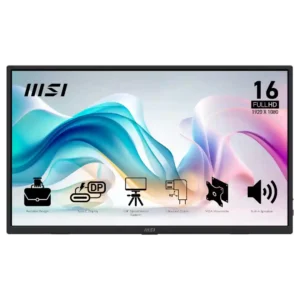
Overall: 4.1/5
Adaptive Sync is absent, and that limitation contributes to merely tolerable motion performance. Buyers focused on variable-refresh gaming should look elsewhere.
Pros: value for money, portability and weight
Cons: built-in speakers, color gamut