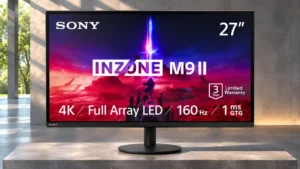
Overall: 3.9/5
G-Sync and adaptive synchronization help keep motion smooth and prevent tearing as rendering speed changes.
Pros: color gamut, stand adjustability
Cons: value for money, Bass reproduction

Overall: 3.9/5
G-Sync and adaptive synchronization help keep motion smooth and prevent tearing as rendering speed changes.
Pros: color gamut, stand adjustability
Cons: value for money, Bass reproduction

Overall: 4.2/5
G-Sync, FreeSync, and adaptive refresh smooth frame delivery across supported PC hardware. This helps when games cannot sustain the full 480 fps.
Pros: refresh rate, overall satisfaction
Cons: value for money, port selection

Overall: 3.8/5
FreeSync and G-Sync support help keep gameplay smooth across changing frame rates. Variable overdrive also keeps artifacts in check as refresh falls.
Pros: value for money, Resolution
Cons: HDR performance, port selection

Overall: 4.4/5
Adaptive refresh has worked reliably over tested connections, keeping compatible games free of tearing and stutter.
Pros: overall picture quality, color accuracy
Cons: value for money, built-in speakers

Overall: 3.7/5
FreeSync and G-Sync compatibility help keep racing and other fast games fluid, with one hands-on account finding smooth play without tearing.
Pros: value for money, black levels
Cons: refresh rate, portability and weight

Overall: 4.0/5
G-SYNC and adaptive sync generally keep gameplay tear-free, including at the full 240Hz. One owner found an aiming-overlay mode disabled adaptive sync.
Pros: overall satisfaction, DisplayPort connectivity
Cons: value for money, reliability over time

Overall: 3.9/5
G-SYNC and variable refresh operation are generally praised for smooth, tear-free play across the monitor's resolution modes.
Pros: Resolution, refresh rate
Cons: HDR performance, contrast

Overall: 4.0/5
G-SYNC-compatible and FreeSync operation generally removes tearing effectively, but OLED VRR flicker is a separate behavior to consider.
Pros: value for money, overall satisfaction
Cons: HDR performance, HDMI 2.1 support

Overall: 3.6/5
VRR reduces tearing and generally behaves well with compatible GPUs; console support and the best overdrive settings are less straightforward.
Pros: stand adjustability, competitive gaming suitability
Cons: value for money, port selection

Overall: 4.4/5
Adaptive sync generally keeps games tear-free and responsive, although fluctuating frame rates can introduce OLED flicker and mitigation tradeoffs.
Pros: color gamut, overall satisfaction
Cons: reflection handling, VRR flicker
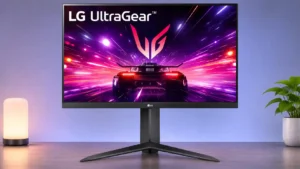
Overall: 3.3/5
FreeSync and G-SYNC compatibility keep gameplay smooth when frame rates vary. Testing also found little visible flicker during adaptive refresh.
Pros: adaptive sync performance, response time
Cons: HDR performance, console gaming compatibility

Overall: 3.1/5
Broad adaptive-sync support helps smooth games and control tearing across changing frame rates.
Pros: PC gaming compatibility, overall picture quality
Cons: overall satisfaction, Smart TV platform

Overall: 4.0/5
Broad FreeSync and G-SYNC support is a plus for fluid gaming, although VRR flicker and occasional mode instability complicate the experience.
Pros: refresh rate, competitive gaming suitability
Cons: value for money, brightness

Overall: 3.6/5
Adaptive sync generally minimizes tearing and supports smooth gaming at fluctuating frame rates, although OLED VRR flicker is not entirely eliminated.
Pros: overall satisfaction, brightness
Cons: Dolby Vision support, VRR flicker

Overall: 4.1/5
MediaSync offers a narrow variable-refresh range, and enabling it can restrict overdrive options.
Pros: color accuracy, overall picture quality
Cons: HDR performance, refresh rate

Overall: 4.0/5
The lack of FreeSync and G-Sync is a clear gaming limitation. Casual play is still possible, but buyers wanting robust adaptive-sync support have better options.
Pros: overall satisfaction, productivity versatility
Cons: value for money, reliability over time