
Overall: 4.4/5
Adaptive Sync, G-SYNC, and FreeSync keep gameplay fluid and largely tear-free. A few accounts distinguish this smoothness from occasional OLED VRR flicker.
Pros: brightness, value for money
Cons: port selection, built-in speakers

Overall: 4.4/5
Adaptive Sync, G-SYNC, and FreeSync keep gameplay fluid and largely tear-free. A few accounts distinguish this smoothness from occasional OLED VRR flicker.
Pros: brightness, value for money
Cons: port selection, built-in speakers

Overall: 4.1/5
Smooth, tear-free play is reported in real-world testing, though there are some cautions about flicker with variable refresh.
Pros: competitive gaming suitability, refresh rate
Cons: Dual-mode versatility, GPU demands

Overall: 4.1/5
FreeSync and G-SYNC-compatible variable refresh help smooth inconsistent frame delivery and reduce tearing, though dark-scene flicker is still possible.
Pros: PC gaming compatibility, reflection handling
Cons: color accuracy, VRR flicker

Overall: 4.1/5
Adaptive sync works smoothly in tested gaming scenarios, helping avoid tearing and supporting variable frame rates.
Pros: Resolution, overall satisfaction
Cons: value for money, Image scaling

Overall: 4.5/5
FreeSync and G-Sync compatibility help keep fast games smooth, with generally clean response even under changing frame rates. The dedicated anti-flicker mode brings its own limitations.
Pros: color gamut, contrast
Cons: value for money, Resolution

Overall: 3.9/5
G-SYNC variable refresh normally combines with Pulsar cleanly across fluctuating game frame rates. Early firmware displayed some doubling issues that were subsequently addressed in testing.
Pros: motion clarity, Backlight strobing
Cons: contrast, HDR performance

Overall: 3.9/5
VRR is smooth and tear-free in testing, and a hands-on owner encountered no sync problems during gaming.
Pros: brightness, color gamut
Cons: AI scene optimization, value for money

Overall: 4.2/5
FreeSync and G-Sync support help keep gameplay fluid, though testing of the anti-flicker options uncovered a separate VRR-related weakness.
Pros: overall satisfaction, black levels
Cons: value for money, stand adjustability
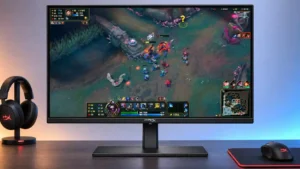
Overall: 4.1/5
Adaptive sync works across the two major graphics ecosystems in direct testing, even though the monitor menu labels are somewhat confusing.
Pros: black levels, overall picture quality
Cons: brightness, Gaming feature selection
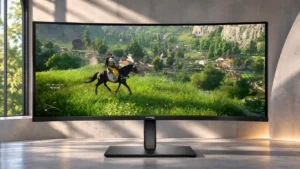
Overall: 4.4/5
Variable refresh support is part of the strong tested gaming results and operates with recent graphics hardware.
Pros: refresh rate, color accuracy
Cons: console gaming compatibility, DisplayPort connectivity
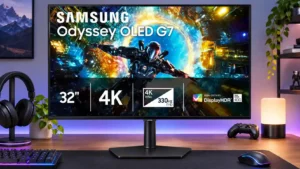
Overall: 3.8/5
FreeSync and G-SYNC compatibility help keep gameplay smooth with reduced tearing and stutter across different graphics systems.
Pros: overall satisfaction, contrast
Cons: value for money, port selection

Overall: 4.4/5
VRR works smoothly with current graphics cards and helps avoid tearing, despite limited formal certification on some tests.
Pros: refresh rate, Text fringing
Cons: Resolution, GPU demands

Overall: 3.8/5
Adaptive-sync options help smooth inconsistent game frame rates, though G-Sync certification and particular connection requirements may matter.
Pros: value for money, panel type
Cons: brightness, port selection

Overall: 4.4/5
Adaptive Sync works across Nvidia and AMD graphics cards and generally keeps gameplay tear-free. Flicker can still appear in darker scenes when frame rates fluctuate or cross the low-framerate compensation...
Pros: brightness, reflection handling
Cons: cable management

Overall: 4.0/5
FreeSync and G-SYNC-compatible variable refresh keep gameplay responsive with little tearing. The best overdrive setting differs by refresh rate in the faster mode.
Pros: Resolution, Dual-mode versatility
Cons: value for money, GPU demands

Overall: 4.3/5
Adaptive sync works well after it is enabled, including high-refresh console output. Setup can require a little menu tinkering.
Pros: color gamut, overall picture quality
Cons: brightness, HDR performance

Overall: 4.4/5
AMD FreeSync worked in testing, and another reviewer reported unofficial Nvidia G-Sync support. Adaptive sync is useful here, but the monitor is still tuned more for work than high-speed gaming.
Pros: productivity versatility, aspect ratio
Cons: value for money, competitive gaming suitability
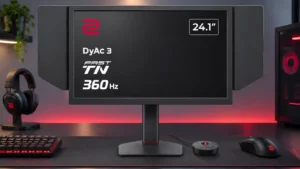
Overall: 3.8/5
Variable refresh can smooth inconsistent frame delivery, especially in demanding battle royale matches. It cannot run alongside DyAc 3, making this a choice between approaches rather than a combined benefit.
Pros: competitive gaming suitability, motion clarity
Cons: contrast, overall picture quality

Overall: 4.3/5
FreeSync, G-SYNC and AdaptiveSync support can provide smooth, tear-free play across different graphics cards. There are reports of flicker, minor tearing or smoothness changes depending on settings and system.
Pros: overall satisfaction, Text fringing
Cons: brightness, Edge dimming behavior

Overall: 4.3/5
Variable refresh generally suits smooth gaming, but the anti-flicker setting creates a narrow frame-rate range where VRR disengages and tearing or judder may appear.
Pros: black levels, sharpness
Cons: value for money, brightness

Overall: 4.3/5
One test system detected variable-refresh behavior even without clear official adaptive-sync certification. Compatibility appears workable but not guaranteed across every GPU or platform.
Pros: productivity versatility, overall satisfaction
Cons: value for money, response time

Overall: 3.5/5
VRR provides smooth gameplay but locks the overdrive setting; the fixed tuning can become troublesome at lower frame rates.
Pros: Resolution, sharpness
Cons: value for money, HDR performance