
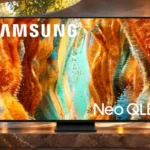
Samsung QN70F Feature Scores
Explore all 133 feature scores for Samsung QN70F, organized into pros and cons.
Scores by Feature
Summary
133 reviewed features-
Very positive 4.5-5.039 (29%)
-
Positive 3.5-4.447 (35%)
-
Neutral 2.5-3.420 (15%)
-
Negative 1.5-2.423 (17%)
-
Very negative below 1.54 (3%)
Pros
Sort
-
Compatible gaming PCs can feed 4K at 144Hz, giving the QN70F more input flexibility than ordinary 60Hz televisions.
-
All four HDMI inputs have high-bandwidth gaming capability, a rare convenience when connecting multiple modern sources.
-
Four fast HDMI inputs, low lag and broad console compatibility are major advantages, tempered by motion blur in challenging games.
-
The TV works well with modern 4K consoles and gaming PCs, with flexible signals and gaming controls.
-
Full-bandwidth HDMI 2.1 connections suit modern consoles, PCs and eARC audio setups without major input compromises.
-
PS5 and Xbox 4K/120Hz capability is a practical gaming advantage across compatible sources.
-
Artwork can fill the screen when not watching television, making the QN70F more decorative without becoming a dedicated Frame model.
-
The slim chassis, understated styling and neat rear finish give the QN70F an appealing living-room appearance.
-
Major streaming apps are easy to find, with a broad selection of services available through Tizen.
-
Strong SDR brightness keeps ordinary shows visible in lit rooms. HDR brightness is more modest against similarly priced full-array competitors.
-
Tizen's shortcuts and familiar layout are generally intuitive, notwithstanding occasional slow startup behavior.
-
The TV is at its best with ordinary SDR programming during the day, when strong brightness matters more than perfect blacks.
-
Very low lag makes button presses feel immediate, which is a clear strength for gaming.
-
VRR works over a broad range and helps reduce tearing, including when frame rates dip.
-
The barely one-inch-thick panel fits close to the wall when paired with a suitable mount.
-
Speech remains understandable at ordinary volumes, aided by voice-enhancement processing.
-
Tizen provides a capable streaming and smart-home hub with clear navigation, though it can stumble shortly after booting.
-
Samsung's Game Bar provides handy picture controls, status information and quick access to useful gaming options.
-
The pedestal snaps together without tools, making initial installation straightforward.
-
The narrow pedestal is useful when the furniture is not as wide as the television itself.
-
Standard mounting points and the thin body support an attractive wall installation, though rear input access can get awkward.
-
The QLED panel can produce vibrant colors, although wider color-space coverage and bright saturated tones are less impressive than some rivals.
-
Strong standard-dynamic-range brightness and largely accurate color make everyday TV an important strength.
-
The solar-backed remote can recharge from light or USB-C, reducing reliance on disposable batteries.
-
Compatible Samsung audio equipment can play alongside the TV's speakers for a fuller combined sound.
-
Expert image settings offer wide control of gamma, color, white balance and motion for viewers willing to tune the picture.
-
The compact center stand supports the panel well and makes placement easier on smaller furniture.
-
The Game Bar offers an aiming point, black-level adjustment and other useful quick controls.
-
SmartThings offers useful control of compatible home devices and Samsung phone features from the TV.
-
Color accuracy is excellent in some modes and tests, but Standard mode and certain HDR scenes can introduce conspicuous color errors.
-
High-refresh 1440p sources are handled well, especially with modern consoles and PCs.
-
Four HDMI sockets provide useful flexibility for several entertainment devices.
-
The central pedestal raises the screen enough for most soundbars to sit in front without hiding the picture.
-
Picture quality splits opinion: lively 4K color and daytime sharpness please some viewers, while weak edge-lit dimming leaves dark scenes flat or washed out for others.
-
Movie and Filmmaker modes are useful starting points, while Standard favors daylight and AI or Dynamic modes can change color and highlights aggressively.
-
The Art Store provides a wide assortment of recognizable artwork and visual backgrounds.
-
The borders look discreet to some owners, but one detailed comparison found them thicker than competing sets.
-
The 75- and 85-inch versions deliver scale and presence, although larger size does not solve the panel's contrast limitations.
-
Click to Search can identify actors and suggest related viewing, an appreciated shortcut for finding more content.
-
Gaming Hub makes controller-based cloud play possible without a console, although the required services can carry fees.
-
Samsung TV Plus provides an extensive free channel selection for viewers without extra subscriptions.
-
The center-mounted support feels secure and takes up little tabletop space.
-
Higher frequencies and midrange speech sound surprisingly clear for the small built-in speakers.
-
The QN70F is liked for bright viewing, software and gaming features, but satisfaction falls when buyers prioritize dark-scene picture quality or value.
-
The screen is largely clean during brighter material, though subtle nonuniformity can show on large uniform fields.
-
Most HDR gradients look smooth, with some visible banding in dark gray and bright red transitions.
-
Many ordinary HDR tones track well, but dark detail and the lack of working HGiG complicate ideal game brightness.
-
Filmmaker and movie-style settings are often close to correct, though other presets may need a warmer color-temperature adjustment.
-
Opinions diverge sharply: some demonstrations show smooth sports and 60 fps motion, while measured slow pixel transitions expose blur and trailing.
-
Picture controls can produce a more natural image, but advanced automatic calibration is time-consuming and does not always improve HDR color.
-
AI processing can add bass and impact to dialogue, music and effects beyond the standard speaker presentation.
-
Ambient artwork and screensavers make the idle TV more decorative than a plain black screen.
-
Common apps can launch quickly, even when the interface is occasionally slow just after power-on.
-
As a conventional LCD-based TV, it avoids the image-retention risk associated with self-emissive panels.
-
eARC provides an effective route to a soundbar or receiver for much fuller audio than the TV speakers can produce.
-
FreeSync Premium Pro adds welcome flexibility for compatible gaming hardware.
-
Game Mode looks bright and colorful with responsive controls, although picture adjustments cannot eliminate motion blur or weak local dimming.
-
The app makes it convenient to control the TV remotely and connect it with other Samsung devices.
-
Compatible Galaxy Buds can create a much more enveloping private listening experience through the TV's spatial mode.
-
Popular streaming services are readily available without needing a separate stick or box.
-
The wide VRR window and low-frame-rate compensation help games stay nearly tear-free when performance fluctuates.
-
The center of the screen is generally acceptable, with occasional darker edges or minor light bleed; near-black uniformity fares better in some testing.
-
Motion controls let players tweak blur and judder, although the more aggressive options can trade smoothness for picture brightness.
-
Low-quality video is smoothed reasonably well, with some loss of fine texture as the cost.
-
A compact button arrangement keeps the handset simple, but some users miss a dedicated numeric keypad.
-
HDR colors retain fairly good richness, while saturated reds can look washed out in brighter SDR scenes.
-
120Hz consoles and 144Hz PCs get useful input support, but the slow pixel response prevents consistently crisp fast action.
-
The minimal remote is handy after getting familiar with it, but its sparse buttons confuse some viewers.
-
Sizes from 55 to 85 inches cover many rooms, though there is no compact sub-55-inch option.
-
High-quality 4K and HD video looks crisp to many viewers, while softer feeds and some sports images lack fine facial detail.
-
AirPlay makes sharing content from Apple devices convenient for compatible setups.
-
Sound presets and adjustments provide some flexibility, with AI audio giving noticeably fuller results in one test.
-
Fit and finish are good with no obvious assembly defects, although the chassis relies heavily on plastic.
-
Voice and object-tracking enhancements add a little spatial presence, but true immersion needs external speakers.
-
Optional Color Booster adds more vivid or punchy color without forcing a single look on everyone.
-
Home-screen suggestions and click-to-search content details can be handy, though relevance varies.
-
The slim edge-lit approach is praised as relatively economical compared with more elaborate backlight systems.
-
HDR10+ material is supported, but its visual impact varies and can sometimes look flatter than expected.
-
The panel does not become unusually hot during extended gaming in the demonstrated test.
-
Optional interpolation can reduce movie stutter, but stronger settings can alter the intended cinematic appearance.
-
The small rechargeable remote is a practical design, with a second traditional style available in some regional packages.
-
Wireless phone casting and mirroring help display mobile content on the large screen.
-
The speakers can create a broad presentation for voices and music, but deeper cinematic impact still calls for external speakers.
-
Object-tracking processing improves perceived sound movement, but two small speakers cannot fully recreate dedicated surround sound.
-
Calibration and movie-style presets can make color look more natural, but some modes push brightness or saturation too far.
-
Most ordinary viewing looks fine, although some 25 fps material in a 60Hz feed still shows judder.
Cons
Sort
-
Bass is the obvious weakness of the built-in speakers; effects, deep voices and music sound thin until external audio or AI processing helps.
-
Indirect room light is manageable through brightness, but direct windows and lamps create obvious mirror-like reflections.
-
Slow pixel transitions are a major limitation in independent measurements, leaving visible blur even when the TV accepts 120Hz or 144Hz signals.
-
Dark-room use exposes gray blacks, halos and weak highlight separation; a few viewers find the result acceptable, but it is not a strong cinema pick.
-
Bright scenes fight general daylight well, yet the glossy surface does little to disperse sharp reflections from windows or lamps.
-
Missing DTS playback disappoints owners of discs and external systems that rely on that audio format.
-
The absence of Dolby Vision disappoints when watching content mastered for the format; HDR10+ is the alternative here.
-
Rear cable grooves are either missing or unreliable for thicker cables, leaving some wires difficult to secure.
-
Bixby responds inconsistently for some users, and language support is narrower in certain regions.
-
Old standard-definition video and poor cable feeds can look blurry, blocky or artificially smoothed despite the 4K processing label.
-
Color and contrast fade off-axis. Some group-viewing impressions are forgiving, but wider seating arrangements are not ideal.
-
Broad dimming columns respond poorly to moving highlights and can leave distracting halos behind objects.
-
The edge-lit implementation does not match the zone precision many expect from a true full-array Mini LED TV.
-
Long-term durability is a serious concern in testing of this edge-lit backlight design, despite some positive brand-owner experiences.
-
One owner reported the television switching itself on unexpectedly, which was distracting and unsettling.
-
Extra-large versions need especially strong discounts because their larger panels retain the same backlight and motion weaknesses.
-
Conventional broadcasts are supported, but the lack of ATSC 3.0 limits access to newer over-the-air features in the United States.
-
This is the most divisive weakness: large backlight columns limit precision, and several assessments say local dimming barely helps or actually worsens scenes.
-
Small bright highlights often lack the pop expected of Mini LED, although AI enhancement can improve the perceived impact.
-
High refresh-rate input helps gameplay, but moving objects can still smear, particularly in shadows and lower-frame-rate material.
-
The native panel has reasonable contrast, yet its coarse edge-lit dimming struggles to separate bright objects from dark surroundings.
-
Home-screen ads remain visible, and switching off targeting does not remove the advertising altogether.
-
The built-in tuner covers older terrestrial broadcasts, although newer ATSC 3.0 services remain out of reach.
-
Dark backgrounds can show patchy bright spots even though near-black banding is fairly well controlled.
-
Flicker varies by mode and can become distracting in settings running at a lower pulse rate.
-
Recessed rear ports can be hard to reach once the TV is mounted close to a wall.
-
HDR10+ support is useful, but the missing Dolby Vision option narrows compatibility with films and streaming services.
-
Colors noticeably shift as viewing moves to the side, so center seats give the best image.
-
PC chroma signals are supported, but the BGR subpixel layout can make text look less crisp than on a conventional monitor.
-
Near-black scenes can look lifted, and calibration may crush some subtle shadow detail rather than restore it.
-
Slow camera pans in film and television can produce noticeable stutter despite the relatively slow panel response.
-
HDR has enough brightness and color to look pleasant, but poor dimming and muted highlight separation prevent a convincing premium HDR experience.
-
Voices and higher frequencies are often clear, but the thin, low-powered speakers leave bass and cinematic impact lacking.
-
Tizen is generally usable, but its first few minutes after startup can feel slow or buggy on some units.
-
Some viewers find the blacks respectable for a slim LCD, but darker tests reveal raised, uneven blacks that fall short of stronger Mini LED sets.
-
Bright objects on dark backgrounds can create broad halos, although a few hands-on demonstrations considered the blooming tolerable.
-
Samsung's processing can sharpen cleaner content and control noise, but it does not consistently rescue rough sources or match more expensive sets.
-
Rapid color changes and dark transitions can produce visible artifacts even when edges otherwise look sharp.
-
Banding is largely contained, though darker gray shades still reveal occasional steps instead of seamless transitions.
-
Targeted-ad options and privacy settings offer some control, but they do not provide a completely ad-free experience.
-
Stand assembly is straightforward, although remote pairing and mandatory account steps can add friction during first setup.
-
HD sources usually look clean and reasonably sharp, while very low-resolution material remains soft or blocky and aggressive smoothing may remove detail.
-
AI Mode can noticeably lift dull images and fuller sound, though other demos found cooler colors or lost highlights.
-
Settings navigation is often convenient, although startup delays and occasional pauses detract from the experience.
-
Strobing can improve motion definition, but it is limited to 60Hz and may darken the image.
-
The TV handles many HDR scenes reasonably well, though its HDR output is noticeably below some similarly priced brighter Mini LED competitors.
-
Value is highly price-sensitive: a deep discount helps, but stronger-contrast alternatives often cost about the same.
Use Cases
Best for
Sort
-
Modern consoles benefit from 4K/120Hz, VRR, low lag and convenient controls, but fast-motion clarity is not top tier.
-
An eARC-connected or compatible Samsung soundbar can supply the bass and cinematic presence missing from the TV's speakers.
-
Four 4K/144Hz ports make the set flexible for PCs, yet pixel response and text clarity are real compromises.
-
Daytime news, sitcoms and ordinary streaming are where the QN70F feels most comfortable, particularly from a central seat.
-
Responsive controls, easy console setup and broad gaming support make the QN70F a comfortable choice for less demanding play.
-
Powerful SDR brightness makes daylight viewing viable, provided direct reflections from nearby windows are controlled.
-
Four capable HDMI sockets let a PC, multiple consoles and an audio system remain connected at once.
-
Full HD material generally scales cleanly and looks much better than poor standard-definition feeds.
-
SmartThings links the TV to compatible Samsung phones and home devices, adding convenience for existing owners.
-
Art Store images and personal pictures make the TV attractive as a wall display when it is not being used to watch shows.
-
Displaying family photos and custom images turns the idle screen into a personalized digital frame.
-
Streaming apps and good 4K color make casual viewing easy, with dark-scene quality and standard-definition processing as limitations.
-
Daylight brightness and vivid colors help sports, but motion blur and screen uniformity still matter during fast field pans.
-
Graphics mode can work for everyday PC tasks, but its BGR layout introduces a possible text-sharpness compromise.
Conditional or not ideal for
Sort
-
Dark-scene gamingWeak dimming and raised blacks reduce separation between objects and shadows, hindering dark games.
-
Shared-screen viewingOff-center color washout makes wider group seating less satisfying than watching from near the middle.
-
Long-term ownershipThe lack of burn-in is reassuring, but risks around the edge-lit backlight make multiyear durability uncertain.
-
Watching DVDsVery low-resolution discs and older standard-definition material are not transformed into convincing sharp 4K images.
-
1080i broadcast viewingOlder over-the-air broadcasts remain viewable, but newer ATSC 3.0 broadcast benefits are unavailable in the U.S.
-
HDR gamingGame HDR is held back by inaccurate tone mapping in some titles and weak highlight separation in dark scenes.
-
Music listeningBuilt-in sound lacks the depth and presence needed for enjoyable music sessions without external speakers.
-
Photosensitive playersSome picture modes flicker slowly enough to cause discomfort for sensitive users, especially when VRR is off.
-
Racing gamesResponsive gaming inputs help, but quick moving scenery may smear or show color artifacts.
-
FPS gamingLow lag helps fast control inputs, but visible blur and shadow smearing limit its appeal for competitive shooters.
-
Movie watchingMovies can look pleasing in moderate light, but poor dark-scene contrast, weak HDR highlights and some stutter spoil serious cinema viewing.
-
Budget-conscious buyersThe QN70F can fit a careful budget only with a substantial discount; full-price buyers have stronger picture-quality choices.
-
TV speaker-only viewingThe built-in speakers suit news and casual television, but viewers seeking bass, music or movie spectacle will want an upgrade.
-
Sports watchingBright sports look lively, yet some tests reveal trailing, color errors and edge darkening in fast field action.