Best for screen mirroring
Samsung S90H
5.0 attribute score
Highest scored product for this attribute based on supporting review evidence.

Highest scored product for this attribute based on supporting review evidence.
Balances the attribute score, supporting reviews, and overall product strength.
Has the broadest review evidence for this attribute.
Strongest overall product among items with scored evidence for this attribute.
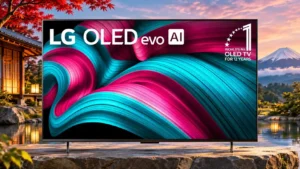
Overall: 4.0/5
Screen mirroring is generally a strength of the C5, contributing to its versatile viewing or gaming experience.
Pros: value for money, overall satisfaction
Cons: Remote control usability, sound quality

Overall: 4.1/5
Home Office and wireless mirroring connect easily and turn larger C6 models into useful oversized displays for work.
Pros: picture quality, gaming performance
Cons: value for money, sound quality

Overall: 4.4/5
Classic screen mirroring joins AirPlay and Chromecast for flexible wireless display sharing.
Pros: picture quality, peak brightness
Cons: value for money, sound quality
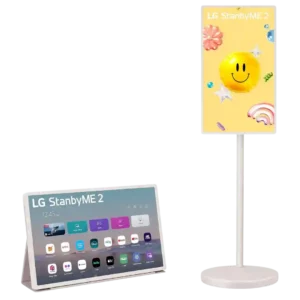
Overall: 3.8/5
Screen mirroring worked especially well in the detailed expert test, including moving browser windows onto the StanByMe 2 as smoothly as with a dedicated monitor.
Pros: overall satisfaction, portability and versatility
Cons: value for money, menu responsiveness

Overall: 2.6/5
AirPlay mirroring works with an iMac and iPhone without an external streaming box.
Pros: sound quality, picture quality
Cons: value for money, local dimming performance

Overall: 3.1/5
Direct mirroring from an iMac and iPhone works well, avoiding separate casting hardware.
Pros: picture quality, overall satisfaction
Cons: sound quality, black levels

Overall: 4.5/5
Screen mirroring through AirPlay or Miracast is described as quick and easy to use.
Pros: glare resistance, black levels
Cons: Dolby Vision support, color gamut

Overall: 3.3/5
Phone-to-TV mirroring is especially handy for owners of Apple devices who want a simple display connection.
Pros: color accuracy, upscaling quality
Cons: picture quality, sound quality

Overall: 3.9/5
Phone and tablet content can be shared to the TV with minimal setup.
Pros: peak brightness, picture quality
Cons: color accuracy, viewing angles

Overall: 4.4/5
Phone and tablet mirroring is easy to start, with broad Apple and Google casting support built into the television.
Pros: picture quality, value for money
Cons: stand quality, judder handling
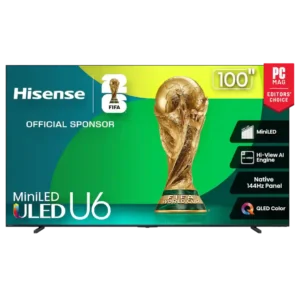
Overall: 4.2/5
Screen mirroring works smoothly for casual photos, presentations, and video in the source that evaluates it directly, though it is not intended for low-latency gaming.
Pros: overall satisfaction, value for money
Cons: smart TV platform, blooming control

Overall: 4.2/5
Built-in mirroring helps move content from a phone or laptop onto the big screen without extra adapters.
Pros: high-refresh-rate gaming, gaming performance
Cons: value for money, bass performance

Overall: 3.8/5
Sharing photos or videos to the TV is convenient once connected, though responsiveness can differ between static images and moving footage.
Pros: HDMI 2.1 port count, overall satisfaction
Cons: HDR performance, bass performance

Overall: 3.4/5
AirPlay lets iPhone users mirror their display to the larger screen.
Pros: picture quality, color accuracy
Cons: remote control quality, black levels

Overall: 3.1/5
AirPlay and Google Cast support let users send compatible phone or computer content to the TV.
Pros: gaming performance, color accuracy
Cons: value for money, overall satisfaction

Overall: 3.8/5
Wireless phone casting and mirroring help display mobile content on the large screen.
Pros: picture quality, 4K at 144 Hz support
Cons: sound quality, value for money
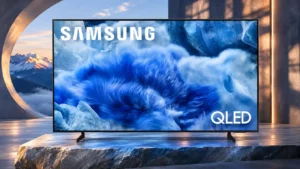
Overall: 3.3/5
Wireless display mirroring adds a convenient way to show content from another device.
Pros: overall satisfaction, picture quality
Cons: reliability, remote control quality

Overall: 4.1/5
iPhone mirroring worked inconsistently in one hands-on test, undermining the convenience of wireless screen sharing.
Pros: overall satisfaction, value for money
Cons: Smart TV platform, advertising intrusiveness