Best for content recommendations
TCL QM8L
5.0 attribute score
Highest scored product for this attribute based on supporting review evidence.

Highest scored product for this attribute based on supporting review evidence.
Balances the attribute score, supporting reviews, and overall product strength.
Has the broadest review evidence for this attribute.
Strongest overall product among items with scored evidence for this attribute.

Overall: 3.3/5
One owner likes that the interface learns favorite programs and apps. Personalization can make the home screen feel more useful when it works as intended.
Pros: picture quality, overall satisfaction
Cons: value for money, reliability

Overall: 4.1/5
Google TV aggregates suggestions across services to simplify finding a show, with useful personalized results.
Pros: peak brightness, HDR brightness
Cons: sound quality, viewing angles

Overall: 4.4/5
Google TV surfaces relevant titles effectively and keeps recommendations useful rather than burying apps behind clutter.
Pros: picture quality, value for money
Cons: stand quality, judder handling
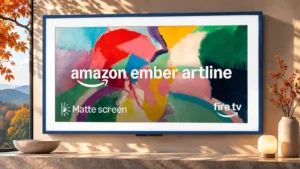
Overall: 3.4/5
Alexa+ can turn detailed taste and genre requests into helpful movie suggestions, though results are not consistently relevant.
Pros: art display mode, picture quality
Cons: contrast ratio, high-refresh-rate gaming

Overall: 4.2/5
Recommendations learn what household members watch and can offer useful suggestions from the many available apps.
Pros: high-refresh-rate gaming, gaming performance
Cons: value for money, bass performance
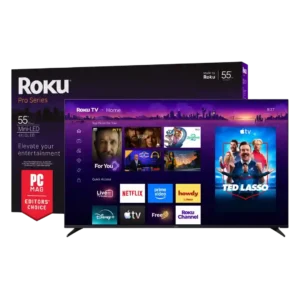
Overall: 4.4/5
Recommendations stay relatively restrained and avoid overwhelming the home screen, which suits buyers who prefer Roku’s simpler presentation.
Pros: overall satisfaction, picture quality
Cons: reliability, portability and versatility

Overall: 3.9/5
Content discovery is flexible, with platform-based recommendations and smart searches. Context can change depending on whether an app or the TV home screen is active.
Pros: peak brightness, overall satisfaction
Cons: value for money, shadow detail

Overall: 4.0/5
Home-screen recommendations can be hidden for a simpler interface, though the default presentation is cluttered and ads are not eliminated everywhere.
Pros: peak brightness, picture quality
Cons: value for money, viewing angles

Overall: 4.0/5
Tailored suggestions can be helpful, but irrelevant promoted rows and personalization gaps can make discovery feel cluttered.
Pros: reflection handling, overall satisfaction
Cons: Dolby Vision support, bass performance

Overall: 3.9/5
Google TV and Gemini make it easy to resume shows, discover content, and request personalized suggestions, though the AI can feel intrusive to some.
Pros: peak brightness, picture quality
Cons: color accuracy, viewing angles
Overall: 4.2/5
Google TV and Gemini provide useful, personalized recommendations, with conversational discovery making it easier to find something to watch.
Pros: overall satisfaction, picture quality
Cons: HDMI 2.1 port count, reflection handling
Overall: 3.9/5
Google TV's personalized recommendations make it easier to discover shows and movies across services.
Pros: overall satisfaction, picture quality
Cons: Weight and handling, black levels

Overall: 3.9/5
Google TV recommendations are usable but not especially personal; suggestions can lean generic or surface services the viewer does not use.
Pros: gaming performance, peak brightness
Cons: HDMI 2.1 support, HDMI 2.1 port count
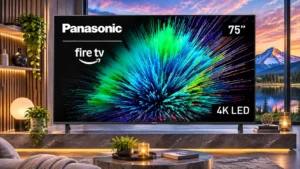
Overall: 3.3/5
Content recommendations become more relevant as Fire TV learns viewing preferences, helping viewers rediscover shows and apps.
Pros: picture quality, motion handling
Cons: HDR performance, HDR brightness

Overall: 3.9/5
Viewing profiles and personalized suggestions can surface useful programs, though the platform also promotes Samsung’s own channels.
Pros: value for money, overall satisfaction
Cons: Dolby Vision support, sound quality

Overall: 4.0/5
Google TV’s recommendations are useful for surfacing content based on viewing habits, and reviewers generally liked the discovery experience.
Pros: overall satisfaction, picture quality
Cons: reliability, build quality
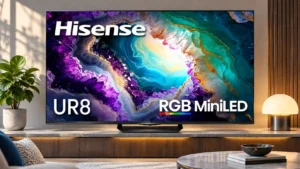
Overall: 4.0/5
Voice-based discovery can find movies from fairly complex requests, supplementing the on-screen suggestions.
Pros: gaming performance, color volume
Cons: blooming control, dark-room performance

Overall: 3.1/5
Tizen's organized home page serves up curated viewing suggestions alongside the major streaming apps.
Pros: gaming performance, color accuracy
Cons: value for money, overall satisfaction

Overall: 3.0/5
Tizen's suggested content felt sensible to one user, making casual discovery more straightforward.
Pros: color gamut, smart TV platform
Cons: value for money, overall satisfaction

Overall: 3.8/5
Home-screen suggestions and click-to-search content details can be handy, though relevance varies.
Pros: picture quality, 4K at 144 Hz support
Cons: sound quality, value for money

Overall: 3.8/5
Tizen surfaces viewing-based suggestions and offers a customizable app row, though sponsored content occupies part of the home screen.
Pros: overall satisfaction, picture quality
Cons: value for money, local dimming performance

Overall: 3.7/5
Tizen can surface useful suggestions and separate household profiles, although the home screen can feel busy with promotions.
Pros: color volume, overall satisfaction
Cons: value for money, color accuracy

Overall: 3.9/5
Tizen can suggest programming from watch history and gives personalized shortcuts.
Pros: color volume, black levels
Cons: Inconsistent panel and coating by size, sound quality

Overall: 4.0/5
Personalized recommendations are better integrated.
Pros: black levels, picture quality
Cons: glare resistance, reflection handling

Overall: 4.5/5
Personalized suggestions can work surprisingly well after some use, although recommendation features are not central to the TV’s appeal.
Pros: glare resistance, black levels
Cons: Dolby Vision support, color gamut

Overall: 3.6/5
Google TV places suggested shows and films from multiple services in one location, reducing time spent navigating separate apps.
Pros: picture quality, overall satisfaction
Cons: sound quality, reliability

Overall: 3.8/5
The Google TV home screen offers reasonably useful suggestions alongside its familiar app and show navigation.
Pros: HDMI 2.1 port count, overall satisfaction
Cons: HDR performance, bass performance

Overall: 3.4/5
Google TV collects shows and suggestions from several services in one home screen, helping reduce app hopping.
Pros: picture quality, value for money
Cons: viewing angles, HDR performance

Overall: 4.0/5
Google TV surfaces relevant programs effectively but includes promoted recommendations alongside personal picks.
Pros: peak brightness, picture quality
Cons: HDMI 2.1 port count, reflection handling

Overall: 4.0/5
Recommendations can be useful and personalized rather than just intrusive.
Pros: peak brightness, blooming control
Cons: value for money, motion clarity

Overall: 4.0/5
webOS organizes entertainment with helpful Quick Cards, while settings allow a cleaner home page if suggestions feel intrusive.
Pros: contrast ratio, black levels
Cons: reflection handling, color accuracy

Overall: 3.9/5
Recommendations can be tailored to viewing habits, and some home-screen suggestions can be turned off.
Pros: gaming performance, overall satisfaction
Cons: sound quality, value for money
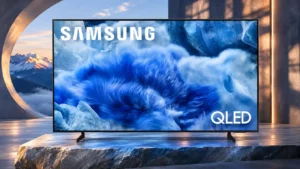
Overall: 3.3/5
Personalized suggestions and show information help some viewers find new programming, while others find the organization and promotions cluttered.
Pros: overall satisfaction, picture quality
Cons: reliability, remote control quality

Overall: 4.1/5
Recommendations range from useful and sensible to generic and poorly personalized. The feature may improve as it learns viewing habits.
Pros: picture quality, gaming performance
Cons: value for money, sound quality

Overall: 4.3/5
Fire TV makes discovering something to watch convenient, but the home screen strongly favors Amazon's services and suggestions.
Pros: picture quality, black levels
Cons: bass performance, HDR brightness

Overall: 4.0/5
Google TV organizes shows and watchlists well, but its recommendation system can feel busy and less clever than alternatives.
Pros: picture quality, black levels
Cons: HDR brightness, value for money

Overall: 4.0/5
Rows and personalized suggestions can be convenient, but not every streaming service appears consistently.
Pros: color accuracy, picture quality
Cons: HDR brightness, peak brightness

Overall: 4.2/5
Personalized suggestions can help viewers discover programs, but promoted and auto-playing content can feel intrusive.
Pros: picture quality, glare resistance
Cons: value for money, bass performance
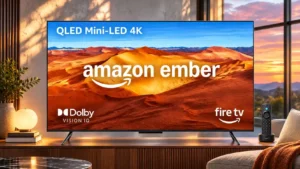
Overall: 3.7/5
Fire TV can resume shows and surface familiar services, but recommendations are often crowded out by paid placements and irrelevant sponsored content.
Pros: value for money, HDR brightness
Cons: color accuracy, shadow detail

Overall: 4.4/5
AI Concierge can surface useful suggestions, but several tests found the recommendations too limited or unremarkable to become a regular feature.
Pros: picture quality, peak brightness
Cons: value for money, sound quality
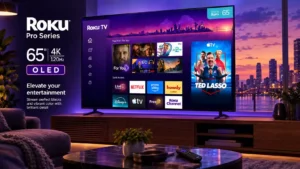
Overall: 4.1/5
Favorite-service shortcuts can reduce browsing, but added suggested-content rows make the home screen feel less immediately useful to some longtime Roku users.
Pros: contrast ratio, value for money
Cons: peak brightness, HDR brightness

Overall: 4.2/5
Personalized profiles and AI suggestions help organize viewing, but the lack of a universal Continue Watching row disappoints some users.
Pros: value for money, color accuracy
Cons: HDR brightness, reflection handling

Overall: 3.8/5
The interface offers plenty to watch without overwhelming the home screen, but its personalization can feel generic.
Pros: picture quality, contrast ratio
Cons: blooming control, glare resistance

Overall: 4.1/5
Google TV suggestions can be convenient, but the mix is heavily Google-oriented and some recommendations miss the mark.
Pros: peak brightness, picture quality
Cons: value for money, color accuracy

Overall: 3.7/5
Home banners and suggested programs can be hidden for a cleaner interface; the apps page remains less customizable.
Pros: picture quality, maximum volume
Cons: sound quality, bass performance

Overall: 3.1/5
Streaming suggestions can be rearranged or hidden selectively, but the home screen remains busier than a fully customizable interface.
Pros: picture quality, overall satisfaction
Cons: sound quality, black levels
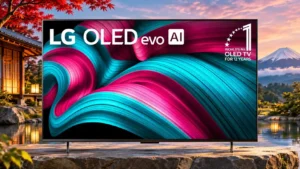
Overall: 4.0/5
Personalized suggestions can be convenient, but they are not fundamentally more useful than streaming services’ own recommendations.
Pros: value for money, overall satisfaction
Cons: Remote control usability, sound quality
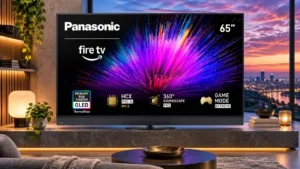
Overall: 4.3/5
Suggestions can lean too strongly toward Amazon's catalog and miss the household's actual interests.
Pros: picture quality, color accuracy
Cons: bass performance, HDMI 2.1 port count
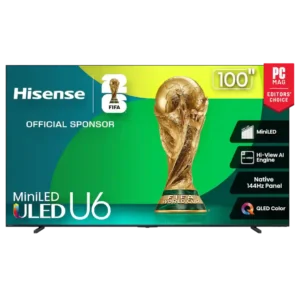
Overall: 4.2/5
Content recommendations tend to lean heavily toward Amazon material, and multiple sources find that emphasis cluttered or overly ecosystem-driven.
Pros: overall satisfaction, value for money
Cons: smart TV platform, blooming control

Overall: 4.1/5
LG’s default home page can bury useful content under suggested services, paid promotions and poorly matched recommendations.
Pros: gaming performance, HDR brightness
Cons: reflection handling, glare resistance